technician-fixing-camera

Should Access Control and Video Surveillance Work Together?

Access control and video surveillance answer different parts of the same incident. A badge is used at 7:42 p.m. The access system says the door opened. If that happened after hours at a site you manage from another state, what do you check next? Video can show who approached, whether someone followed them in, and whether the door closed behind them.

So, should access control and video surveillance work together? Yes, when the connection helps your team answer a real question or respond to an event. You do not need to combine every camera and every door. Start with the openings and incidents where matching an access event to the right video would save time or change your response.

For an IT Director supporting several locations, the result should be simple: an authorized person can find the door event, open the relevant camera view, and understand what happened without calling three people or guessing which camera is “CAM-47.” Here is how to decide where that workflow is worth building.
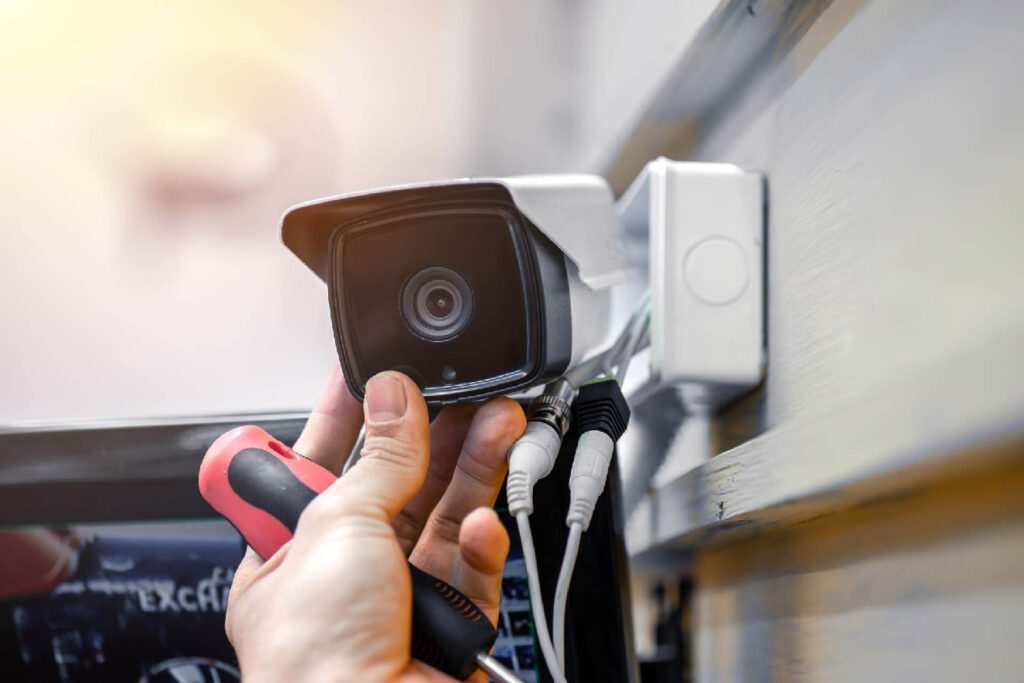
Technician adjusting a security camera

What does access control and video surveillance integration actually do?

At its simplest, the integration associates a door event with the camera that covers that opening. A user can move from a granted badge, denied credential, forced door, or held-open alarm to video from the same place and time. Depending on the platforms, the video may appear in one interface or open through a supported link to another system.

The integration may also help an authorized operator view an entrance before releasing a door remotely. That is a different workflow with a different permission requirement. Ask for a demonstration using your actual door names and camera views. A screenshot of a generic dashboard will not tell you how quickly your team can investigate Site 27.

Some products combine access and video in a common platform. Others connect separate platforms through a supported integration. Either approach can work. The test is whether the person handling an incident can get from the alert to useful evidence, and whether someone can support that connection after a software update.

Why does access control and video surveillance work better together?

An access event is a record of what the system detected. It can tell you a credential was accepted, a door stayed open, or a contact reported an unexpected opening. It usually cannot tell you on its own whether the cardholder brought in a coworker, a delivery kept the door open, or a closer failed to latch.

Video provides context around the event. If the clip opens at the right door and time, your team can decide whether to escalate, dispatch service, or close a harmless incident. That matters even more when a central security team supports many sites and cannot walk down the hall to look.

Access control and video surveillance together can make your response more consistent. One regional manager should not be hunting through cameras while another has an event-linked view. When door names, camera associations, and permissions follow a shared standard, the next location is easier to support.

Which incidents benefit most from access and video together?

A denied credential after hours

A denial could be a person at the wrong door, an expired badge, a contractor outside approved hours, or a former employee attempting entry. The event tells you what the controller decided. The video shows what was happening at the opening. You still check the credential record and access policy, but you can start with a clearer picture.

Imagine a warehouse manager calls because a vendor says their badge failed. The central operator opens the associated camera view and sees the vendor at the employee entrance instead of the contractor entrance. That is a different response from a denied credential presented repeatedly at a restricted room after closing.

A forced or held-open door

A forced-door alert means the door opened without the expected authorized sequence. A held-open alert means it remained open past the configured threshold. Neither alert tells you why. Video may show a delivery, equipment traffic, maintenance work, a propped door, or an actual unauthorized entry.

It may also show a mechanical problem. If the same door fails to latch every afternoon, the fix could be door hardware or a closer adjustment. An integration cannot repair the opening, but it can help your service team stop treating each alarm as an isolated mystery.

Alen’s 2026 domestic food manufacturer case study describes doors and overhead bays left open across two facilities. The upgraded environment combined access control, video, burglar alarm, and door-prop alerts. The practical point is the response: the team needs enough context to tell an operational habit from a security event.

Remote entry at a lightly staffed site

A remote office may not have a receptionist at every entrance. An authorized operator might use an intercom or door station and a camera view to check a visitor before releasing the door. That workflow needs the right live view, a reliable communication path, and a clear rule about who may unlock it.

Remote release is an administrative function. It does not replace required egress, emergency release, or fire-alarm behavior. The door hardware and local requirements still determine the safe design. The video view helps the operator make a decision; it cannot make a noncompliant opening safe.

Do access control and video need the same manufacturer?

No. Separate systems can often be connected when the vendors support the relevant APIs, drivers, versions, and licenses. A common platform may offer a smoother operator experience. A mixed environment may let you keep working cameras or choose equipment that fits a particular site.

Ask what the operator can actually do in each option. Can they open recorded footage from the access event? Is the camera view live, recorded, or both? Can they search by door and event type? What happens when a camera is replaced? Who fixes the connection if an upgrade breaks it? Those answers are more useful than a “unified” label.

A phased approach may be sensible for a company with existing equipment across many buildings. Connect priority doors first, document the mappings, and expand as sites are renovated. The central team can still use one investigation process even when hardware varies by location.

Where should you start the design?

Start with a real incident, not a product diagram. Pick a door your team struggles to investigate today. Ask what the operator needs to know in the first minute and what action they should be allowed to take. That defines the camera view, event association, permissions, and retention you actually need.

For a denied badge, perhaps the operator needs a 30-second clip before and after the event. For a loading dock left open, a broader view and a longer window may matter. For remote release, live video and two-way communication could be essential. The workflow dictates the configuration.

Then name each door and camera consistently. “Rear Employee Entry” in the access system should map to a camera name a human can recognize. Keep the camera’s field of view in the site record. A technically connected camera that points past the opening will not help an investigation.

What makes access control and video surveillance dependable across sites?

Time, mapping, and retention

The event and video need to agree on time. Check the time source, time zone, and daylight-saving behavior for controllers, cameras, servers, and cloud services. A clock mismatch can send an investigator to the wrong clip even when the integration appears healthy.

Record the door, reader, camera, view, site, and integration status together. Decide who updates that record when someone moves a camera or renames a door. Set video retention for the investigation period the organization actually needs, with access to exports limited to the right roles.

Permissions and network security

The person who issues badges does not automatically need recorded video from every site. A video investigator does not automatically need remote unlock rights. Set roles around jobs: viewing live video, searching recordings, exporting evidence, managing credentials, changing schedules, and releasing doors.

The connector itself needs scrutiny. IT should review service accounts, API tokens, encryption, logging, updates, and vendor support access. Give it only the permissions it needs. Alen’s approach to network-connected security systems is to avoid unnecessary open ports and firewall holes; the integration should have a documented, secure path rather than an exception nobody owns.

Licensing and support

A promised workflow may require separate access, video, integration, camera, or API licenses. Ask for the complete subscription and support scope before approving the design. If two vendors are involved, decide who takes the first call when an event no longer opens video.

That ownership matters after installation. A client should have one clear path to service, with a partner who can diagnose the door, camera, network, and connector together. Otherwise the integration becomes another place for tickets to bounce between teams.

What happens when one system is offline?

A video outage should not silently change the access-controlled door’s required local behavior. The door should keep operating according to its own design, while the team knows that video evidence is unavailable. The opposite can happen too: cameras may record while access events stop reaching the shared view.

Test the loss of a camera, the integration service, and connectivity at one site. Does the operator see a clear failure alert? Do event links recover after the connection returns? Are recordings still available in the video system? A broken association that no one notices is worse than a visible outage with a known response.

For a deeper look at controller behavior during a WAN outage, see our cloud access control offline guide. This article’s narrower question is whether the link between a door event and its video survives or clearly reports a failure.

How do you test the workflow before rollout?

Commissioning should prove what an operator can do, not merely show that two systems exchanged a message. Use representative doors from different site types and have the person who will handle incidents run the test.

  1. Present a valid and a denied test credential, then open the matching video and confirm the correct door and time.
  2. Trigger a controlled forced-door and held-open condition, and check the alert, camera mapping, and recorded clip.
  3. Use a limited operator account to confirm viewing, export, and remote-release permissions match the role.
  4. Disconnect a camera or integration service, verify the failure is visible, then restore it and test recovery.

Write down the result, platform versions, licensing, camera view, timestamp difference, and the person responsible for any fix. A single passing demonstration does not prove that every site has the right mapping. Make the test repeatable so a new location can be accepted against the same standard.

Our multi-site access control guide covers the broader rules for naming, site records, permissions, and support. This integration should fit that operating model rather than becoming a separate project at each building.

Frequently asked questions

Can a door alarm automatically open a camera view?

Many supported integrations can associate an alarm with a mapped camera, but the exact display depends on the platforms, versions, licenses, and configuration. Test the forced-door and held-open events you care about with the operator account that will use the feature.

Can video prove who used a badge?

It can show visual context around the event. It does not automatically prove identity. Camera angle, lighting, timestamp accuracy, and the possibility that someone followed the cardholder all matter. Treat the clip as evidence to review alongside the access record, not as a substitute for investigation.

Can an operator unlock a door from the video system?

Some platforms support remote release through a configured integration. Limit that action to authorized roles, verify the communication path, and document the operating procedure. The door’s required egress and emergency behavior must be designed independently of a remote command.

Is integration useful at a small location?

It can be, especially if a central team investigates incidents for that location. The value depends on how often events occur and whether the linked view reduces work. Start with a high-value door and test the workflow before connecting every opening.

What if we already have different camera systems across sites?

Inventory the platforms, versions, and supported connectors. You may be able to integrate some sites now and migrate others during planned upgrades. Keep door and camera naming, incident steps, permissions, and documentation consistent so the central team has a predictable process.

Make the next investigation easier

The best reason to connect access control and video surveillance is a real incident your team can resolve faster. Pick the door, the event, and the operator. If the operator can get to the right video and take the right action without hunting, the integration is doing its job.

Alen Security can review your existing access control and video systems, map the door-to-camera workflows that matter, and build a phased plan for your locations. Schedule a conversation with Alen to see which doors should be connected first.
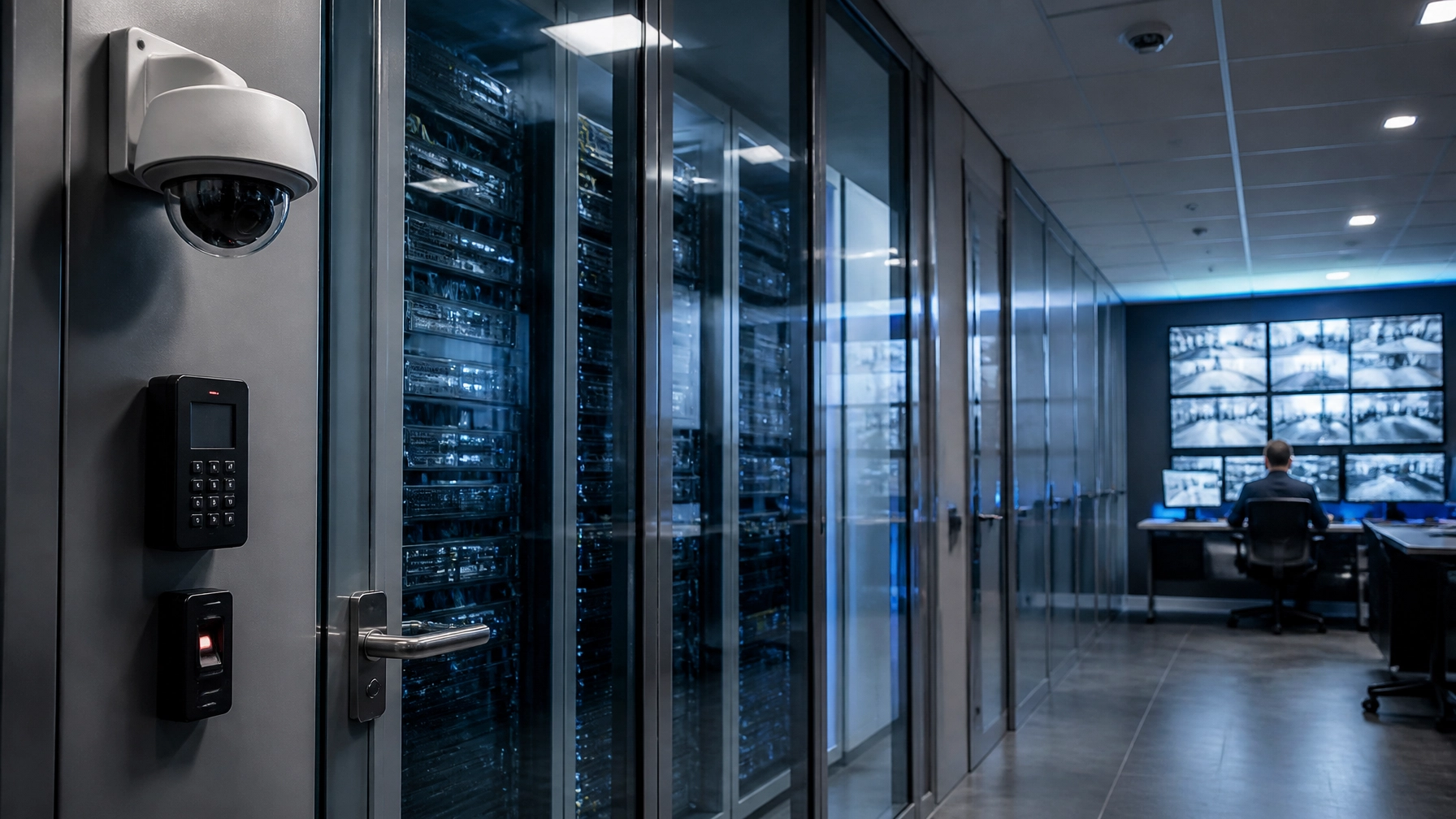
cloud-video-surveillance-and-access-control-system-outside-server-room

How to Secure Physical Security Systems on Your Network

Your physical security systems—access control and video—sit on the same network your IT team is expected to protect. A camera that needs an exposed inbound port, a controller with an unknown firmware version, or a vendor login nobody owns can create work and risk long after installation. For an IT director with several sites, those exceptions multiply quickly.

So how do you integrate physical security without compromising cybersecurity? Treat cameras, recorders, controllers, and management software as connected systems from the first design meeting. Inventory them, separate their traffic, limit who can administer them, define how they communicate, and test what happens when the internet or power fails. The goal is a system your team can understand and support, not one that depends on a collection of firewall exceptions.

Server room infrastructure supporting physical security systems on a business network
Network design is part of the physical security design, not a handoff after installation.

Why do physical security systems belong in the IT conversation?

Modern physical security systems use IP networks for device management, access events, video streams, updates, and remote administration. A door controller may keep making local decisions when its cloud connection drops, while an administrator needs the network to change a credential. A camera may record locally but send a stream across the WAN when someone opens a remote view. Those are different traffic and availability requirements.

That is why the question is bigger than, “Can the device connect?” IT needs to know where it connects, who can reach it, what data crosses the network, and who owns it after the installer leaves. Security needs to know which doors, cameras, and alerts must keep working during a failure. Facilities needs a service path when a reader or switch goes down. If those teams only meet at go-live, the project has already missed the most useful design conversation.

The National Institute of Standards and Technology includes physical access control systems among operational technology examples in its Guide to Operational Technology Security. The practical takeaway is that these devices have real-world availability and safety consequences. A patching or segmentation plan has to account for how the building operates, not only how a server would be managed.

Which physical security systems should you inventory before changing the network?

Start with the equipment that is actually installed. List each camera, reader, controller, recorder, bridge, workstation, kiosk, switch, and cloud connection. Record the model, location, firmware, IP address or address plan, support owner, and the system it depends on. A diagram that shows “security VLAN” without the devices and traffic paths is not enough to approve a change.

Then map the flows. Which device talks to which service? Is the traffic local, site-to-site, or outbound to a cloud platform? Who needs remote access, and through what approved method? Does a video integration request a stream from the recorder or directly from cameras? This exercise often reveals old port forwards, shared administrator accounts, unsupported hardware, and “temporary” firewall rules that were never removed.

Do not assume every old component needs replacement. Some existing readers, locks, cabling, and cameras can remain if they are compatible, supported, and fit the new security design. Others may be the constraint that forces a different architecture. An access control site survey should answer those questions before anyone promises a seamless migration. Our access control site survey guide explains what to check at the door and on the network.

How should physical security systems be segmented?

Put connected security devices in a defined network zone and allow only the traffic their functions require. A dedicated VLAN is a useful starting point, but it is not a security boundary by itself. Firewall rules or access-control lists must govern what can move between the camera, controller, management, corporate, and internet-facing networks. Separate administrative access from ordinary device traffic where the design supports it.

For example, a lobby camera may need to reach a local recorder and an approved management service. It should not have general access to payroll workstations. A door controller may need a defined path to its management platform and perhaps an identity integration. It should not inherit broad trust because it sits in the same building. Document the required destinations and ports, then deny what is not needed.

Segmentation also needs a maintenance path. If an installer needs a temporary connection for commissioning, name the person who approves it, set an end time, and remove it when testing is complete. If a legacy device cannot support the desired controls, record that exception and its replacement plan. A clean diagram and a tested rule set are more useful than a statement that all devices are “on their own VLAN.”

Can cloud-managed security avoid open inbound ports?

Many modern cloud-managed platforms establish outbound encrypted connections, which can eliminate the need to forward inbound ports for routine remote management. That is a strong design choice when it fits the product and the organization’s policies. It is not a promise that every camera, integration, or service workflow needs no firewall rule. Review the actual vendor architecture and the connection list for the proposed system.

Ask to see the exact destinations, protocols, certificate handling, update path, and remote support method. If someone proposes exposing a recorder or controller directly to the public internet, ask why an approved, narrower method cannot do the job. If the answer is “that is how we have always done it,” that is not enough. Alen’s preferred approach avoids unnecessary open ports and firewall holes, with the network team involved before a design is signed off.

Outbound does not mean automatically safe. The account controlling the cloud console still needs strong authentication and limited permissions. The device still needs updates. Your team still needs logs and a way to revoke vendor access. Good architecture removes avoidable exposure, then backs that choice with operational controls.

Who should administer physical security systems?

Give each administrator an individual account, the smallest role that fits the job, and multifactor authentication when the platform supports it. A site manager who can review events may not need to change door schedules at every property. A service technician who needs temporary access should not retain a permanent organization-wide login. Keep an owner for each account and review privileges when people change roles or leave.

Integrations deserve the same attention. A directory or HR connection may automate part of the employee access process, but it should have a defined scope, an error queue, and a person responsible for failed updates. The physical access decision is not always identical to an application entitlement. A terminated employee should lose access quickly, while a technician, visitor, or emergency role may follow a separate approval path. Our guide to automating employee access from onboarding through offboarding goes deeper on those handoffs.

Review logs for administrator changes, credential activity, failed sign-ins, device outages, and unusual access patterns. The point is not to flood a team with alerts. Decide which events warrant action, who receives them, and how they are investigated. A centrally managed environment helps, but only if naming, roles, and escalation rules are consistent across sites.

How do you keep firmware and devices supportable?

Keep physical security systems supportable with an update process built around an accurate device inventory. Know which hardware is supported, who tests an update, how it is scheduled, and what you will do if a camera or controller behaves differently afterward. Automatic updates may be available on some platforms, but they do not replace change control or a recovery plan for a working facility.

For a multi-site estate, standardize approved device families and configurations where practical. The goal is not identical doors everywhere. It is a known baseline for firmware, time settings, passwords, logging, switch ports, and documentation. Keep site-specific differences visible. That makes it easier to spot the one recorder or controller that has quietly fallen behind.

When a product reaches end of support, treat it as a decision rather than an indefinite exception. Ask whether it can be isolated while a phased replacement is planned, whether it still meets the access or video requirement, and whether the manufacturer will provide fixes. Our legacy access control guide covers how to prioritize that work across locations.

What should IT check for video traffic and storage?

Among physical security systems, video creates a different load from a reader event. Plan how much is recorded locally, what crosses the WAN, when people view streams remotely, and how quickly footage must be retrieved. Resolution, frame rate, compression, retention, analytics, and simultaneous viewers all affect the design. A normal day and an incident review can have very different network demands.

Do not assume all cloud-managed video is stored locally, or that only metadata leaves the site. The answer depends on the selected architecture and settings. Ask the vendor to show where footage is stored, how it is encrypted, who can export it, what happens during an outage, and what traffic is generated when several users open live views. Test those assumptions at a representative site before rolling them out everywhere.

Central management view for access control and video across multiple business locations
A central view is useful when each site follows the same access, video, and support rules.

What happens to physical security systems when the internet or power goes down?

There is no universal answer. Some access controllers continue using locally stored permissions and later synchronize events. Some cameras continue recording to local storage. Other functions, such as new cloud-issued credentials, remote live viewing, or notifications, may pause. The exact behavior depends on the controller, storage design, configuration, power, and integration. Document it and test it.

Run a planned outage at a pilot site. Try an existing credential, a newly issued credential, a revoked credential, and an approved emergency procedure. Check whether the recorder captures footage, whether the event history is retained, and how systems reconcile when connectivity returns. Test a power interruption separately, including UPS run time. Coordinate door behavior with life-safety requirements and the authority responsible for the building; do not treat fail-safe and fail-secure choices as a generic software setting.

For a focused outage checklist, see what happens to cloud access control when the internet goes down. The question is not whether a sales deck says “offline capable.” It is which doors and workflows still operate in your building.

How do you roll out a secure standard across multiple locations?

Begin with one representative location, not the easiest showroom site. Include a legacy device, a busy entrance, a remote administrator, and a real service workflow. Inventory the equipment and traffic, agree on a network zone, define administrator roles, and test the intended remote connection. Then exercise the failure scenarios before calling the design a standard.

Write down the common rules: approved hardware, address plans, permitted traffic, credential policy, account ownership, update windows, logging, video retention, and support escalation. Record exceptions by site, with an owner and review date. A guardhouse, high-value cage, and lobby can differ physically while the management model stays consistent. This is how a program grows without turning every new facility into a separate project.

Finally, make the handoff tangible. IT should receive the network diagram and traffic requirements. Security should receive the access groups and event procedures. Facilities should know who to call for a failed door or camera. Alen’s role is to design, install, and support that environment with a repeatable service path, so the customer does not have to reconstruct the system whenever a person or site changes.

What should you ask an integrator before approving the design?

Use a short set of questions in the design review. Ask for specific answers and a test plan, not a yes-or-no slide:

  • Which devices, cloud services, and people can reach each network zone?
  • Does remote management require any inbound exposure, and how is vendor access approved and revoked?
  • What functions continue during internet and power outages at this site?
  • Who owns firmware, administrator accounts, logs, exceptions, and ongoing service?

Have the integrator demonstrate how those physical security systems behave at the pilot. The best design is not the one with the longest feature list. It is the one your team can operate on a busy Tuesday, investigate after an incident, and repeat at the next facility without a new collection of exceptions.

Frequently asked questions

Do physical security devices need their own VLAN?

A dedicated VLAN can help organize cameras and controllers, but it is only a starting point. Use firewall rules or access-control lists to limit traffic between zones, define approved management paths, and document the exceptions. High-consequence devices may need stronger separation based on the site’s risk and availability requirements.

Is an outbound-only cloud connection enough to secure access control?

No. Outbound encrypted connections can remove the need for routine inbound port forwarding, but account security, device updates, logging, and vendor access still matter. Verify the exact product architecture and permitted destinations. A cloud console with a shared administrator login is not a secure design simply because its traffic starts inside the network.

Can existing cameras and readers stay during a modernization?

Sometimes. Compatibility, support status, image quality, credential technology, wiring, and the proposed platform determine what can remain. Inventory the actual devices and test them in a pilot. Reusing supported hardware can reduce disruption, but keeping an unsupported recorder or reader may preserve the very exception the project is meant to remove.

Will doors and cameras work if the internet fails?

It depends on local controller permissions, recording storage, power, and configuration. Existing credentials may continue working while new cloud changes wait for reconnection; some cameras may keep recording locally. Test the specific doors, cameras, event history, and return-to-service process. Confirm life-safety behavior separately with the responsible authority.

Who should own the physical security network after installation?

IT should own network policy and approved connectivity, while security owns access rules and incident response. Facilities and the integrator need clear service roles. Put those responsibilities in the handoff, including firmware, accounts, logs, outages, and exceptions. One named owner per decision prevents “everyone thought someone else had it” failures.

Make physical security systems easier to support at the next site

A secure physical security network is built through a series of specific decisions: what is installed, who can reach it, what traffic is allowed, how it is updated, and what keeps working when a connection fails. Those decisions should be visible to the people who own the building and the network.

If your team has inherited a mix of cameras, controllers, firewall exceptions, and local vendors, you do not need to solve every site at once. Start with a representative assessment and a tested standard. Schedule a conversation with Alen Security to map the first site, the network requirements, and a practical rollout path. The next facility should be easier to secure than the last one.

man-logging-inventory-in-warehouse

Why Warehouses & Logistics Companies Need IP Camera Video Surveillance Systems


Identifying the Challenges of Warehouses & Logistics Facilities

These common issues include:

  • Accidental damages to goods and property
  • Theft & shrinkage
  • Workplace safety incidents
  • Misplaced Boxes and Pallets
  • Unlawful access to loading docks and storage areas

Having the right camera system can help you avoid some of these issues, or even document them so you can track what happened and avoid further issues in the future.


What are the Benefits of IP Camera Video Surveillance Systems?

If you have traditional analog cameras installed in your warehouse or facility, you may want to consider upgrading to a more advanced system. IP video surveillance offers quite a bit more in terms of clarity, functionality, and even storage.

Here are some of the added benefits of IP video surveillance systems:

  • High-Definition Clarity: clear visibility in high-definition allows you to see more, allowing you to easily identify faces, labels, and even license plates.
  • Remote Monitoring Capabilities: due to the cloud-based storage and remote functionality, you can easily review the footage while off-site on your smartphone or tablet.
  • Easy Integration: Our IP Video Systems can be integrated with Access control systems giving you a larger spectrum of security on one pane of glass.
  • Advanced Features & Data: these systems offer motion detection and video analytics which allow you to be proactive instead of reactive and the ability to stay on top of what’s happening, alerting you of abnormal activity and potentially critical events; all of this gives you a leg up in your security measures.
  • Easily Scalable: if you plan on expanding your facility, you can easily add additional cameras on your network, giving you a fuller view of the goings on in your facility.
  • Improved Productivity and Efficiency: See what’s happening to help improve productivity in real-time and the mere presence of these cameras is enough to improve team efficiency as well as curb any nefarious ideas of internal theft.


Get Started on Taking Your Facility’s Security Measures to the Next Step with IP Camera Video Surveillance

If you’re looking to reduce risks, theft, breakage, and ensure total efficiency with your facility’s operations, installing IP video surveillance systems can make a measurable difference. When you’re ready to take the next step at improving efficiency and reducing loss and theft, you can look to us at Alen Security.

We can do a walkthrough of your warehouse or facility and determine the best placements for these cameras. We’ll also offer training for anyone needing to access the footage, as well as provide ongoing maintenance and updates to ensure that your IP video cameras are always working and providing you with the details that you need.

Schedule a consultation with Alen Security today.


Frequently Asked Questions

What security challenges do warehouses and logistics facilities commonly face?

Warehouses must manage theft, inventory shrinkage, accidental property damage, workplace safety incidents, misplaced boxes and pallets, and unauthorized access to loading docks or storage areas. Camera footage helps document these events and determine what happened.

How are IP cameras better than traditional analog cameras?

IP cameras provide clearer video, more storage options, remote monitoring, video analytics, and easier system expansion. Their high-definition footage can make faces, shipping labels, and license plates easier to identify.

Can warehouse managers view IP camera footage remotely?

Yes. Cloud storage and remote access allow authorized users to review footage from a smartphone or tablet while away from the facility.

Can IP cameras work with a warehouse’s access control system?

IP video surveillance can be integrated with access control systems. This allows managers to monitor camera footage and access activity together, providing a more complete view of the facility’s security.

Can an IP camera system expand with a growing warehouse?

Yes. Additional cameras can be added to the network as the facility expands. This makes it easier to cover new storage areas, loading docks, workspaces, and other parts of the property.

ip-video-surveillance-avigilon-security-camera

The 5 Benefits of Having IP Video Surveillance in Your Facility

No matter what business your facility conducts, keeping an eye on things is paramount to ensuring that operations are running smoothly, and that no unlawful activity is being conducted. IP video surveillance offers a range of benefits that simply go beyond their monitoring abilities.

At Alen Security, we’re here to list the top five benefits of having IP Video Surveillance in your facility!


IP Video Surveillance: Monitor from Anywhere

Our IP Video Surveillance systems offer you the ability to remotely monitor your cameras wherever you are (with internet access, of course).  The video can be viewed on your smartphone, tablet or computer.  We can also install always-on viewing stations in your office for viewing your cameras throughout the day or you can opt to just view on your desktop/laptop as you need to.

So, whether you’re working from home, taking the day off, or you’re on vacation, you can easily log in and monitor the goings-on of your facility without having to be on-site.


Easy to Integrate & Connect with Other Devices

Simplicity is important with operating your facility’s security systems. Luckily, IP Video Surveillance systems are easy to use and can integrate with your Access Control System allowing you to immediately see video clips from doors alarms or events without having to search through hours of video. You’re also able to view all of the video remotely, right on your smartphone, tablet or computer.


Clear & Effective Footage

The footage that you get from today’s IP Video Surveillance cameras is much clearer with advanced search functionality compared to traditional security cameras and monitoring systems from the past. A clearer image and improved functionality mean more details that the footage can provide, whether it’s better views of an identifying feature, or something that would’ve otherwise been missed in a grainier feed.


Improved Productivity with IP Video Surveillance

IP Video Surveillance cameras can be a great motivating tool for your team. Knowing that they’re being monitored not only ensures a lower risk of employee theft, it can also keep them busy focusing on their tasks and get them done in an efficient manner. The video can allow you to perhaps see opportunities where you can improve your processes and efficiencies.


Extensive Storage Allowing for Better Record Keeping

One main difference that sets IP Video Surveillance systems apart from most security camera systems is the ability to store more footage. The cloud-based storage system means not having to recycle tapes and lose out on important footage that may not yet be relevant to an investigation. With cloud storage, you’re able to reference older footage easily. The footage can also be stored on local systems, but using cloud storage, you’re able to keep footage for longer.


Install IP Video Surveillance in Your Facility Today

Now that you’ve learned the benefits of having IP Video Surveillance systems in your facility, you’re ready to determine if it’s the right step for you and your monitoring and security efforts.

When you decide that it’s time to install IP Video in your facility, you can look to us at Alen Security for assistance. We can conduct a walkthrough of your facility to determine key points for camera placement to ensure that the area is completely covered. We’re also here long after installation, should the camera systems need any maintenance or updates.

Contact us today to get started on enhancing your security and monitoring efforts.

Frequently Asked Questions

Can IP video surveillance cameras be viewed remotely?

Yes. With an internet connection, authorized users can view their facility’s cameras from a smartphone, tablet, or computer—even while working from home or traveling.

Can IP video surveillance integrate with an access control system?

Yes. Integration allows users to quickly view video connected to door alarms and access events, eliminating the need to search through hours of footage manually.

Does IP video surveillance provide clearer footage?

IP cameras typically provide clearer images than traditional surveillance cameras. This can make it easier to identify people, objects, and important details during an investigation.

Can video surveillance help improve employee productivity?

Visible cameras may encourage employees to remain focused while also helping management identify inefficient processes, potential theft, and opportunities for operational improvement.

How is IP video surveillance footage stored?

Footage can be stored locally or in the cloud. Cloud storage can retain more video for longer periods and makes it easier to access older footage without recycling physical tapes.


security-camera-operator-asleep-at-monitor-desk

Remote Video Monitoring Never Sleeps on the Job

The Challenge: On-site Guards Were Failing to Secure a Commercial Rental Property


The Solution: Remote Video Monitoring protects 24/7/365

A commercial rental property owner became increasingly frustrated to learn their security guards were sleeping on the job. This was unacceptable and could lead to the possibility of a security breech. Consequently, something had to be done.  In response, Alen Security was hired to install an IP video surveillance system. The system he chose would provide remote video monitoring and protect his entire facility of high-tech computer components. We installed twenty (20) Avigilon 2-Megapixel (MP) Indoor Dome cameras with integrated IR and self-learning video analytics. These analytic cameras ‘learn’ and ‘remember’ the daily sequence of activities while alerting the owner of any trespassing. This is accomplished with alarms that trigger notifications to their smartphones and tablets and the central station video monitoring center. Viewing and recording is done in 1080p video while the Integrated IR allows the cameras to function in total darkness.

The event-based remote video monitoring center, staffed by security professionals, schedules virtual guard tours and responds immediately to any alarms, notifying both law enforcement and the property owner, so there is always someone watching over their equipment, personnel and data.


The Result: The best news of all was that this new multi-faceted security system, including the video monitoring, cost almost one third of the amount they were paying per year for a single guard over three shifts, a savings of $75,000 per year per guard!

Frequently Asked Questions

Why did the property owner replace on-site security guards?

The owner discovered that the guards responsible for protecting the commercial rental property were sleeping while on duty, leaving valuable computer equipment vulnerable.

What equipment was included in the remote monitoring system?

The system included 20 Avigilon 2-megapixel indoor dome cameras with integrated infrared technology and self-learning video analytics.

Can the surveillance cameras operate in complete darkness?

Yes. Integrated infrared technology allows the cameras to record and monitor activity even when the facility is completely dark.

What happens when the system detects possible trespassing?

Triggered alarms send notifications to the owner’s smartphone or tablet and the central monitoring station. Security professionals can respond immediately and notify law enforcement and the property owner.

How did remote video monitoring affect the property’s security costs?

According to the case study, the complete system cost almost one-third of what the property had been paying annually for one guard across three shifts, producing savings of approximately $75,000 per guard each year.

security-footage-showing-man-attempting-breaking-and-entering

Remote Video Monitoring of All Your Security Cameras’ Across All Platforms Made Easy

The Challenge: Video Monitoring for all of your Video surveillance feeds without being tethered to a single desk or location.


The Solution: Avigilon Control Center (ACC6) Video Management Software with Remote Access capabilities.

Imagine a scenario with the same high-quality Video surveillance coverage you want and seeing it from wherever you are. ACC6 does that for you. So, whether you are in your boss’s office, at a wedding or just at home, ACC6 puts video monitoring at your fingertips.

The feature-rich Avigilon ACC6 Video Management software makes it easy to access your video anywhere or anytime on any device. You can be on your laptop, tablet or smartphone. As a result, you can decipher between serious incidents or a false alarm from anywhere. You can also check in on employees to see if productivity is where it needs to be.

The ACC Mobile app, for both iOS & Android, offers superior preventative protection from the convenience of your mobile device. This combined with Avigilon’s HD adaptive video analytics technology gives you all that you need. Consequently, the latest version of ACC Mobile offers intelligent, accurate and effective real-time video monitoring of your people, property and assets. All this from the convenience and flexibility of your mobile devices.

You can quickly view and respond to alarms, effectively stopping security incidents before they escalate.

So, gone are the days of being tethered to a single screen in a single location for video monitoring. Our state-of-the-art systems allow you to monitor security video feeds across all platforms including desktop computers, laptops, tablets and smartphones.


The Result: Avigilon ACC6 and ACC Mobile Video Management Software is the answer to your video remote access needs.

Frequently Asked Questions

What problem does remote video monitoring solve?

Remote monitoring allows users to view security-camera feeds without being tied to a particular desk, screen, or physical location.

What devices can be used to monitor security cameras remotely?

Avigilon ACC6 supports remote viewing from desktop computers, laptops, tablets, and smartphones.

Is remote video monitoring available on both iOS and Android?

Yes. The ACC Mobile application is available for both iOS and Android mobile devices.

Can users respond to security alarms while away from the facility?

Yes. Users can view camera footage and respond to alarms remotely, helping them distinguish between false alarms and serious incidents before a situation escalates.

Can remote video monitoring help evaluate employee productivity?

Yes. Authorized users can review camera feeds from another location to monitor workplace activity and determine whether productivity is meeting expectations.

man-reviewing-footage-on-several-monitors

Video Analytics and Access Control Restricts Access to YOUR Company’s Data and Servers

Challenge: Protecting valuable and sensitive data


The Solution: Video Analytics and Access Control to monitor and restrict access combined with remote video monitoring 24/7/365

A prominent financial institution contacted us to protect a floor full of equipment and infrastructure vital to the organizations functioning. This included their Uninterruptible Power Supply (UPS) systems, servers, network connections, transfer switches and generator. The client wanted to restrict access with an access control system while still allowing entry for approved personnel.

Alen Security designed a solution that provided them with continuous video analytics for video review and two-factor authentication access control to restrict access. We installed access card readers with keypads requiring both an access card and a special code for entry. Remote video monitoring is also used, so people could also be granted access, remotely, as required. Security professionals approve Personnel access in real time or in advance, as needed.

The video feed from the cameras with video analytics is pushed to monitors either in another part of the building or off-premises. Trained security professionals then view the live or recorded video footage either looking for anomalies or responding to alarms. Authorized users are also able to view the video remotely via their smartphones and/or tablets.


The Result: A more secure area of their facility allowing access to only those on an approved list.

Contact us today at 877-215-2536 (ALEN) or via email at [email protected] to learn more about the state-of- the-art systems that we can customize to YOUR Company’s needs.

Frequently Asked Questions

What equipment was the financial institution trying to protect?

The institution needed to secure a floor containing critical equipment, including servers, network connections, UPS systems, transfer switches, and a generator.

How does two-factor authentication control access to the secured area?

Personnel must present an approved access card and enter a special code. Requiring both credentials provides stronger protection than using an access card alone.

Can personnel be granted access remotely?

Yes. Security professionals can approve access remotely in real time or authorize personnel in advance when needed.

How are video analytics used to monitor the protected area?

Camera feeds are sent to monitors elsewhere in the building or at an off-site location. Trained security professionals can review live or recorded footage for unusual activity and respond to alarms.

Can authorized users view the cameras from mobile devices?

Yes. Authorized users can remotely view the video through smartphones or tablets, providing visibility into the secured area while away from the facility.

outdoor-security-cameras

Security Video Surveillance Case Study: Updating Outdated Security Systems

The Challenge: Multiple, low resolution, outdated analog video surveillance systems, in multiple locations


The Solution: Integrate new IP components with their existing analog system for updated security and functionality

This client, a large Pharmaceutical manufacturing company in Northern NJ had totally outgrown their old security system. They had multiple systems from multiple vendors. They were recording on multiple DVRs. All of this this was providing them with low resolution data, which was being monitored from multiple locations! This was NOT effective cost wise, nor from a security standpoint.

We devised a solution which allowed them to integrate new IP components with their existing analog system. This meant that they did not have to pull out everything and install an entirely new video surveillance system. This resulted in some state-of-the-art functionality, allowing them to transition as their budget allows, to an entirely up-graded system.

The solution was an IP Video Surveillance System with Analog Encoders and a new 21 TB Network Video Recorder (NVR). The encoders convert their analog data and the new NVR consolidates their data into a single, more streamlined system.  This also allows them to monitor the system remotely. Avigilon software was also installed to enable remote access. This way they no longer need to be in a specific location or in front of a specific monitor to access their information

In addition, exterior cameras were strategically placed to monitor walking paths. These cameras provided additional public safety. We also installed new IP cameras in their Clean Rooms. These new cameras allowed the staff to monitor the workflow process in these rooms without disturbing them, which helps maintain safety as well as helping to ensure regulatory compliance.


The Result: This single video surveillance system provides them easy access to, and quick searches of, their data. Also, new Ultra HD 8K 30MP HD Pro Cameras link to 4K Monitors which allow prospective clients to see into and view demonstrations in the Clean Rooms without interrupting the process, giving them an added benefit they never had before.

Frequently Asked Questions

Why did the pharmaceutical company need to update its surveillance system?

The company had outgrown its low-resolution analog systems. Multiple vendors, DVRs, and monitoring locations made its surveillance difficult to manage, less secure, and inefficient from a cost standpoint.

Did the company have to replace its entire analog surveillance system?

No. New IP components were integrated with the existing analog equipment, allowing the company to upgrade gradually as its budget permitted.

How were the analog cameras incorporated into the new system?

Analog encoders converted the existing camera data so it could be consolidated within a new IP surveillance system and stored on a 21-terabyte network video recorder.

Could employees monitor the upgraded system remotely?

Yes. Avigilon software provided remote access, allowing authorized users to view surveillance information without being at a specific monitoring station.

How did the new cameras support clean-room operations?

IP cameras allowed staff to monitor workflows without entering or disturbing the clean rooms, supporting safety and regulatory compliance. Ultra-high-definition cameras and 4K monitors also allowed prospective clients to view demonstrations without interrupting operations.

commercial-trucks-parked-on-angle

Security Case Study: New Video Surveillance System Reduces Guard Costs

Video Surveillance System Upgrade

The Challenge: The customer had an old analog video surveillance system and on-site guards which were ineffective and expensive to maintain.


The Solution: An Avigillon IP Video Surveillance System Solution with IP Cameras and a Network Video Recorder.  Therefore, providing them with improved security at a lower cost.

A multi-location trucking supply company was using an outdated analog video surveillance system to protect their site and equipment. They were also employing on-site guards to watch their premises.

Hence, they contacted us to upgrade their overall system. So, we installed an IP Video Surveillance System from Avigilon. The system included twelve (12) 3 Megapixel IP H3A Bullet HD cameras for the exterior and eight (8) 3-Megapixel H3A IP Day/Night HD Indoor Dome cameras for the interior. We also installed a 21TB Network Video Recorder (NVR) to record all of the action.

The new video surveillance system provided improved image quality, better monitoring of employee activity and better secured their grounds. This also gave them the ability to remotely access the data. So, to augment the new security system, we were able to add Video Analytics and Video Monitoring. With this ability, we instituted ‘rules’ and ‘triggers’ related to access and certain timeframes. This now allowed them to create alarms to alert them of any incidents. Interestingly, the first thing that they discovered with this new monitoring system was that their guards were not as actively engaged as they needed to be. Therefore, with the new system being monitored at a remote central location, they were able to eliminate their on-site guards. This allowed them to greatly reduce their costs.


The Result: A much MORE secure site and at a LOWER cost, saving the customer $75,000 per year per guard.

Frequently Asked Questions

Why did the trucking supply company replace its surveillance system?

The company’s outdated analog cameras and on-site guards were expensive to maintain and did not provide the level of security needed to protect its locations and equipment.

What equipment was included in the new surveillance system?

The company received 12 exterior bullet cameras, eight interior day-and-night dome cameras, and a 21-terabyte network video recorder.

What improvements did the IP cameras provide?

The new cameras delivered clearer images, better coverage of the property, improved monitoring of employee activity, and remote access to surveillance footage.

How did video analytics improve the company’s security?

Video analytics allowed the company to establish rules and triggers for specific access events and timeframes. The system could then generate alarms when potentially suspicious activity occurred.

How much did the company save by using remote video monitoring?

Remote monitoring allowed the company to eliminate its on-site guards while improving security. According to the case study, this saved approximately $75,000 per guard each year.