Author: ctierney

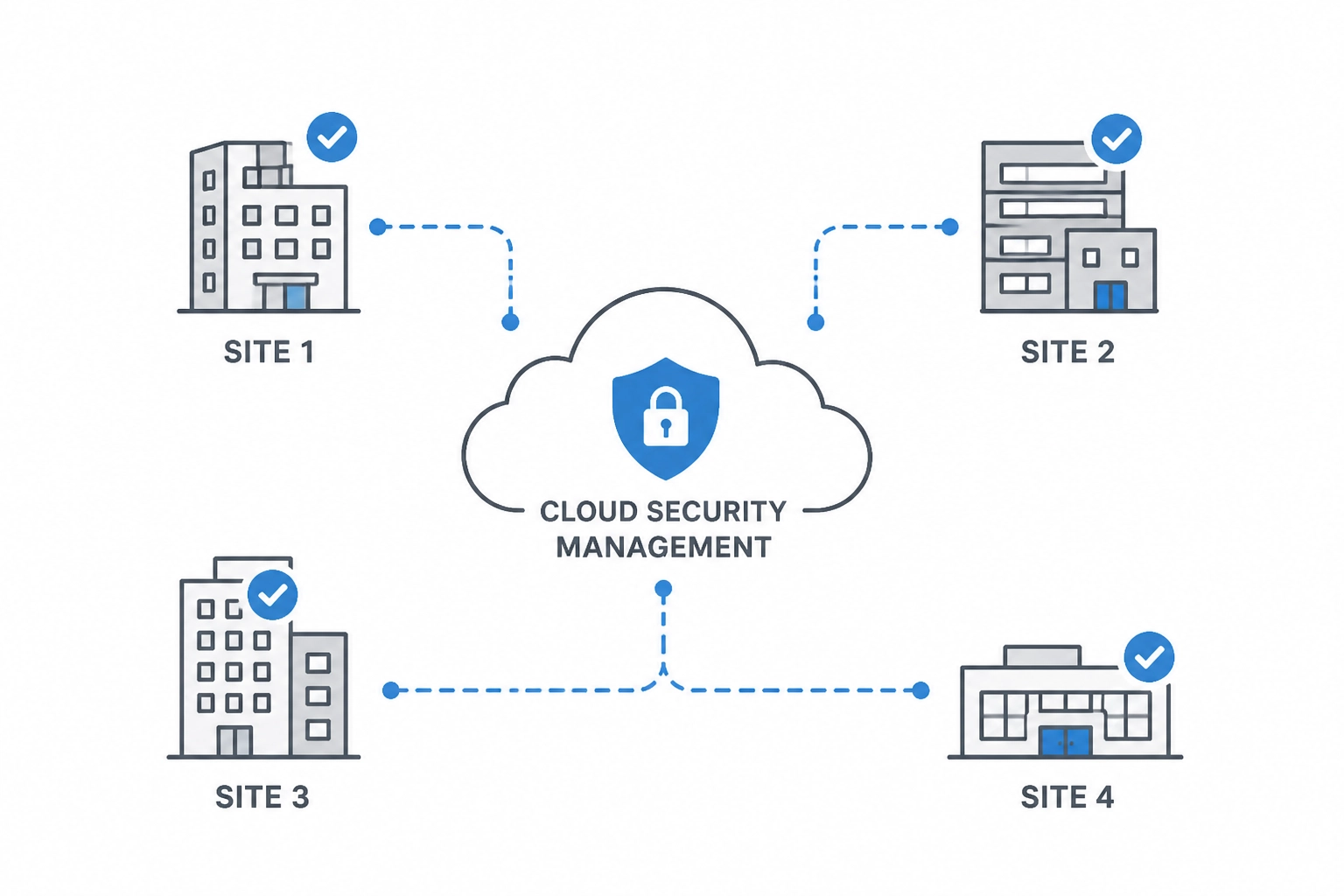
cloud-security-schematic

Choosing a Commercial Security Partner for Multiple Sites

How do you choose a commercial security partner?
Choose a commercial security partner that can standardize your locations, coordinate with your IT team, and provide accountable support after installation. Compare network design, access control, video, documentation, training, and the cost of adding your next site.

As an IT Director or Facilities Manager, you are not looking for more dashboards to stare at. You are not looking for more vendors to manage. And you definitely are not looking for another system that promises "visibility" but really creates more noise, more alerts, and more responsibility on your plate.

You already own too much.

You manage infrastructure. You handle uptime. You support users. You think about compliance, continuity, and risk. In many organizations, physical security gets added to that list almost by accident. Suddenly, cameras, doors, credentials, video retention, audit trails, alarms, locksmith needs, and fire life-safety issues all land on your desk.

That is exactly why choosing the right commercial security partner matters so much.

At Alen Security, we believe your security system should help you do your job, not become your job. That idea drives everything we design, install, and support. We build systems for busy professionals. We do not believe the best use of your time is sitting in front of a wall of monitors watching live video all day. That model is inefficient, expensive, and unrealistic for most businesses.

KEY TAKEAWAYS

  • Choose a partner, not just a product supplier. Long-term accountability matters more than a one-time installation.
  • Standardize across sites. Consistent naming, permissions, reporting, and retention settings make support and compliance easier.
  • Protect the network as well as the building. Cloud and hybrid systems should support remote management without requiring inbound open firewall ports.
  • Centralize administration. One coordinated environment reduces overhead and helps you maintain control across multiple locations.
  • Use analytics and automation to reduce manual monitoring. Smart alerts and searchable events are a better fit for busy teams than constant live viewing.
  • Plan for growth. Scalable design prevents rework when you add locations, users, cameras, and doors.

Instead, we focus on practical outcomes:

  • Advanced analytics that help detect meaningful events.
  • Proactive notifications that tell you when action is needed.
  • Smart automation that handles routine responses.
  • Centralized tools that let you manage multiple locations without jumping between platforms.
  • Standardized system design that simplifies support, reporting, training, and compliance.

That approach creates something every overstretched IT Director and Facilities Manager wants more of: control without constant supervision.

If you are evaluating providers for a retail chain, warehouse network, office portfolio, healthcare environment, school campus, distribution operation, or growing multi-location business, this long-form guide will help you make a better decision. It is built around the practical qualities that matter most in the field: a partner who builds real relationships, brings disciplined standardization, protects your environment with a truly secure architecture, gives you centrally managed control, applies hard-earned experience, delivers consistent quality, supports future growth with scalable design, and keeps the day-to-day experience simple enough to run under pressure.

These ideas are not abstract values. They are decision criteria. They affect how fast you can respond to incidents. They affect whether your cloud system creates unnecessary cybersecurity risk. They affect whether your team can generate a clean audit trail under pressure. They affect whether adding a new site is easy or painful. And they affect whether your security investment delivers peace of mind or ongoing frustration.


Why does choosing a commercial security partner feel harder than it should?

Because most businesses are not just buying cameras or door readers. They are choosing a long-term operating model that affects compliance, cybersecurity, investigations, support, and accountability across every location.

The commercial security industry has a reputation for complexity for a reason. Too many projects are sold as disconnected products instead of complete business systems.

One company handles cameras. Another handles access control. A third handles alarms. A fourth handles locksmith work. A fifth handles fire alarm inspections. A sixth "helps" with remote access. Then, when something fails, everyone points at someone else.

That is not a technology problem. It is a partnership problem.

The right security company should not just install equipment. They should reduce vendor sprawl, align systems with your operational goals, and give you a clear, accountable path from planning through support. When you are responsible for multiple sites, multiple stakeholders, and multiple compliance requirements, that level of accountability is not optional.

This is why the best buying decision is rarely about who has the cheapest camera or the flashiest mobile app. It is about whether the provider can help you create a security program that is secure, standardized, manageable, and sustainable.

And for multi-site businesses, the stakes are higher than they first appear.

A commercial security system is not just a set of devices. It becomes part of your operating model. It affects employee entry, visitor handling, incident response, loss prevention, investigations, compliance documentation, and business continuity. It touches your network. It touches your HR workflows. It touches your maintenance process. In some cases, it also touches legal exposure.

That is why the buying process can feel heavier than it should. You are not simply choosing hardware. You are choosing how accountability will work across sites. You are deciding whether standards will be easy to maintain or impossible to enforce. You are deciding whether remote visibility will be convenient and secure, or convenient but risky. You are deciding whether your next three years will be calmer or more chaotic.

The best security partners understand that pressure.

They know your business value goes far beyond the numbers on a quote. They know a missed door event can become an HR issue. They know a weak audit trail can become a compliance issue. They know a poorly deployed camera can become a liability issue. They know a cloud connection designed the wrong way can become an IT issue.

So the real question is not simply, "Who can install this system?"

The real question is, "Who can help us safeguard our people, restrict risk, standardize operations, and prevent this system from becoming another burden?"

That is the lens this guide uses.


Should you use one commercial security partner or multiple vendors?

For most multi-site businesses, one accountable partner is the better choice. It reduces vendor sprawl, shortens troubleshooting, improves consistency, and gives you a clearer path from planning through support.

Relationships matter because physical security is an operational system that touches your buildings, your network, your employees, your visitors, and your compliance posture. If the provider disappears after install, your team is left managing the gaps.

A strong security relationship gives you:

  • A team that understands your environment and history.
  • Better continuity across upgrades, expansions, and service calls.
  • Faster issue resolution because the provider already knows your standards.
  • Less time repeating yourself to different contractors and help desks.
  • More confidence that problems will actually get solved.

At Alen Security, this is why we emphasize end-to-end service. We consult. We design. We install. We maintain.

CONSULT. DESIGN. INSTALL. MAINTAIN.

That matters in practical ways. If your access-controlled opening is having issues, the problem may involve credential rules, reader behavior, door hardware, power, network connectivity, or physical alignment. When those responsibilities are fragmented, support gets messy fast. When they are coordinated by one accountable partner, your life gets easier.

Strong relationships also create strategic value. Over time, a true partner helps you make better decisions about lifecycle planning, standards, and future growth. They can help you answer questions like:

  • Should this next site be cloud, on-premise, or hybrid?
  • Can we reuse any legacy infrastructure without introducing risk?
  • Which locations need higher-priority upgrades?
  • Where are we overcomplicating policy or support?
  • How do we maintain consistency as we grow?

If a security company treats your project like a transaction, expect transactional results. If they treat it like a long-term operational partnership, you get better accountability and better outcomes.

This is where relationships become more than a soft concept. They become a performance advantage.

When your partner knows your naming standards, your network policies, your credentialing rules, your compliance expectations, and your internal stakeholders, projects move faster. Service calls get shorter. Expansion gets easier. Decisions become less reactive. Instead of re-explaining your environment every time something changes, you work with a team that already understands the context.

That is especially important for multi-site businesses. A regional retailer, warehouse operator, or distributed office portfolio does not need six different local opinions and six different ways of doing things. You need consistency backed by people who know your environment well enough to protect it.

Real partnership also creates trust during uncomfortable conversations. Sometimes the right answer is not the cheapest answer. Sometimes the right answer is to replace aging door hardware before it causes recurring downtime. Sometimes the right answer is to phase a project instead of forcing a rushed full rip-and-replace. Sometimes the right answer is to say no to a shortcut that would create cybersecurity or service problems later.

A provider who values long-term relationships will have those conversations honestly.

That matters because your system is not judged on install day. It is judged six months later when an incident happens. It is judged a year later when a site expands. It is judged when HR needs a clean audit trail. It is judged when leadership asks whether your standards are being followed across locations.

A real partner helps you answer yes with confidence.


Why does standardization matter in multi-site commercial security?

Standardization makes security easier to support, easier to audit, and easier to scale. It gives you consistent naming, permissions, retention, reporting, and workflows across every location.

Standardization is one of the most important parts of a strong commercial security program. It is one of the biggest reasons some multi-site environments stay manageable while others become a constant source of confusion.

Without standardization, you end up with:

  • Different camera naming conventions at every site.
  • Different badge formats and permission groups.
  • Different retention settings.
  • Different alert rules.
  • Different hardware generations with different support needs.
  • Different reporting expectations depending on who installed what.

That may sound manageable when you have two or three locations. It becomes a real problem when you have ten, twenty, or fifty.

Standardization gives you operational leverage.

For example, when an HR termination happens, standardized access control rules make it easier to revoke access consistently across all locations. When a compliance issue arises, standardized retention settings and standardized audit trail workflows make it easier to produce records. When a new facility opens, standardized templates reduce deployment time and training time.

This is also where central management becomes more useful. A centralized dashboard is only powerful if the underlying environment is structured well. If every site is configured differently, central management becomes a prettier way to view chaos.

At Alen Security, we help customers create standards around:

  • Camera placement and naming.
  • Door group structure and schedules.
  • Access levels and user roles.
  • Retention policies and export practices.
  • Alerting thresholds and notification workflows.
  • Hardware selection by use case.
  • Expansion planning for future sites.

Standardization is not about making every building identical. It is about creating enough consistency that your systems stay understandable, supportable, and defensible.

That matters for uptime. It matters for onboarding. And it matters for audit readiness.

For busy teams, standardization is one of the fastest ways to reduce friction without reducing capability.

Think about what happens when a location manager reports an issue. If every site uses a different naming structure, different device mix, different credential rules, and different reporting expectations, your team spends its time translating. Translation is wasted effort. It slows support. It creates mistakes. It weakens accountability because no one is sure whether Site A is supposed to work like Site B.

A standardized environment fixes that.

It gives you common language. It gives you repeatable workflows. It gives you cleaner training. It gives you more reliable escalation. It also gives you a stronger compliance posture because your audit trail is not dependent on each location improvising its own process.

This matters in industries with strict operational expectations. Warehouses need consistent restricted-area access. Retail chains need repeatable store opening and closing workflows. Multi-tenant offices need structured credential management. Distribution centers need camera coverage that follows the same logic from site to site so investigations are not reinvented every time.

It also matters financially.

Without standards, every site becomes a small custom project. Custom projects cost more to support. They cost more to document. They cost more to troubleshoot. They often cost more to expand. Standardization protects your investment by making future decisions easier.

That is one reason we talk so much about simplicity. Simplicity does not happen by accident. It is often the result of disciplined standardization done well.


Should cloud security systems require open firewall ports?

No. Modern cloud and hybrid security systems should deliver remote visibility and control without requiring inbound open firewall ports that expand your attack surface.

This pillar deserves extra attention.

Modern physical security systems are connected systems. Cameras are IP endpoints. Access control platforms live on your network. Cloud management touches identity, devices, logs, and remote administration. That means your physical security platform can either support your cybersecurity posture or undermine it.

The wrong design can create risk fast.

When evaluating a provider, ask a simple question: Does your cloud access or cloud video solution require inbound open firewall ports?

If the answer is yes, keep digging.

Busy IT professionals do not want to punch holes in the firewall just to make a security product work. And they should not have to. Cloud convenience should not come at the cost of increased exposure. Secure remote connectivity should be designed to reduce attack surface, not expand it.

At Alen Security, we strongly emphasize solutions that do not require inbound open firewall ports for cloud access control or cloud video workflows. That supports a cleaner, more secure architecture while still giving authorized users the remote visibility and administrative control they need.

That is a practical security advantage.

It means:

  • Less unnecessary external exposure.
  • Better alignment with modern IT security expectations.
  • Fewer exceptions for your team to defend internally.
  • Stronger confidence that your physical security tools are not creating cyber liabilities.

Security also includes device health and lifecycle management. Ask your provider:

  • Are the products NDAA compliant where appropriate?
  • How are firmware updates handled?
  • How are vulnerabilities monitored and remediated?
  • What logging is available for administrative actions?
  • How is user access controlled and audited?
  • What happens when devices go offline or fall behind on updates?

A good security integrator should be comfortable having this conversation with your IT team. If they only want to talk about resolution, frame rates, and card readers, they are missing the bigger picture.

Physical security should not be the back door into your environment. It should be designed to safeguard people and property without weakening network security.

This is where being secure has to mean more than encrypted marketing language.

It should mean the architecture respects your IT policies. It should mean remote access is thoughtfully designed. It should mean permissions are controlled, administrative actions are logged, and devices can be maintained without guesswork. It should mean your provider understands that every connected camera, controller, and appliance becomes part of a broader risk conversation.

That is why security and quality are closely tied together. A poor install is not just messy. It can create unmanaged devices, inconsistent configurations, weak documentation, and avoidable exceptions that put your team in a difficult position later.

A secure design also supports faster incident response. When you know who has access, what changed, when it changed, and where to find the relevant logs, you are in a much stronger position to investigate issues. That is the value of a clean audit trail. It is not just a compliance phrase. It is the record that helps you establish accountability under pressure.

And just as important, secure design should not make the system harder to use. The right partner protects the environment and keeps the experience simple enough for daily operations.

That balance matters.


What are the benefits of centrally managed security for multiple locations?

Centrally managed security helps you control users, doors, video, schedules, and reporting across all sites from one environment. That reduces overhead, improves response time, and keeps standards consistent.

Central management is one of the biggest quality-of-life improvements a modern commercial security program can deliver.

If your team is managing separate systems at each site, the overhead adds up fast. Different logins. Different video interfaces. Different badge workflows. Different support paths. Different reports. Different procedures when something goes wrong.

That model does not scale.

A centrally managed environment allows you to:

  • Administer users across multiple sites from one interface.
  • Revoke or change credentials quickly across the organization.
  • Review events without physically going to each location.
  • Standardize permissions, schedules, and reporting.
  • Support regional and nationwide operations more efficiently.
  • Reduce the time it takes to investigate incidents.

This is especially important for retail, distribution, and portfolio-style businesses. If you are responsible for dozens of doors and hundreds of cameras across multiple states, fragmented management becomes its own operational risk.

But central management should not be confused with central babysitting.

This is where we need to be clear: we do not believe busy professionals should spend their day watching live video feeds.

That old-school model sounds reassuring, but in most commercial environments it is not realistic and it is not efficient. The better model is event-driven awareness.

That means your system should help surface what matters through:

  • Motion and object analytics.
  • Smart search tools.
  • Exception-based notifications.
  • Door held open alerts.
  • Access denied trends.
  • Unusual after-hours activity flags.
  • Camera health notifications.
  • Automated reporting.

Instead of forcing you to stare at screens waiting for something to happen, the system should tell you when an event meets the threshold for attention. That is a much better fit for how real IT Directors and Facilities Managers work.

You should be able to focus on your job while the system handles the routine monitoring layer in the background.

That is what central management looks like when it is designed for real operations.

For multi-location organizations, being centrally managed is not a luxury. It is how you preserve control as the footprint grows.

Without central administration, every task takes longer. New hires require site-by-site updates. Terminations require manual cleanup in multiple places. Incident reviews become scavenger hunts. Reporting becomes inconsistent. Even small tasks expand into process overhead because the environment is fragmented.

Central management changes that. It gives you one place to restrict access, review activity, confirm policy, and maintain standards. It supports accountability because more actions are visible and easier to verify. It supports relationships because your provider can support the whole environment instead of treating each location like an isolated exception.

And when the system is paired with smart analytics, central control becomes more powerful.

You do not need people parked in front of screens. You need the platform to surface meaningful exceptions. You need health alerts when a device goes offline. You need notifications when a door is held open too long. You need searchable video and event data that lets you move from question to answer quickly.

That is a much more disciplined model than manual screen monitoring.

It protects attention, which is one of the scarcest resources your team has.


Why does experience matter when choosing a commercial security integrator?

Experience helps a provider anticipate real-world issues before they become expensive problems. It improves planning, modernization, deployment quality, and long-term support.

Experience matters because security systems live in the real world, not in the demo room.

Buildings have quirks. Networks have constraints. Users have habits. Weather matters. Traffic flow matters. Shift schedules matter. Local code matters. Existing infrastructure matters. Growth plans matter.

A provider with decades of experience sees these issues early. They ask better questions. They recognize patterns faster. They know when a low-cost shortcut will create a high-cost problem later.

At Alen Security, our 50+ years of experience are not just a number. They show up in practical decisions every day:

  • Designing systems that work in demanding commercial environments.
  • Recommending hardware that holds up over time.
  • Coordinating disciplines like video, access, intrusion, locksmith work, and fire systems.
  • Anticipating support needs before they become emergencies.
  • Helping customers balance capital cost, operating cost, and long-term maintainability.

Experience is especially valuable when you inherit an outdated or inconsistent environment. Many IT and facilities leaders do not get to start from scratch. They inherit old DVRs, unsupported cameras, different badge systems, unreliable door hardware, inconsistent user permissions, and compliance concerns that have been building for years.

That is where an experienced partner can bring order.

They can help you decide what should stay, what should go, what can be integrated temporarily, and what needs immediate replacement. They can help you prioritize risk instead of trying to replace everything at once. And they can help you create a realistic roadmap, not just a wish list.

Experience gives you confidence that the provider has solved problems like yours before.

In commercial security, experience protects you from learning the hard way.

An inexperienced provider may be able to sell a platform. That is not the same as understanding how to deploy it cleanly across real buildings with real constraints. They may not spot the wiring problem that will hurt reliability later. They may not anticipate how a warehouse environment changes camera selection. They may not understand how credential policies need to work differently for executives, contractors, temporary staff, and regional managers. They may not coordinate properly with locksmith work, door hardware, intrusion, or fire alarm obligations.

Those gaps add up.

Experience also matters during modernization. Most organizations are not starting from a blank page. They are living with a mix of old and new. They may need to phase capital spending. They may need to preserve uptime during migration. They may need to support a business opening schedule while systems are upgraded in the background.

That is where decades of field experience are valuable. An experienced partner can sequence work properly. They can flag dependencies early. They can prevent a rush to deploy technology that looks good in a demo but creates friction in the field.

That practical judgment is easy to overlook during procurement. It becomes obvious later.

When a provider has seen enough environments, they stop designing for the sales presentation and start designing for the operating reality. That is the kind of experience that creates peace of mind.


What does quality look like in a commercial security installation?

Quality means more than hardware. It includes clean design, proper camera placement, reliable door hardware integration, stable network coordination, documentation, testing, training, and responsive support.

Quality is not only about which brand of camera gets installed. It is about the total system.

A high-quality commercial security deployment includes:

  • Clean, intentional design.
  • Proper hardware selection for the use case.
  • Thoughtful camera placement.
  • Reliable door hardware integration.
  • Good documentation.
  • Tested workflows.
  • Clean cable management.
  • Stable network integration.
  • Clear end-user training.
  • Responsive service after go-live.

Poor quality shows up everywhere. Cameras placed too high to capture useful detail. Doors that look "installed" but do not close consistently. Credentials that are hard to manage. Alerts that trigger too often to be trusted. Incomplete documentation. Messy support handoffs.

Quality also affects adoption. If the system is unreliable or confusing, your team stops trusting it. Then you lose one of the most important benefits of a modern security platform: confidence.

That is why we take an end-to-end view of quality. It should be evident from consultation through ongoing support. The quality of the install affects the quality of the data. The quality of the data affects the quality of the analytics. And the quality of the analytics affects whether your team gets useful notifications or just noise.

This is one more reason we do not promote a "watch live video all day" philosophy. If your only operational strategy is constant manual observation, you are compensating for weak system design. A quality system should help automate awareness through reliable events, smart analytics, and clean workflows.

In short: quality is not an upgrade. It is the difference between a system that helps and a system that drains time.

For us, quality is tied directly to trust.

If cameras do not capture usable detail, you do not trust the footage. If the access control workflow is clumsy, you do not trust the permissions. If door hardware fails inconsistently, you do not trust the opening. If alerts are noisy and poorly configured, you do not trust the event feed. And when trust drops, people start creating workarounds.

Workarounds are dangerous.

They lead to badge sharing. They lead to manual logs. They lead to unsupported remote access habits. They lead to delayed investigations because no one is sure where the right data lives. A quality system prevents those behaviors by making the right process the easiest process.

That is why quality also includes documentation, training, and service. The install is only one moment in the system lifecycle. The real test is whether the system continues to perform, whether your team knows how to use it, and whether support is responsive when conditions change.

Quality protects uptime. It protects accountability. It protects the credibility of the entire security program.

And for multi-site businesses, quality must be repeatable. A single flagship location with a polished install does not solve the bigger challenge. You need consistent quality across the whole footprint so every site supports the same standard of confidence.


How do you choose a commercial security system that can scale?

Choose a system with repeatable standards, centralized management, secure architecture, and workflows that can expand without forcing a redesign every time you add a new location.

Scalability is not just about whether the software can technically support more devices. It is about whether your people, processes, and support model can support growth without multiplying friction.

A scalable security program should let you:

  • Add locations without reinventing policy.
  • Add doors and cameras without rebuilding administration.
  • Add users without creating permission chaos.
  • Expand reporting without complex manual work.
  • Preserve standards as the footprint grows.
  • Support remote management across regions.

This is where the eight pillars work together. Scalability depends on relationships, standardization, secure architecture, central management, experience, quality, and simplicity. If any of those are missing, growth gets messy.

For example:

  • If you lack standardization, each new location becomes a custom project.
  • If you lack central management, each new site adds administrative overhead.
  • If you lack simplicity, training burden grows with every expansion.
  • If you lack secure architecture, cloud growth may introduce unacceptable cyber exceptions.
  • If you lack relationship continuity, support quality drops as the environment expands.

We often talk to businesses that started with a few standalone systems because that was "good enough at the time." Then the company added more sites, more employees, more compliance demands, and more risk. Suddenly the original decisions become operational bottlenecks.

A scalable strategy avoids that trap.

Whether you manage a single warehouse today or a regional retail network tomorrow, your security environment should support growth without forcing a total reset.

Being scalable means planning for the next site before it becomes urgent.

That does not mean overbuilding. It means making deliberate decisions now so future growth is not punished later. It means selecting platforms that support expansion cleanly. It means using templates, standards, and permission structures that can be repeated. It means thinking about how reporting, support, and administration will work when the footprint doubles.

Scalability is also about preserving simplicity over time.

Some systems appear affordable because they solve the immediate need at one location. But once you add more sites, they create management sprawl. More interfaces. More manual steps. More local exceptions. More training. More troubleshooting. The real cost shows up later in labor, inconsistency, and slower response.

A scalable design prevents that by creating a framework your business can grow into.

That matters for regional and nationwide retail. It matters for warehouse networks. It matters for office portfolios. It matters for any business that may add locations, change operating hours, expand headcount, or face new compliance obligations.

Growth should not force you to start over.


Why is simplicity important in commercial security systems?

Simple systems are easier to use under pressure. They reduce manual steps, improve consistency, speed up incident response, and help busy teams stay in control without becoming security specialists.

Simplicity is often misunderstood. It does not mean basic. It means usable.

A simple security program can still be highly capable. In fact, the best systems often feel simple precisely because the complexity is handled well behind the scenes.

For a busy IT Director or Facilities Manager, simplicity means:

  • Clear interfaces.
  • Logical permissions.
  • Repeatable workflows.
  • Useful alerts.
  • Fewer manual steps.
  • One accountable support path.
  • Less need to remember site-by-site exceptions.

Simplicity matters during routine operations, but it matters even more during stressful moments. When an incident happens, nobody wants to dig through five systems and three manuals just to export footage or verify a door event. You need clarity.

That is why we build for operational simplicity:

  • Search video quickly.
  • Review meaningful events fast.
  • Produce audit trails efficiently.
  • Manage credentials without confusion.
  • Get notified when intervention is needed.
  • Trust the system to handle the rest.

Again, that means we lean into analytics, automation, and proactive notification instead of requiring constant live monitoring.

DETECT. NOTIFY. RESPOND. RETURN.

That is the rhythm busy professionals need. Detect what matters. Notify the right people. Respond appropriately. Return to the work that actually drives the business.

In a strong commercial environment, simple is not a compromise. It is a design goal.

The right system should reduce the number of decisions your team has to make in the middle of a busy day. It should make common tasks obvious. It should make rare but important tasks manageable under stress. It should help you restrict access, find events, export evidence, and verify actions without needing a specialist for every step.

This is where simplicity and relationships intersect. A provider who knows your environment can help keep workflows clean over time instead of layering on exceptions until the system becomes hard to use.

It is also where simplicity and standardization intersect. Repeatable naming, repeatable permissions, repeatable reporting, and repeatable support paths are what make the environment feel understandable instead of fragile.

And just as important, simplicity supports accountability. If a system is too confusing to operate, important steps get skipped. If it is clear, your team is more likely to follow policy consistently.

Simple systems get used. Used systems create value. That is the point.


Why do advanced analytics matter more than live monitoring?

Network integration and security server rack

Yes. In most commercial environments, analytics, proactive notifications, and smart search are more effective than expecting busy teams to constantly watch live video feeds.

One of the biggest mindset shifts in commercial security is moving from passive recording and manual observation to active intelligence.

Traditional thinking says more screens equal more security. In reality, more screens often just mean more information that nobody has time to process. Most organizations do not have dedicated personnel sitting in front of video walls all day, and even if they did, people are not great at maintaining constant vigilance across dozens of feeds for hours at a time.

That is why we believe smarter systems beat constant watching.

Advanced analytics can help identify:

  • Unusual motion patterns.
  • Loitering in restricted areas.
  • After-hours activity.
  • Vehicle or object attributes.
  • People entering specific zones.
  • Occupancy trends.
  • Access anomalies.
  • Searchable event patterns that speed investigations.

This makes video more actionable.

Instead of asking someone to remember when an incident may have happened, you can search by event type, motion, time window, direction, object trait, or related access event. Instead of waiting for someone to notice a problem live, the system can send a proactive notification when a threshold is met.

This is a better use of both technology and human attention.

For multi-site businesses, that matters even more. If you are responsible for a retail chain, a distribution portfolio, or multiple offices, live monitoring across every site is not realistic. Event-based awareness, centralized search, and automation are.

This approach also improves accountability. When the system is designed around exceptions, analytics, and documented workflows, the resulting audit trail is stronger. You can show what happened, when it happened, what triggered a notification, and how your team responded.

That is operational value. That is compliance value. And that is peace of mind.

This point is worth underscoring because it changes how you should evaluate a partner.

If a provider talks as if security effectiveness depends on people staring at screens all day, they are describing an outdated operating model for most commercial organizations. It sounds reassuring, but it usually creates labor cost, alert fatigue, and false confidence. Human attention is limited. Even well-intentioned teams miss things when they are asked to watch too much for too long.

Intelligent analytics are different.

They help the system do the first layer of work. They flag anomalies. They accelerate searches. They connect related events. They reduce the time between an incident and a response. They also make your environment more defensible because actions are based on defined thresholds and documented activity, not vague recollection.

That does not mean people are removed from the process. It means people are reserved for the moments that actually require judgment.

That is a far better model for a time-poor IT Director or Facilities Manager.

You should not have to babysit your system to get value from it. The system should help deter, detect, restrict, and prevent while giving you the confidence that the right information will surface when needed.

That is what modern commercial security should look like.


How do you evaluate a commercial security partner?

If you are comparing vendors, ask questions that map directly to the operating realities above, not just the feature sheet.

RELATIONSHIPS

  • Will you be our long-term support partner or just the installer?
  • Do you use sub-contractors for key parts of the job?
  • Who owns the outcome when something fails?
  • How do you stay aligned with our internal stakeholders over time?

STANDARDIZATION

  • How do you help multi-site customers create consistent naming, permissions, and reporting?
  • Can you standardize new sites using templates and repeatable workflows?
  • How do you support audit trail consistency?
  • What standards do you recommend across cameras, doors, schedules, and user roles?

SECURE

  • Do your cloud video and cloud access solutions require inbound open firewall ports?
  • How do you handle firmware updates and vulnerability response?
  • What cybersecurity practices are built into your design approach?
  • How do you protect remote administration without weakening our network posture?

CENTRALLY MANAGED

  • Can we manage users, doors, schedules, video, and reporting from a single platform or coordinated interface?
  • How do you support remote administration across multiple locations?
  • How do you reduce alert noise?
  • How do you help teams investigate incidents across sites without switching tools constantly?

EXPERIENCE

  • How long have you been serving commercial clients?
  • What types of environments have you deployed in?
  • How do you approach modernization when legacy systems are involved?
  • What have you learned from similar multi-site projects that would apply to us?

QUALITY

  • What does your install and testing process look like?
  • How do you document the final environment?
  • What makes your workmanship and support different?
  • How do you validate that analytics, notifications, and workflows are tuned correctly before handoff?

SCALABILITY

  • How does this system handle additional sites, users, doors, and cameras?
  • Will we need to redesign our environment when we grow?
  • How do you help customers plan for phased expansion?
  • How do you preserve standards as more locations come online?

SIMPLICITY

  • How intuitive is the administrative workflow?
  • How much training will our team need?
  • How do you ensure the system helps busy professionals instead of creating more overhead?
  • How do you reduce the number of manual steps required for common tasks?

A provider who can answer these questions clearly is far more likely to deliver a system that works in the real world.

And pay close attention to how they answer, not just what they answer.

Do they sound like they understand operations, compliance, and support? Do they speak comfortably about both physical security and network security? Do they understand that your team needs visibility without complexity? Do they naturally talk about accountability, repeatability, and lifecycle planning?

Those signals matter.


What should the right security partner deliver?

By the end of your evaluation, the right commercial security partner should be able to deliver a clear picture of how they will help you:

  • Protect people, property, and operations.
  • Avoid unnecessary cyber exposure.
  • Centrally manage multiple sites.
  • Standardize workflows for compliance and support.
  • Reduce vendor sprawl.
  • Use analytics and automation instead of relying on nonstop live monitoring.
  • Scale with your business.
  • Keep day-to-day administration simple.

That is the real goal.

Not more complexity. Not more screens. Not more noise.

More control. More confidence. More accountability. More time back.

A strong partner should also be able to show you how all of those benefits work together.

Relationships make service and planning smoother. Standardization makes support and compliance easier. Secure architecture protects your network without taking away flexibility. Central management reduces overhead across the footprint. Experience helps you avoid expensive mistakes. Quality creates trust in the system. Scalable design protects future growth. Simplicity makes the whole environment easier to run.

That is how a security program becomes sustainable.

It stops being a patchwork of products. It becomes an operating system for protection, accountability, and peace of mind.

For busy leaders who inherited physical security on top of everything else, that is the outcome that matters most. You do not need more moving parts. You need one trusted partner who can simplify the environment, protect the business, and help the system quietly do its job in the background.

That is what good commercial security should feel like.


What do the best commercial security partners consistently get right?

CapabilityWhy It Matters To You
Strong relationshipsYou get a trusted partner who knows your environment and stays accountable over time.
Standardized deliveryConsistency across sites improves support, training, compliance, and audit trail quality.
Secure architectureCloud access and video should not require inbound open firewall ports that increase exposure.
Centralized managementOne interface and one strategy reduce friction across multiple locations.
Proven experienceDecades of real-world delivery help prevent mistakes and support better decisions.
High-quality executionBetter design, installation, documentation, and service produce stronger long-term results.
Scalable designThe system can grow with your footprint without creating new management problems.
Operational simplicityBusy professionals need useful alerts, intuitive workflows, and less manual oversight.

If you remember nothing else from this guide, remember this: the right commercial security partner helps you create an environment that is secure, manageable, repeatable, and ready for growth. They help you safeguard the business without overwhelming the people responsible for running it.


FREQUENTLY ASKED QUESTIONS

Keep it simple. You want a partner that reduces complexity while improving control. The big things to look for are strong relationships, standardization across sites, secure cloud architecture that does not require inbound open firewall ports, centralized management, proven experience, quality delivery, scalability, and simplicity.

Why are relationships so important in commercial security?

Because physical security is not a one-time purchase. It becomes part of your day-to-day operation. A strong partner understands your sites, standards, and priorities over time, which leads to faster support, clearer accountability, and fewer gaps between design, installation, and service.

How does standardization help multi-site businesses?

Standardization creates consistency across camera naming, user roles, access levels, retention settings, alert workflows, and reporting. That makes training easier, support faster, new site deployment smoother, and audit trail requests easier to handle.

Why does Alen Security emphasize that cloud systems should not require open firewall ports?

Because cloud convenience should not come with extra network exposure. Solutions that do not require inbound open firewall ports help reduce attack surface while still giving authorized users secure remote visibility and management.

What does centrally managed security actually look like in practice?

It means you can manage users, credentials, doors, schedules, video, and reporting across multiple locations from one coordinated environment. That cuts site-by-site overhead, improves response speed, and helps keep standards consistent as you grow.

Why does Alen Security focus on analytics and notifications instead of expecting customers to watch live video all day?

Because most busy professionals do not have time to sit in front of screens waiting for something to happen. Advanced analytics, proactive notifications, and smart automation help surface the events that matter so you can respond when needed and get back to your real work.

How does experience improve the outcome of a commercial security deployment?

Experience helps a provider spot real-world issues early, recommend durable solutions, work around inherited limitations, and design systems that hold up over time. That helps prevent costly mistakes during planning, installation, modernization, and support.

What does quality mean in a commercial security system?

Quality is more than hardware. It includes system design, camera placement, door hardware integration, network coordination, documentation, testing, training, and post-install support. A quality deployment is easier to trust, easier to use, and less likely to create recurring service problems.

Why is scalability important even for companies with only a few sites today?

Because growth can happen fast. A scalable system lets you add locations, users, doors, and cameras without rebuilding your standards, changing your management model, or creating more admin work later.

What makes Alen Security a fit for busy multi-site organizations?

We design commercial security systems around simplicity, accountability, and long-term performance. With over 50 years of experience, end-to-end service, centralized cloud and hybrid options, strong cybersecurity priorities, advanced analytics, and support for video, access, intrusion, locksmith, and fire alarm needs, we help busy teams stay protected without turning security into a full-time job.


Discuss your sites with a commercial security partner

Stop juggling multiple vendors and outdated systems. You have enough on your plate. Let us simplify your security so you can focus on the rest of your job while the system helps handle the routine work.

CONSULT. DESIGN. INSTALL. MAINTAIN.

Discuss your commercial security needs with Alen Security

How to Audit Physical Access Across Multiple Locations

Who can enter your server room right now? If answering that takes three exports, two office managers, and a guess about whether an old badge still works, you have a reason to run a physical access audit.

The audit should answer a practical question: do current permissions still match current business need? At several locations, the answer can change quietly. A person transfers, a contractor gets extended, a project ends, and access that was once appropriate keeps working.

You don’t have to inspect every badge swipe to find the problem. Start with the people and credentials that are active, trace what they can open and when, then give each questionable permission an owner and a decision. Here is a way to do that without handing managers a 5,000-row spreadsheet.

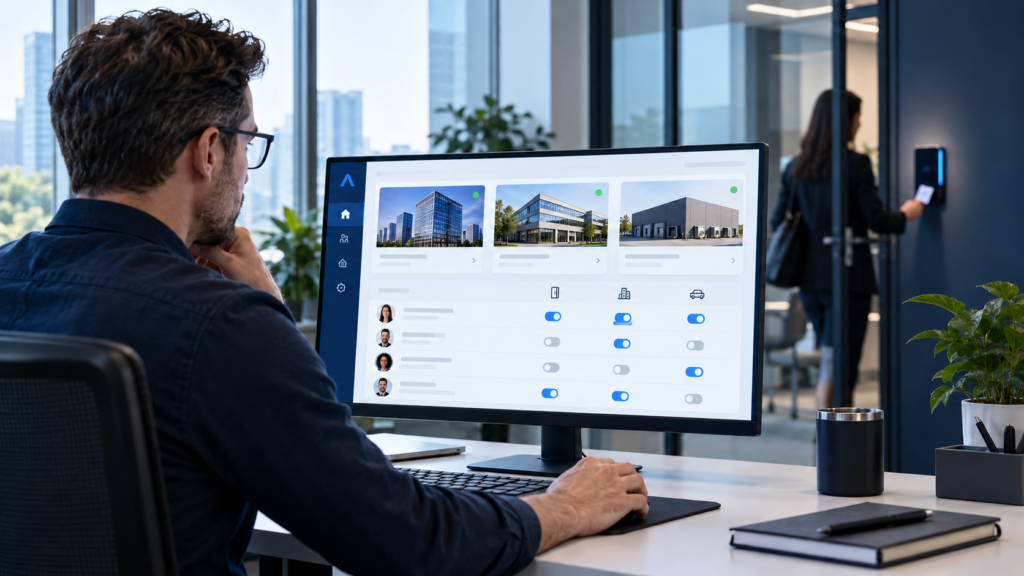
Physical access audit dashboard showing permissions across multiple sites beside a door reader

What does a physical access audit actually review?

A physical access audit compares the people in your access control platform with a trusted employment or contractor source. It checks active credentials, access groups, doors, schedules, exceptions, and the administrators who can change those settings. It also tests whether a recorded permission matches what happens at the opening.

That last part matters. A clean cardholder list cannot tell you that a lobby is scheduled unlocked all weekend or that a warehouse door rarely latches. The permission review is the core of the audit, but a few targeted door and event checks show whether the system behaves the way the records imply.

Decide the scope before exporting data. Are you reviewing every site, a newly acquired region, or a set of sensitive openings? Which HR or identity system is the source of truth? Who will approve findings? A clear scope makes it possible to finish the review and show what changed.

How does a physical access audit find stale users?

Begin with the active identities in the access control system. Compare employee records with the current HR or enterprise identity roster. Compare contractors with their sponsor and approved end date. Investigate a former employee who remains active, a person with no current manager, a duplicate cardholder, or someone whose site no longer matches their job.

Don’t assume every mismatch is an error. A traveling employee may have a legitimate second location. A contractor may have a documented extension. The question is whether a current owner can explain the permission and show when it will be reviewed again. “Someone probably needs it” isn’t an approval.

If you use automated provisioning, this comparison is still useful. A connector can fail, an exception can bypass the normal flow, and old records can predate the integration. Our employee access lifecycle guide explains how routine changes should reach the system. The audit checks whether they actually did.

Why does a physical access audit check credentials separately?

One person can have several credentials: a physical card, a replacement card, a fob, and perhaps a mobile credential on a phone. Deactivating a user and revoking a credential are related actions, but your report should show both states. A lost badge that still works is a different finding from an active user with the wrong access group.

Look for two active cards where policy expects one, a replacement that left the old card valid, a mobile credential on a retired device, or a temporary credential with no end date. Check the platform’s actual status and test a sample at the door when the records are ambiguous.

This is also where a multi-site team benefits from a central view. You should be able to see the person’s credentials and site permissions together rather than calling each location to learn which badge they issued. If local systems can’t provide that view, document the limitation as part of the audit.

What should you look for in access groups?

A physical access audit should review group definitions before asking every manager to approve every cardholder. Most enterprise platforms grant door permissions through groups, levels, or roles. For each group, identify its purpose, doors, schedule, eligible population, membership approver, and owner. A group called “Warehouse Supervisors” should mean the same thing at the sites where it is used.

Names like “Special Access 3” are a warning. So are groups created for an old renovation, a former executive, or a department that no longer exists. Check whether they still have users, whether the doors still exist, and what might break if the group changes. Retire unused groups deliberately after confirming their dependencies.

Then compare each person’s current role and location with their memberships. Transfers often add access and fail to remove the old doors. A facilities employee who moves to Finance may still be in the maintenance group. The audit should find those inherited permissions and send them to the right owner for a decision.

How should cross-site and sensitive access be reviewed?

A physical access audit should make cross-site permissions visible. Central management makes it easy to give someone access across locations, but that convenience needs a rule. Does a regional manager need every site in their region? Does a traveling employee need permanent access to a second office? Should an IT technician enter every server room or request access for a specific visit? The answer depends on your operating model, but the current permissions should reflect an explicit answer.

Give sensitive openings a closer review. A server room, security office, cash room, lab, or high-value inventory area may need a named business owner, a narrower schedule, an expiration date, and a more frequent review. Ask who approved each person’s access and whether that reason still holds. Don’t assume a general employee access sign-off covers these doors.

Look at the schedule as well as the door. A warehouse supervisor may need the loading area during a shift, but 24-hour access could be broader than the job requires. Review holiday and weekend schedules too. A door that is scheduled unlocked ignores the badge permissions during that period, so include public and employee entrances in a targeted schedule check.

Who can change access, and does that authority still fit?

A physical access audit also needs a pass through administrator rights. A site administrator can grant permissions that a cardholder can only use. Review global and regional administrators, help desk roles, vendor support accounts, dormant accounts, and any shared logins. Confirm that each person still has the job and the right scope, and that the system logs changes.

Use individual accounts and multifactor authentication where the platform supports them. Limit vendor access to the support work it requires and review how it is enabled and removed. IT should also know how the access platform and any cloud connection reach the network. Alen’s approach avoids unnecessary open ports and firewall holes; a useful audit includes who owns that secure path and its support access.

Administrator review is not a separate cybersecurity exercise to leave for another year. If a former local manager can still create cards or change schedules, the door-permission report is only part of the picture.

How does a physical access audit handle contractors and exceptions?

Each contractor needs a sponsor who can say why the person still needs access. Confirm the company, approved site, schedule, access profile, start date, and end date. A long-running contractor with no sponsor or expiration is a data problem before it is an automation problem.

Look for temporary project access that became permanent after a move, renovation, inventory count, or special assignment. If the system can expire it automatically, use that ability. If it cannot, assign a review date to a person. An exception without an owner will be difficult to justify six months later.

Record the reason, approver, doors, schedule, and end or review date when granting unusual access. That small amount of discipline makes the next audit faster. It also helps the service team distinguish an intentional exception from a configuration mistake.

Should the audit include offboarding and door behavior?

Yes. A physical access audit should sample a few recent departures and trace the real sequence: when HR recorded the departure, when enterprise identity changed, when the team disabled the cardholder and each credential, and when the local controller received the update. If a site was offline, find out how the team handled the pending change. A policy that says “immediate removal” is only meaningful if the workflow can meet it.

Then review a sample of recurring forced-door, held-open, reader-offline, and controller-offline events. Repeated alarms may point to a closer, door hardware, a propped opening, or a bad configuration. The audit is not a full mechanical survey, but it should not declare an opening secure because the access list is tidy while the door never latches.

Video can help clarify a persistent alarm at a priority opening when the platforms are connected. Our access control and video guide covers that investigation workflow. In this audit, the question is whether the permission and the physical opening tell the same story.

What should a physical access audit ask managers to decide?

A manager needs a review they can act on, not a raw export. Give each reviewer only the people and groups they own, with the person’s current role, site, access group, sensitive doors, schedule, expiration, and last approval. Make the decision explicit:

  1. Keep: the access still fits the current job and has a clear owner.
  2. Remove: the person no longer needs it or the credential should be disabled.
  3. Modify: change the site, doors, schedule, or expiration.
  4. Investigate: the record is incomplete or conflicts with another source.

Security should define the physical access policy and approve restricted areas. A manager can confirm business need for their team. IT can resolve identity data and integration failures. Assign one owner to each finding and capture the date the change was verified. “Reviewed” should not mean that someone merely opened the file.

Keep evidence appropriate to company policy: scope, review date, reviewer, decisions, removed permissions, retained exceptions, and unresolved items. That shows what the organization did with the findings.

How often should you run a physical access audit?

Set a cadence based on risk and company policy. Administrator roles, sensitive doors, contractors, and temporary exceptions may need a shorter cycle than ordinary employee entrances. A new acquisition or major reorganization can also justify an extra review. The exact calendar is less important than a named owner and proof that decisions were completed.

Use the first audit to learn where the time goes. Different group names at every site slow the review. When HR and cardholder records do not match, fix the identifiers. Managers who repeatedly approve the same temporary access need a better approval or expiration rule. Our multi-site access control standardization guide covers the shared naming and operating rules that make the next review easier.

What happens after you find a problem?

A physical access audit should turn each finding into work with an owner and target date. Remove clearly unauthorized access promptly through the approved process. Ask a business owner to resolve uncertain permissions. Correct source data when the problem began in HR or identity. Redesign an oversized group when one permission keeps causing the same exceptions.

Look across sites for patterns. If ten offices retain access for former employees, the real issue may be the departure workflow. If an acquired region has entirely different group definitions, the organization needs a governance decision before mass changes. An audit earns its value when it fixes the cause as well as the individual record.

Close the loop by verifying the system change and, for a sample of high-risk doors, the actual behavior at the reader. Give the central team one documented service path for issues that span identity, network, controller, and door hardware. That is how the review becomes a repeatable process instead of an annual spreadsheet exercise.

Frequently asked questions

How do I find former employees who still have badge access?

Compare active cardholders and credentials with the current HR or enterprise identity roster. Investigate mismatches, then confirm both the person and every credential are disabled. Trace a sample of recent departures to test whether the normal process worked.

How often should badge access be reviewed?

Choose the cadence by risk and policy. Sensitive doors, administrators, contractors, and temporary access commonly need closer attention than standard employee entrances. Name a reviewer and track the decisions through verified changes.

Should managers approve physical access?

Managers can confirm a person’s business need. Security should own the door policy and restricted-area rules. A sensitive opening may have a separate business owner. Record who approved the exception and when it expires or returns for review.

Should temporary access expire automatically?

Use platform expiration when it supports the approved workflow. Otherwise give the permission a named owner and review date. Do not leave project access active simply because someone might need it again.

Does the audit include the actual doors?

The main review covers identities and permissions. Sample door schedules, recurring alarms, and physical behavior at priority openings as well. A correct access group does not compensate for an unlocked schedule or a door that fails to latch.

Get an answer you can trust

The next time someone asks who can enter the server room, your team should be able to answer with a current record, a reason, and an owner. Start with one sensitive area and one representative site. Prove the method, then extend it across the portfolio.

Alen Security can review your access groups, credentials, administration, and door behavior, then help your IT and Security teams turn the findings into a manageable plan. Schedule a physical access review conversation with Alen to see where to start.

person-using-access-control-on-their-phone

How to Automate Employee Access From Onboarding to Offboarding

It’s Monday morning. A new employee reaches the office, but their badge doesn’t open the door. HR completed the hire. IT created the account. The access request never reached the door system, so they’re waiting in the lobby. It’s a familiar problem for teams trying to automate employee access across sites.

Can you automate employee access so this stops happening? Yes, if your HR and identity data can feed a supported access control workflow. The routine changes can happen on time, while restricted doors and unusual requests still go to a person for approval. The goal is reliable access for the right person, at the right site, for the right length of time.

That matters when one IT and Security team supports many buildings. A manual process that feels manageable at one office can become a daily chase across locations. Here’s how to make the lifecycle predictable without giving an integration more authority than it should have.

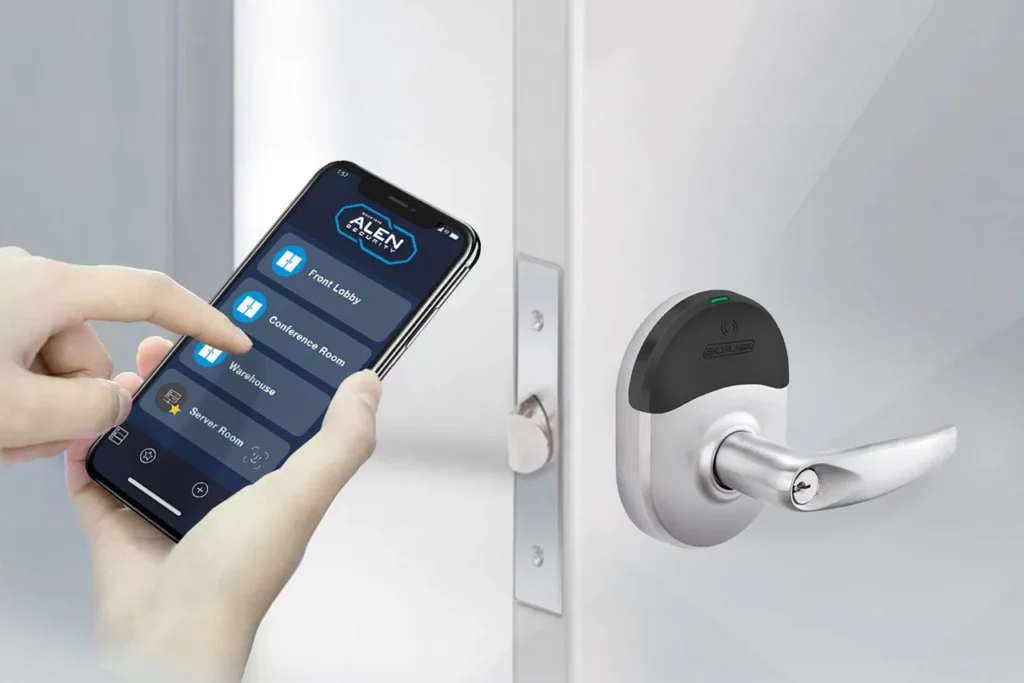
Employee using a phone credential at an access control reader

What does it mean to automate employee access?

Automated physical access provisioning uses trusted employee data and approved rules to create, change, suspend, or remove a person’s access control record. A hire, location transfer, role change, leave, or departure can trigger a workflow instead of relying on someone to retype the same details into another system.

The source may be an HR platform, identity provider, directory, or contractor system. The access control platform must support the actual connector or API, and the organization must define what the data is allowed to change. A working connection by itself does not prove that the right doors will open or close.

Think of it as a handoff between teams. HR owns employment facts. IT manages enterprise identity and the integration. Security defines door access policy and approves exceptions. The exact split varies, but everyone needs to know which system is authoritative for each field.

Where should the access rules begin?

Start with the access most people in a specific role and location need. An employee at a regional office might receive the employee entrance and standard office areas during approved hours. That baseline can be assigned automatically when the required HR record is complete.

A server room, security office, lab, or high-value storage area is different. Those doors need a specific business reason and an owner who can approve it. A job title alone should not grant sensitive access. Set an end date and review date for exceptions, so a temporary assignment does not quietly become permanent.

The source data must be good enough to drive the rule. Decide which fields are required, such as employee ID, status, start date, worker type, manager, role, and primary location. If a location is missing or a record conflicts with an existing cardholder, stop the automated grant and send it for review. Don’t let the system guess.

How do you automate employee access for onboarding?

For a normal hire, HR creates the employee record and confirms the start date. The identity workflow creates or matches the person in the access platform. An approved baseline profile is applied for the correct site and schedule, and the credential is issued. Restricted access follows its separate approval path.

The timing matters. An employee should not be locked out at 8 a.m. because a nightly job has not run, and a future hire should not have working access a week early. Test when the record is created, when the credential is ready, and when the door actually accepts it.

Give the employee a clear path to get help if something fails. A centrally managed platform can make it easier for the support team to see the person’s record and the site from one place. It still needs a named service owner who can resolve a bad field, credential problem, or door issue without sending the employee between HR, IT, and Security.

What should happen when someone changes roles or locations?

To automate employee access during a transfer, remove the doors that no longer fit and add what the new role requires. Adding the new doors is the easy part. The old ones are where risk builds up. Someone who moves from the warehouse to the regional office should not keep warehouse access simply because nobody asked to take it away.

Ask when the change takes effect and whether a short transition period is approved. Review special permissions one by one. A server room exception tied to the old job may need to end, while an approved cross-site assignment may need a new expiration date.

For a site move, the workflow may update entrances, parking, schedules, local administrator visibility, and the credential. It should avoid duplicate identities for the same person. Central management makes this simpler, but only if the data clearly identifies the old and new locations and the team verifies that both sides of the move occurred.

How do you automate employee access removal at offboarding?

For a planned departure, HR can set the approved end date and time. The workflow deactivates the cardholder and mobile credential, removes access groups and exceptions, and records the result. Recovering a physical card is a separate task; the card should stop working even if it is never returned.

An immediate termination needs a faster path than a routine sync. HR and Security should agree on who can trigger urgent deactivation, who checks completion, and who handles a failed update. Define the timing in the identity system, access platform, and local controllers. A successful “sent” status is not the same as confirmation that a door will reject the credential.

What if a location is offline? A central change may wait until the controller reconnects, depending on the platform and configuration. Know that behavior before an urgent event. Maintain a local escalation procedure for a high-risk situation, and test how the system reports pending updates and catches up afterward. Our cloud access control outage guide covers that controller question in more depth.

What about contractors and employees on leave?

Contractors need a sponsor, approved site, schedule, start date, and end date. Their access should expire unless a responsible person renews it. A reminder before expiration helps avoid a last-minute scramble for a legitimate extension, but an unowned contractor record should not remain active indefinitely.

Leave is a policy decision, not a universal automation rule. HR and Security may suspend some access during extended leave and retain other access, depending on the situation. Decide how reactivation works too. A returning employee should be restored through the approved process instead of creating a second identity that no one recognizes.

These cases show why “automate everything” is a poor requirement. Automate the known baseline and expiry rules. Send ambiguous changes to the right owner with enough context to make a decision.

Do mobile credentials change the workflow?

When you automate employee access, mobile credentials change how a credential is delivered and supported, but they do not change the underlying policy. Some employees may enroll a phone before their first day. Others need a physical card because phones are restricted at the site, their device is not eligible, or the organization does not require use of a personal phone.

Plan for lost phones, replacements, transfers, and offboarding. Check what the selected platform supports for enrollment, revocation, device limits, readers, and fallback credentials. A mixed card and mobile environment is normal. The lifecycle should support both without leaving old credentials active.

Who approves restricted access, and who catches failures?

Automation should make approvals easier to trace. For each sensitive area, record the requester, approver, reason, start and end dates, and review owner. That gives an auditor a reason for the access and gives the team a clear way to remove it later.

When you automate employee access, assume a connector will eventually fail. A missing HR field, expired API token, renamed group, duplicate user, network interruption, or platform update can stop a change. Decide who gets the alert, when a retry is safe, when a person takes over, and how long a failed removal can remain unresolved.

Periodically compare active HR employees, enterprise identities, access cardholders, credentials, and contractor end dates. Look for a departed employee still active, an unexpected site profile, or a record without an owner. Reconciliation catches quiet drift that a green integration dashboard may miss. Keep the integration’s network path documented and secure, without unnecessary open ports or firewall holes.

How do you test automated employee access before rollout?

Run real scenarios with HR, IT, Security, and the person who answers access problems. Test at more than one type of location. These four checks cover the core journey:

  1. Create a future hire, issue the approved credential, and confirm the correct doors and activation time.
  2. Move a person between roles or sites, then verify that old access ends as new access begins.
  3. Expire a contractor and perform both a planned and urgent departure, including credential revocation.
  4. Break the connection or take a site offline, confirm that the failure is visible, and test recovery.

For each scenario, record the trigger time, approval, access group, schedule, credential result, controller status, alert, and person responsible for a fix. Run the old and new processes together long enough to find mismatches before the integration becomes the normal path.

Use the same naming and acceptance rules across locations. Our multi-site access control standardization guide covers the wider operating model. This lifecycle workflow should fit it, so each new site does not create a different version of onboarding and offboarding.

Frequently asked questions

Can employee badges be disabled automatically when someone leaves?

Yes, when the identity and access control platforms support the workflow. Define the trigger, timing, alerting, and verification. For urgent departures, include a manual escalation path and check how an offline controller handles a pending change.

Should a department automatically determine every door?

No. Department and location can help assign a standard baseline. Sensitive areas need separate approval rules based on a current business need. Review those exceptions when a person’s role changes.

Can contractor access expire automatically?

Yes, if the record has a reliable end date and the access platform supports expiration. Name a sponsor and renewal owner. Notify them before the date when extensions are common, while keeping the default expiry in place.

What happens if an HR or identity integration fails?

The team should receive an alert, retry where appropriate, and move unresolved records to a manual queue. Reconcile HR, identity, and access records so a failed grant or removal does not stay invisible.

Can mobile credentials follow the same lifecycle?

Often, if the selected platform supports provisioning and revocation. Device enrollment, replacement, eligibility, and physical-card fallback still need clear procedures. Test the actual phone and reader combinations used at your sites.

Make the next access change routine

That new employee at the door should be an exception, not the start of a three-team email chain. Build the workflow around reliable source data, a modest baseline, human approval for sensitive access, and visible failures. Then test a hire, a transfer, and a departure at real sites.

Alen Security can help your IT and Security teams map those changes to your access control platform, test the door-level results, and support the process as your locations grow. Schedule a conversation with Alen about the lifecycle your team needs to manage.

technician-fixing-camera

Should Access Control and Video Surveillance Work Together?

Access control and video surveillance answer different parts of the same incident. A badge is used at 7:42 p.m. The access system says the door opened. If that happened after hours at a site you manage from another state, what do you check next? Video can show who approached, whether someone followed them in, and whether the door closed behind them.

So, should access control and video surveillance work together? Yes, when the connection helps your team answer a real question or respond to an event. You do not need to combine every camera and every door. Start with the openings and incidents where matching an access event to the right video would save time or change your response.

For an IT Director supporting several locations, the result should be simple: an authorized person can find the door event, open the relevant camera view, and understand what happened without calling three people or guessing which camera is “CAM-47.” Here is how to decide where that workflow is worth building.

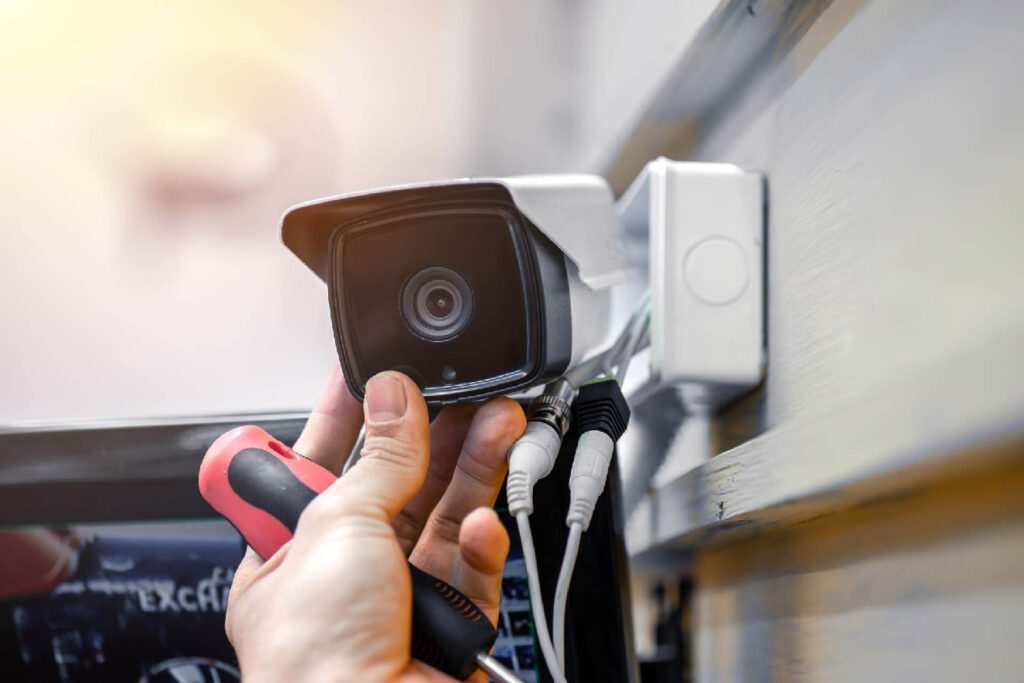
Technician adjusting a security camera

What does access control and video surveillance integration actually do?

At its simplest, the integration associates a door event with the camera that covers that opening. A user can move from a granted badge, denied credential, forced door, or held-open alarm to video from the same place and time. Depending on the platforms, the video may appear in one interface or open through a supported link to another system.

The integration may also help an authorized operator view an entrance before releasing a door remotely. That is a different workflow with a different permission requirement. Ask for a demonstration using your actual door names and camera views. A screenshot of a generic dashboard will not tell you how quickly your team can investigate Site 27.

Some products combine access and video in a common platform. Others connect separate platforms through a supported integration. Either approach can work. The test is whether the person handling an incident can get from the alert to useful evidence, and whether someone can support that connection after a software update.

Why does access control and video surveillance work better together?

An access event is a record of what the system detected. It can tell you a credential was accepted, a door stayed open, or a contact reported an unexpected opening. It usually cannot tell you on its own whether the cardholder brought in a coworker, a delivery kept the door open, or a closer failed to latch.

Video provides context around the event. If the clip opens at the right door and time, your team can decide whether to escalate, dispatch service, or close a harmless incident. That matters even more when a central security team supports many sites and cannot walk down the hall to look.

Access control and video surveillance together can make your response more consistent. One regional manager should not be hunting through cameras while another has an event-linked view. When door names, camera associations, and permissions follow a shared standard, the next location is easier to support.

Which incidents benefit most from access and video together?

A denied credential after hours

A denial could be a person at the wrong door, an expired badge, a contractor outside approved hours, or a former employee attempting entry. The event tells you what the controller decided. The video shows what was happening at the opening. You still check the credential record and access policy, but you can start with a clearer picture.

Imagine a warehouse manager calls because a vendor says their badge failed. The central operator opens the associated camera view and sees the vendor at the employee entrance instead of the contractor entrance. That is a different response from a denied credential presented repeatedly at a restricted room after closing.

A forced or held-open door

A forced-door alert means the door opened without the expected authorized sequence. A held-open alert means it remained open past the configured threshold. Neither alert tells you why. Video may show a delivery, equipment traffic, maintenance work, a propped door, or an actual unauthorized entry.

It may also show a mechanical problem. If the same door fails to latch every afternoon, the fix could be door hardware or a closer adjustment. An integration cannot repair the opening, but it can help your service team stop treating each alarm as an isolated mystery.

Alen’s 2026 domestic food manufacturer case study describes doors and overhead bays left open across two facilities. The upgraded environment combined access control, video, burglar alarm, and door-prop alerts. The practical point is the response: the team needs enough context to tell an operational habit from a security event.

Remote entry at a lightly staffed site

A remote office may not have a receptionist at every entrance. An authorized operator might use an intercom or door station and a camera view to check a visitor before releasing the door. That workflow needs the right live view, a reliable communication path, and a clear rule about who may unlock it.

Remote release is an administrative function. It does not replace required egress, emergency release, or fire-alarm behavior. The door hardware and local requirements still determine the safe design. The video view helps the operator make a decision; it cannot make a noncompliant opening safe.

Do access control and video need the same manufacturer?

No. Separate systems can often be connected when the vendors support the relevant APIs, drivers, versions, and licenses. A common platform may offer a smoother operator experience. A mixed environment may let you keep working cameras or choose equipment that fits a particular site.

Ask what the operator can actually do in each option. Can they open recorded footage from the access event? Is the camera view live, recorded, or both? Can they search by door and event type? What happens when a camera is replaced? Who fixes the connection if an upgrade breaks it? Those answers are more useful than a “unified” label.

A phased approach may be sensible for a company with existing equipment across many buildings. Connect priority doors first, document the mappings, and expand as sites are renovated. The central team can still use one investigation process even when hardware varies by location.

Where should you start the design?

Start with a real incident, not a product diagram. Pick a door your team struggles to investigate today. Ask what the operator needs to know in the first minute and what action they should be allowed to take. That defines the camera view, event association, permissions, and retention you actually need.

For a denied badge, perhaps the operator needs a 30-second clip before and after the event. For a loading dock left open, a broader view and a longer window may matter. For remote release, live video and two-way communication could be essential. The workflow dictates the configuration.

Then name each door and camera consistently. “Rear Employee Entry” in the access system should map to a camera name a human can recognize. Keep the camera’s field of view in the site record. A technically connected camera that points past the opening will not help an investigation.

What makes access control and video surveillance dependable across sites?

Time, mapping, and retention

The event and video need to agree on time. Check the time source, time zone, and daylight-saving behavior for controllers, cameras, servers, and cloud services. A clock mismatch can send an investigator to the wrong clip even when the integration appears healthy.

Record the door, reader, camera, view, site, and integration status together. Decide who updates that record when someone moves a camera or renames a door. Set video retention for the investigation period the organization actually needs, with access to exports limited to the right roles.

Permissions and network security

The person who issues badges does not automatically need recorded video from every site. A video investigator does not automatically need remote unlock rights. Set roles around jobs: viewing live video, searching recordings, exporting evidence, managing credentials, changing schedules, and releasing doors.

The connector itself needs scrutiny. IT should review service accounts, API tokens, encryption, logging, updates, and vendor support access. Give it only the permissions it needs. Alen’s approach to network-connected security systems is to avoid unnecessary open ports and firewall holes; the integration should have a documented, secure path rather than an exception nobody owns.

Licensing and support

A promised workflow may require separate access, video, integration, camera, or API licenses. Ask for the complete subscription and support scope before approving the design. If two vendors are involved, decide who takes the first call when an event no longer opens video.

That ownership matters after installation. A client should have one clear path to service, with a partner who can diagnose the door, camera, network, and connector together. Otherwise the integration becomes another place for tickets to bounce between teams.

What happens when one system is offline?

A video outage should not silently change the access-controlled door’s required local behavior. The door should keep operating according to its own design, while the team knows that video evidence is unavailable. The opposite can happen too: cameras may record while access events stop reaching the shared view.

Test the loss of a camera, the integration service, and connectivity at one site. Does the operator see a clear failure alert? Do event links recover after the connection returns? Are recordings still available in the video system? A broken association that no one notices is worse than a visible outage with a known response.

For a deeper look at controller behavior during a WAN outage, see our cloud access control offline guide. This article’s narrower question is whether the link between a door event and its video survives or clearly reports a failure.

How do you test the workflow before rollout?

Commissioning should prove what an operator can do, not merely show that two systems exchanged a message. Use representative doors from different site types and have the person who will handle incidents run the test.

  1. Present a valid and a denied test credential, then open the matching video and confirm the correct door and time.
  2. Trigger a controlled forced-door and held-open condition, and check the alert, camera mapping, and recorded clip.
  3. Use a limited operator account to confirm viewing, export, and remote-release permissions match the role.
  4. Disconnect a camera or integration service, verify the failure is visible, then restore it and test recovery.

Write down the result, platform versions, licensing, camera view, timestamp difference, and the person responsible for any fix. A single passing demonstration does not prove that every site has the right mapping. Make the test repeatable so a new location can be accepted against the same standard.

Our multi-site access control guide covers the broader rules for naming, site records, permissions, and support. This integration should fit that operating model rather than becoming a separate project at each building.

Frequently asked questions

Can a door alarm automatically open a camera view?

Many supported integrations can associate an alarm with a mapped camera, but the exact display depends on the platforms, versions, licenses, and configuration. Test the forced-door and held-open events you care about with the operator account that will use the feature.

Can video prove who used a badge?

It can show visual context around the event. It does not automatically prove identity. Camera angle, lighting, timestamp accuracy, and the possibility that someone followed the cardholder all matter. Treat the clip as evidence to review alongside the access record, not as a substitute for investigation.

Can an operator unlock a door from the video system?

Some platforms support remote release through a configured integration. Limit that action to authorized roles, verify the communication path, and document the operating procedure. The door’s required egress and emergency behavior must be designed independently of a remote command.

Is integration useful at a small location?

It can be, especially if a central team investigates incidents for that location. The value depends on how often events occur and whether the linked view reduces work. Start with a high-value door and test the workflow before connecting every opening.

What if we already have different camera systems across sites?

Inventory the platforms, versions, and supported connectors. You may be able to integrate some sites now and migrate others during planned upgrades. Keep door and camera naming, incident steps, permissions, and documentation consistent so the central team has a predictable process.

Make the next investigation easier

The best reason to connect access control and video surveillance is a real incident your team can resolve faster. Pick the door, the event, and the operator. If the operator can get to the right video and take the right action without hunting, the integration is doing its job.

Alen Security can review your existing access control and video systems, map the door-to-camera workflows that matter, and build a phased plan for your locations. Schedule a conversation with Alen to see which doors should be connected first.

What Happens to Cloud Access Control When the Internet Goes Down?

If the internet goes down, do your doors stop working? Cloud access control offline behavior depends on the equipment, configuration, power, and type of outage. In many systems, existing credentials and door rules continue at a local controller or intelligent lock. Live cloud functions may pause until the connection returns.

For an IT Director supporting multiple sites, “it works offline” is too vague. Ask which decisions remain local, which changes need a connection, how long events are stored, and what happens when connectivity returns. Test those answers at a real door before accepting the deployment.

Person holding a phone with a mobile credential beside an electronic door lock

How does cloud access control work offline?

In a common design, the cloud platform manages users and policies while a controller at the site makes door decisions using its last received configuration. A known credential can still be checked locally during a temporary WAN outage. Some wireless locks have different synchronization and offline behavior, so the architecture matters.

That does not promise every door will work indefinitely. The controller needs power, a functioning connection to the reader and lock, and locally available policy. A platform outage, a site network failure, and a power failure are different events. Ask your integrator to show the behavior for each one.

What keeps working when the connection is lost?

The answer varies by product and setup. A site controller may continue to handle:

  • Previously synchronized credentials
  • Stored access levels and door schedules
  • Local lock and unlock rules
  • Door position and request-to-exit inputs
  • Local alarms and access event storage

“Previously synchronized” is the key qualification. If a credential and its permissions reached the controller before the outage, the last known rules may continue to apply. If the controller never received a new credential, it cannot make a decision from a change it does not know about. Confirm the controller’s database and storage limits for the specific site.

What stops or gets delayed during an internet outage?

Tasks that need live communication with the cloud may be unavailable or delayed. These can include a new badge or mobile credential reaching the site, a schedule or access-level change, a remote unlock command, current event visibility in the cloud dashboard, and integrations that send updates from HR or an identity provider.

The administrator may still be able to make a change in the central application. That does not mean an offline controller has received it. The interface and the door can temporarily show different states. Your operating procedure should say who checks that the change actually reached the site after recovery.

A new hire arrives during the outage

Suppose the site loses its WAN connection at 8:00 a.m. HR creates a new employee at 9:00 a.m. and an administrator issues access in the cloud. If the local controller cannot receive that update, the employee’s credential may not open the door until service returns. Plan an approved, supervised way to admit that person when the business cannot wait. The answer should never depend on an improvised shared code.

An employee is terminated while the site is offline

This is the more sensitive case. A credential that was valid locally before the outage may remain valid under the last synchronized rules even after someone revokes it in the cloud. The timing and any local override depend on the system. Ask: “If we terminate a user while this site is offline, when and how does that credential stop working at the door?”

For a higher-risk opening, define an immediate local escalation, an authorized on-site response, or redundant connectivity. Include verification after the controller reconnects. Do not treat a cloud-side confirmation as proof that every offline site has applied a revocation.

Are access events lost when cloud access control is offline?

Many controllers store events locally and forward them when connectivity returns. The storage limit and recovery behavior are product-specific. A quiet office and a busy distribution center may consume capacity at very different rates.

Ask how many events the controller can hold, what happens when storage fills, whether timestamps remain accurate, which event types are retained, and whether the cloud presents them in the right order after reconnection. If access events are tied to video, test how that association behaves during and after the outage. “Events are cached” is a starting claim, not a complete specification.

Do schedules and remote unlock commands still work?

A schedule already stored on the controller may keep running. A change made after the connection is lost may not arrive. Test normal hours, holiday rules, temporary unlock periods, controller timekeeping, and an extended outage. A site closure or special event can expose a gap in a plan that only tests the usual workday.

A command sent from a cloud dashboard generally needs a path to the site. If that path is down, remote lock or unlock may not reach the door. Local door operation and required egress are separate design questions. The locking arrangement, power-loss response, emergency release, and fire-alarm interaction must be reviewed for the opening and applicable local requirements. Remote administration is never a substitute for a compliant life-safety design.

What if the internet and power both go down?

Internet redundancy does not power a controller. Ask which controllers, readers, locks, network devices, and cellular equipment are on backup power, how long the backup is expected to last, and how batteries are tested and replaced. Confirm the actual lock behavior after power is exhausted and the required egress arrangement. A fail-safe or fail-secure label alone does not describe the whole door.

A useful acceptance test separates three conditions: loss of the WAN path, loss of the site’s network equipment, and loss of normal power. Each can affect different components. Document the result at representative doors, including a restart after power returns.

When does cellular or a second internet connection make sense?

A second path can reduce the time a site is disconnected from cloud management. Options include dual ISPs, wired service with cellular failover, or a dedicated cellular connection. The right choice depends on outage frequency, the need for live administration, termination risk, event visibility, carrier coverage, and the cost of downtime.

In Alen Security’s national retail deployment, a Brivo cellular module is part of the access control architecture, reducing dependence on the retailer’s store or corporate LAN. That is one design choice, not a universal prescription. Cellular still depends on coverage, equipment, power, provider service, and account management.

For a multi-site business, classify locations by operational need. A small office may tolerate delayed administration. A 24-hour distribution center or sensitive facility may need a second path and a more explicit local response. Let IT decide whether access control uses enterprise network redundancy or a dedicated connection.

How should IT test cloud access control offline?

Run a controlled outage during commissioning. Capture the platform’s stated behavior first, then test it at representative doors. Coordinate the test with Security, Facilities, the integrator, and anyone responsible for safe operation.

  1. Confirm the starting configuration, then disconnect the WAN path while keeping local equipment powered.
  2. Test an existing authorized credential, a denied credential, schedules, and local event capture.
  3. Try a remote command and test user change; record what reaches the door.
  4. Restore service and confirm event upload, queued changes, time accuracy, and health. Repeat the relevant checks on backup power or a second connection.

Record the controller model, firmware, credential type, test time, outage duration, observed door behavior, event counts, and any manual steps. A passing test at one door does not automatically prove every lock type and site configuration behaves the same way.

How long can cloud access control offline operation last?

There is no universal number. Known credentials may continue to work while administration becomes increasingly constrained. The practical limit depends on local database and event capacity, stored schedules, controller timekeeping, power and battery runtime, and the changes the business needs to make during the outage.

Ask two separate questions: “How long can the door make the expected local decisions?” and “How long can our team operate the site acceptably without central changes or live visibility?” A vendor answer to the first does not settle the second.

What should every site document before an outage?

Write a short response plan by site class. It should cover what continues, what pauses, who owns the incident, and how to verify recovery. These examples are prompts to fill with tested, platform-specific answers:

  • Existing credentials: expected local decisions and site status monitoring.
  • New hires and terminations: temporary admission, urgent revocation, and local escalation.
  • Remote commands and events: authorized on-site alternative, local storage limit, and reconciliation.
  • Power loss: battery runtime, door behavior, and life-safety response.

Identify who contacts the ISP or carrier, who supports the controller, who can authorize a local procedure, and who closes the incident after event and configuration synchronization. For multiple locations, a single escalation path and consistent site records make the response easier to repeat. Our multi-site access control standardization guide explains how to set those portfolio-wide rules.

Frequently asked questions

Will employees be locked out if cloud access control loses internet?

Not necessarily. Many systems make decisions for previously synchronized credentials locally. Verify the selected controller, lock, and configuration with an outage test.

Can I issue or revoke a badge while a site is offline?

You may be able to change the user in the cloud platform, but the offline site may not receive the update until connectivity returns. Test the propagation and define a local procedure for urgent changes.

Does cellular backup eliminate outages?

No. It supplies another communication path, but carrier service, signal, equipment, power, and the cloud platform can still fail. Confirm failover and recovery in a controlled test.

Will a cloud platform unlock doors when the power fails?

The door’s behavior depends on its hardware, power and backup design, and required egress arrangement. Internet loss and power loss must be evaluated separately.

Know the offline story before you deploy

Cloud access control offline operation can keep known users moving through doors while central administration waits for a connection. The useful question is exactly which functions continue at each site, for how long, and what your team does when an urgent change cannot reach a door.

Alen Security can help your IT and Security teams review controller behavior, test an outage, and set the right connectivity and response plan for each location. Talk with Alen Security about offline operation at your sites.

An access control site survey may document this mobile credential and the electronic door lock it operates.

Access Control Site Survey: What to Expect

What Does an Access Control Site Survey Cover?

If you are preparing to replace, expand, or standardize a commercial access control system, the site survey is where assumptions become facts.

A good access control site survey does much more than count doors. It verifies the physical openings, existing hardware, controllers, cabling, network conditions, credential environment, integrations, operating constraints, and other details that determine what the project actually requires.

For an IT Director, Head of Security, Facilities leader, or project owner, that matters because an access control proposal is only as accurate as the information behind it.

What is a commercial access control site survey?

A commercial access control site survey is a structured assessment of the locations, doors, systems, infrastructure, and operating requirements that will affect an access control project.

The goal is to understand the environment well enough to design the right solution and build a realistic scope of work. Depending on the project, the survey may cover one opening, one building, or a representative set of sites in a much larger multisite rollout.

A useful survey should answer questions such as:

  • Which doors need controlled access?
  • What locking hardware is already installed?
  • Are the doors and frames in good working condition?
  • What readers, panels, controllers, power supplies, and batteries exist today?
  • Can any existing equipment reasonably be reused?
  • What cabling is available?
  • Where will network connectivity come from?
  • How are credentials managed today?
  • Does the organization need cloud, on-premises, or hybrid management?
  • What video, identity, HR, visitor, alarm, or other integrations are required?
  • What happens during an internet, WAN, or power outage?
  • Are there opening-specific egress, fire-rating, or life-safety requirements that need coordination?
  • How will installation affect normal business operations?

The survey is not the final design by itself. It gives the design team verified information to work from.

Why should an access control site survey happen before the final project scope?

Access control touches too many parts of a building to scope accurately from a spreadsheet alone.

Two doors that look identical on a floor plan may require different work. One may already have compatible electrified hardware and usable cabling. The other may have a mechanical issue, an unsupported reader, no pathway for new cable, a fire-rating consideration, or a different egress configuration.

The same problem appears at the system level. A company may describe its existing environment as “the same system at every office,” only to discover that different locations were installed at different times with different panel generations, credential technologies, power supplies, firmware, and door hardware.

That is why a preliminary conversation can establish direction, but a verified site assessment is often necessary before a complex retrofit scope becomes final.

What should you prepare before the access control site survey?

You do not need a perfect set of records before calling an integrator. If your documentation is incomplete, finding out what is missing is part of the process.

Still, anything you can gather in advance makes the survey more productive.

Useful information may include:

  • Building floor plans
  • Door schedules
  • Existing access control drawings
  • Panel and controller lists
  • Reader models
  • Locking hardware records
  • Current credential types
  • Network diagrams
  • IP addressing or segmentation standards
  • Existing video surveillance platform
  • Identity provider or directory platform
  • HR system used as an employee source of truth
  • Current access groups or permission structure
  • Known service problems
  • Planned renovations
  • Construction schedules
  • Sites expected to open or close
  • Existing support or maintenance records

For a multisite company, a location list is especially useful. Include the site type, approximate door count, operating hours, region, and whether each location appears to use the same or a different access control platform.

Do not delay the conversation because some of this is missing. A strong integrator should help identify what needs to be documented next.

What does the integrator look at first during an access control survey?

The best starting point is the business problem, not the reader on the wall.

Before walking doors, the project team should understand why the organization is considering a change.

Common drivers include:

  • An aging or unsupported access control platform
  • Inconsistent systems across multiple locations
  • Difficulty managing users remotely
  • Too many manual onboarding or offboarding steps
  • Shared door codes
  • A need for better audit history
  • Expansion into new facilities
  • An acquisition that introduced another security platform
  • Repeated hardware failures
  • Cybersecurity concerns
  • A need to connect access events with video
  • A desire to move away from local servers
  • A need for mobile credentials
  • Poor post-sale support from the existing provider

That conversation changes the survey.

If the main problem is multisite administration, the survey needs to document differences between locations. If the problem is cybersecurity, the architecture, reader communication, software lifecycle, remote-support path, and administrative controls deserve more attention. If the business is opening ten new locations, repeatability and construction coordination become critical.

A survey should be driven by what the company is trying to fix.

How are the physical doors evaluated?

A commercial access control system depends on the physical opening working correctly.

During a survey, the integrator may document:

  • Door and frame type
  • Door condition
  • Alignment
  • Latching
  • Closer operation
  • Existing strike, lock, electrified trim, maglock, or other locking hardware
  • Door position switch
  • Request-to-exit or other egress-release components
  • Panic or exit hardware where present
  • Power transfer hardware where applicable
  • Automatic operator where applicable
  • Fire rating where known
  • Existing keying or mechanical override requirements
  • Reader location
  • Accessibility considerations that affect the opening

This part of the survey matters because access control cannot fix a door that does not reliably close or latch.

A new reader on a badly aligned door can produce a new-looking system with the same old service call.

Life-safety and code note

Electronic access control must be designed around safe, code-compliant egress. Requirements can vary by opening, occupancy, lock type, fire rating, locally adopted code, and the Authority Having Jurisdiction.

The International Building Code’s means-of-egress requirements include specific provisions for electrically locked and access-controlled doors. A site assessment can identify conditions that require coordination, but it is not a code approval. Final hardware and release behavior should be coordinated with the applicable code requirements, the AHJ, and the relevant fire-alarm, door-hardware, electrical, and building teams.

What existing access control equipment is documented?

The survey should create a clear picture of the current system.

That may include:

  • Access control software
  • Server or cloud platform
  • Controllers
  • Interface boards
  • Readers
  • Credentials
  • Electric strikes
  • Electrified locks
  • Request-to-exit devices
  • Door-position switches
  • Power supplies
  • Backup batteries
  • Network switches or connections serving the security system
  • Cellular equipment where used
  • Gateways or hubs for wireless lock systems
  • Enclosures
  • Cabling

Photos are useful because model numbers and field conditions are easy to misremember later.

The purpose is not to build a museum inventory. It is to determine what the organization has, what condition it is in, what is still supportable, and what fits the target design.

Can the site survey determine what existing hardware can be reused?

It can provide the evidence needed to make that decision.

Existing equipment should not be kept simply because it still powers on. It also should not be discarded automatically because the organization is changing platforms.

A reuse decision should consider:

  • Compatibility. Can the component work with the proposed architecture?
  • Condition. Is it reliable enough to remain in service?
  • Supportability. Can replacement parts, firmware, documentation, and technical support still be obtained?
  • Security. Does it meet the organization’s current security requirements?
  • Operational fit. Will keeping it make the environment easier or harder to support?
  • Lifecycle. Does reuse make sense for the expected life of the new system?

Reader communication is one example. The Security Industry Association’s Open Supervised Device Protocol, or OSDP, supports supervised bidirectional communication and Secure Channel encryption when properly implemented. If a modernization project requires OSDP Secure Channel, an older reader that cannot support the target design may not be a good reuse candidate even if it still reads cards.

The same logic applies to controllers, locks, cabling, power supplies, and credentials.

What happens when the integrator surveys panels, controllers, and cabling?

Panels and cabling often determine how much of a retrofit can stay behind the walls.

The survey may document:

  • Panel manufacturer and model
  • Controller generation
  • Expansion boards
  • Enclosure condition
  • Power supply
  • Battery age or condition
  • Available capacity
  • Cable type
  • Cable condition where visible
  • Labeling
  • Grounding or installation concerns visible to qualified personnel
  • Network connection
  • Physical security of the enclosure
  • Available pathways for new cable

The team should also verify where panels are located and whether technicians can reasonably access them for future service.

A panel mounted above a ceiling in a difficult-to-access area may technically work but create a poor long-term service experience.

Safety note: Panels and electrical or life-safety-connected enclosures should only be opened by authorized and qualified personnel following site safety procedures.

What network and cybersecurity information is reviewed during the site survey?

For IP-connected access control, the physical survey and the IT conversation need to meet.

The integrator may need to understand:

  • Available network drops
  • VLAN or segmentation requirements
  • DHCP or static addressing standards
  • DNS requirements
  • Internet connectivity
  • Cellular feasibility where proposed
  • Firewall and outbound connectivity requirements
  • Cloud destinations
  • Time synchronization
  • Remote-support expectations
  • Administrator authentication
  • Logging requirements
  • Vendor-risk review process
  • API or integration requirements

Many cloud-managed architectures can operate primarily through outbound encrypted connections, which may reduce the need for inbound firewall rules. That does not remove the need for cybersecurity review.

IT should still understand the vendor architecture, identity controls, device hardening, administrator roles, logging, remote support, update process, integrations, and connectivity requirements.

If cellular connectivity is proposed, the survey may also need carrier coverage and signal testing. A separate cellular path can reduce reliance on the local business LAN, but the access control platform, administrative accounts, vendor access, cellular equipment, and connected devices still need to be secured.

What should be reviewed about cloud access control during the survey?

Cloud-managed access control still has local field hardware.

Readers, controllers, locks, power supplies, sensors, and other components remain at the facility. The project team also needs to define what happens when internet or WAN connectivity is unavailable.

Questions may include:

  • Which users can still enter?
  • Which schedules continue locally?
  • Are events stored until connectivity returns?
  • How much local event storage exists?
  • What happens to a credential added during the outage?
  • What happens to a credential that was revoked while a controller was offline?
  • What happens after a controller restarts?
  • Is a secondary WAN or cellular path required at critical locations?

The answers depend on the selected platform and controller architecture. They should be documented rather than assumed.

What integrations should be discussed during an access control site survey?

The survey is the right time to identify integration requirements, even if the final configuration work happens later.

Common integrations include:

  • Video surveillance
  • Enterprise identity platform
  • Enterprise directory
  • Identity provider
  • HR platforms
  • Visitor management
  • Intercoms or door stations
  • Alarm systems
  • Elevators
  • Building systems
  • Parking or gate controls

The team should define the workflow, not simply write “integrate with video” on a scope sheet.

For example, if access control and video are supposed to work together, ask what the operator should be able to do. Should a denied-access event show the associated camera? Should an operator be able to search video from an access event? Should a door event appear in a central security interface?

Capabilities depend on the selected platforms, licensing, permissions, and camera-to-door configuration.

What credential information should be collected?

A credential strategy can affect every employee and contractor in the organization.

The survey or discovery process should identify:

  • Current card technology
  • Credential population
  • Mobile credential interest
  • PIN requirements where used
  • Multifactor requirements where supported and appropriately designed
  • Lost-card process
  • Contractor process
  • Visitor process
  • Temporary credentials
  • Credential printing or issuance workflow
  • Whether old and new credentials must coexist during migration

If the company wants mobile credentials, that does not automatically mean every card should disappear on day one.

A mixed credential strategy may make more sense during a phased deployment or for users who cannot use a mobile credential.

How are identity and HR workflows evaluated?

For IT-led projects, the access control survey should include the identity lifecycle.

The team should understand:

  • What system creates the employee record
  • When a new employee should receive physical access
  • Who approves access beyond a baseline role
  • How department or location changes are handled
  • What happens when an employee transfers
  • How quickly terminated users should lose access
  • How contractors are created and expired
  • What exceptions need manual approval
  • How failures are logged and reviewed

Automated offboarding only works when the source system, approval rules, timing, exception process, and integration are correctly designed.

The survey does not need to configure the identity system that day. It should identify the workflow the access control platform will need to support.

What does a multisite access control survey look like?

Surveying 75 locations one by one before making any design decisions is usually inefficient.

A better process is often to identify site archetypes.

For example:

  • Corporate office
  • Small branch office
  • Distribution center
  • Manufacturing site
  • Retail location
  • Mixed-use facility

The project team can survey representative sites in enough detail to understand common patterns and exceptions, then build a standard survey package for the remaining locations.

That package might define:

  • Required photos
  • Door naming
  • Hardware fields
  • Controller information
  • Network information
  • Site contacts
  • Local operating hours
  • Egress and fire-rating observations that require coordination
  • Exceptions from the enterprise standard

The goal is not to assume every site is identical. It is to collect information consistently enough that differences can be managed.

How should business operations affect the survey?

A technically correct design can still be a bad project if installation ignores the way the facility operates.

The site survey should identify:

  • Business hours
  • Shift changes
  • Public entrances
  • Shipping and receiving periods
  • High-traffic doors
  • Clean-room or restricted areas
  • Manufacturing shutdown windows
  • Construction phases
  • Tenant coordination
  • Areas where dust, noise, or drilling is restricted
  • Security coverage needed during cutover
  • Who can authorize temporary door conditions

This information helps the implementation team build a rollout plan around the business instead of forcing the business around the installation.

What should happen after the site survey?

The survey should produce more than a folder of photos.

The project team should be able to turn the findings into a verified design and scope.

Depending on the project, deliverables may include:

  • Door inventory
  • Existing-hardware inventory
  • Photos
  • Panel and controller inventory
  • Reuse recommendations
  • Replacement recommendations
  • Network requirements
  • Integration requirements
  • Credential strategy
  • Site exceptions
  • Life-safety or code-coordination items
  • Preliminary architecture
  • Phasing recommendations
  • Assumptions that still need verification
  • Project scope

For a multisite rollout, the survey may also produce a site taxonomy, deployment standard, pilot recommendation, and repeatable survey template for later locations.

This is where the site survey connects directly to the quote. The more accurately the environment is understood, the less the project needs to depend on broad assumptions.

What should you expect from a good access control site-survey experience?

You should come out of the process understanding your environment better than when you started.

A good integrator should be able to explain:

  • What they found
  • What is reusable
  • What should be replaced
  • What remains unknown
  • Which decisions belong to IT
  • Which decisions belong to Security or Facilities
  • Which openings require additional door-hardware or life-safety coordination
  • What the recommended architecture is trying to accomplish
  • How the project could be phased
  • What information is still needed before the final scope

You should not need to become an access control engineer before having that conversation.

The integrator’s job is to make the technical decisions understandable enough for your team to make informed choices.

What should make you question a site survey?

Be cautious if a complex retrofit survey:

  • Focuses only on readers and ignores the rest of the opening
  • Never looks at the existing panels
  • Does not involve IT for an IP-connected system
  • Assumes every existing component should be replaced without evaluation
  • Assumes every existing component should stay because it still works
  • Never asks about outage behavior
  • Ignores identity and credential workflows
  • Does not document site conditions
  • Treats life-safety requirements as a generic one-line checkbox
  • Produces no clear record of assumptions
  • Does not explain what happens after installation

A survey should reduce uncertainty.

If it creates a quote without creating a clearer understanding of the environment, it did not do enough.

Frequently asked questions about commercial access control site surveys

How long does an access control site survey take?

It depends on the number of openings, the complexity of the existing system, the quality of available documentation, the number of integrations, and whether the site represents a larger multisite rollout. A small office and a large manufacturing facility should not be expected to take the same amount of time.

Do we need drawings before an access control site survey?

No. Existing floor plans, door schedules, and security drawings are helpful, but incomplete documentation should not prevent the assessment from starting.

Does every door need to be surveyed?

For a final retrofit scope, each affected opening may need verification. In a large multisite program, representative sites and standardized survey templates can help establish the design before every remaining location is assessed.

Can a site survey tell us whether existing readers and controllers can stay?

It provides the field information needed to make that decision. Compatibility, condition, supportability, cybersecurity requirements, and lifecycle all need to be evaluated before reuse is recommended.

Is a site survey the same as a code inspection?

No. A site survey can identify conditions that require code or life-safety coordination, but final requirements depend on locally adopted codes and the Authority Having Jurisdiction.

Should IT attend an access control site survey?

IT does not necessarily need to walk every door, but IT should be involved early when the project includes network-connected controllers, cloud management, identity integrations, cybersecurity review, remote access, APIs, or vendor-risk requirements.

What happens after the survey?

The findings are used to refine the system design, document assumptions, identify reusable and replacement equipment, define integrations and network requirements, coordinate exceptions, and build the project-specific scope.

A better project starts with a better understanding of the site

A site survey should make the project clearer before installation begins.

That means understanding the doors, the existing system, the network, the people who administer access, the locations that need to work together, and the operating conditions the installation team will have to respect.

That is part of The Alen Advantage. The relationship starts with expertise before equipment is ordered, continues through expert installation, and stays in place when the system needs service, changes, or expansion later.

You do not need every answer before starting the conversation. Tell Alen Security what you are trying to fix, where the system is installed, and what you know about the current environment. We can help determine what should be assessed next.

Start a commercial access control project assessment with Alen Security.

An access control site survey may document this mobile credential and the electronic door lock it operates.

See Alen Security’s commercial access control services.

Cloud Access Control: How to Choose for Multiple Sites

For a multisite company, choosing cloud access control, an on-premises system, or a hybrid approach is not a feature contest. It is an operating-model decision.

For multi-site access control, cloud, on-premises, and hybrid architectures can all work. The right choice depends on how your organization wants to manage users and infrastructure, handle outages, protect the network, connect systems, add locations, and support the platform.

The architecture affects who maintains servers, how locations connect, what happens during an internet outage, how administrators manage users, how identity systems integrate, how upgrades are handled, and how quickly new locations can be added.

That is why the right question is not, “Which architecture is best?”

The better question is: Which architecture fits the way our company needs to operate, secure, support, and expand access control?

What is cloud-managed access control?

Cloud-managed access control uses a hosted management platform rather than relying entirely on a server that the customer operates at a local site or corporate data center.

The physical layer still exists.

Doors still need readers, controllers or intelligent locks, power, door hardware, credential communication, and local decision-making appropriate to the selected platform. “Cloud” describes where management services and software functions live, not the disappearance of field hardware.

In a multisite environment, cloud management can make it easier for authorized administrators to manage many locations through one environment without deploying a traditional application server at every site.

Potential advantages can include:

  • Central administration across locations
  • Reduced local server maintenance
  • Remote software management
  • Easier deployment to smaller sites
  • Central event visibility
  • Faster credential changes across locations
  • Easier access for authorized remote administrators

The exact capabilities depend on the platform.

What is on-premises access control?

On-premises access control keeps the primary management software and database within infrastructure operated by the organization or its designated hosting environment.

That can give IT direct control over:

  • Server architecture
  • Database location
  • Backup process
  • Upgrade schedule
  • Network routing
  • Internal integrations
  • Change management

It also means the organization owns more of the operational work.

Servers need to be maintained. Operating systems need support. Databases need backup and recovery procedures. Software upgrades require planning. Remote access has to be designed securely. Redundancy has to be built and tested.

For some organizations, that control is worth the work.

For others, it is exactly the burden they are trying to remove.

What is hybrid access control?

Hybrid access control combines cloud and on-premises elements.

That can take several forms.

A company may keep certain sites or field hardware on existing infrastructure while moving management functions to the cloud. It may connect on-premises sites with cloud-managed locations during a phased migration. It may keep a specific integration or data function on-site while using hosted management elsewhere.

Access control architecture does not have to be an all-or-nothing decision. Depending on operational, cybersecurity, infrastructure, integration, and resiliency requirements, an organization may choose cloud-managed, on-premises, or hybrid approaches across its environment.

For a company with existing investments, hybrid can create a migration path rather than forcing a single cutover date.

How should a multisite organization choose between cloud, on-premises, and hybrid access control?

Start with operating requirements.

The architecture should answer questions in seven areas:

  • Administration
  • IT ownership
  • Connectivity and offline behavior
  • Cybersecurity
  • Integrations
  • Rollout and growth
  • Support and lifecycle

Let’s take them one at a time.

1. How do you want access control to be administered?

A company with 40 locations needs to decide where administration lives.

Questions include:

  • Can corporate Security manage every site?
  • Can regional managers manage only their region?
  • Can a local manager issue temporary credentials?
  • Who can unlock a door remotely?
  • Who can change schedules?
  • Who can view access events?
  • Who can create or deactivate administrators?

Cloud-managed systems often make centralized remote administration easier to deploy, especially when sites do not have local servers.

On-premises systems can also support centralized administration, but the organization is responsible for the infrastructure required to make that administration available and secure.

The important issue is not where the server lives.

It is whether the administrative model matches the company.

2. How much access control infrastructure does IT want to own?

Some IT departments want physical access control to fit their existing server, backup, monitoring, and change-management environment.

Others want fewer application servers to maintain.

That distinction matters.

An on-premises deployment may require IT involvement in:

  • Server provisioning
  • Operating system maintenance
  • Database backup
  • Storage
  • Redundancy
  • Patch planning
  • Remote access
  • Monitoring
  • Disaster recovery

A cloud-managed deployment can reduce some of that local application-server work, but it does not create “zero IT involvement.”

IT should still review identity, network requirements, vendor access, administrator controls, integrations, logging, incident response, and procurement requirements.

That is a better expectation than promising that cloud removes IT from the picture entirely.

3. What happens when internet connectivity is lost?

This should be answered before deployment, not during an outage.

A properly designed cloud-managed system can continue making local door decisions when internet connectivity is unavailable, but the exact behavior is platform-specific.

In many cloud-managed designs, local controllers retain the information needed for approved door decisions while offline. When connectivity returns, stored events and updated configuration can synchronize according to the selected platform’s documented behavior.

That does not mean every cloud platform behaves the same way.

Ask each vendor or integrator:

  • Which credentials continue to work offline?
  • Do schedules remain active?
  • Are access events stored locally?
  • How much local event storage exists?
  • What happens to a newly issued credential during an outage?
  • What happens to a newly terminated credential during an outage?
  • What happens after the controller loses power and restarts?
  • Can a local administrator make changes without WAN connectivity?
  • Is cellular backup supported or required?

A 10-minute internet outage should not be the first time the company learns the answers.

4. Is cloud access control more secure than on-premises access control?

Not automatically.

Security depends on architecture, configuration, identity controls, software lifecycle, vendor practices, network design, and how the organization operates the system.

Cloud can reduce certain risks, such as an aging locally managed server that no longer receives timely maintenance. On-premises can give an organization direct control over infrastructure and data paths. Either can be poorly configured.

NIST’s Zero Trust Architecture guidance is useful because it rejects the idea that network location alone creates trust. A device does not become trustworthy simply because it sits on the corporate LAN, and a cloud service does not become trustworthy simply because it is hosted elsewhere.

For any architecture, evaluate:

  • Administrator authentication
  • Multifactor authentication
  • Role-based permissions
  • Encryption
  • Logging
  • Vendor support access
  • API security
  • Firmware and software updates
  • Vulnerability response
  • Device hardening
  • Network requirements
  • Data retention
  • Backup and recovery

If a cloud platform uses outbound encrypted connections and reduces the need for inbound firewall rules, that can simplify local network design. It does not eliminate cyber review.

5. What integrations does the company need?

Access control rarely lives alone in an enterprise environment.

The architecture may need to connect with:

  • Enterprise identity platform
  • Enterprise directory
  • Identity provider
  • HR systems
  • Visitor management
  • Video surveillance
  • Intercoms
  • Intrusion detection
  • Elevator control
  • Building systems
  • Mobile credential services

Integration requirements can materially affect the architecture decision.

An on-premises system may have a long-standing integration the company cannot replace immediately. A cloud platform may offer modern APIs or built-in identity workflows the company wants. A hybrid approach may preserve one integration while the rest of the environment migrates.

Do not assume an integration exists because both products use common enterprise terms.

Verify the exact platforms, versions, licensing, data flow, authentication method, and operational workflow.

6. How quickly does the organization need to add or change locations?

A company opening ten small offices per year has a different problem than a company operating two large campuses.

Cloud-managed access control can be attractive in distributed environments because the company may not need to deploy a traditional management server at every location.

That can make small-site rollout easier.

But site deployment still requires the physical work:

  • Door survey
  • Locking hardware
  • Readers
  • Controllers or intelligent locks
  • Power
  • Cabling or wireless design
  • Network or cellular connectivity
  • Commissioning
  • Credential setup
  • Life-safety coordination

Cloud changes the management architecture.

It does not turn doors into software.

7. How does the company want to handle upgrades and lifecycle?

On-premises systems usually place more upgrade planning on the organization or its integrator.

Cloud platforms often move more software maintenance to the provider.

That can reduce local administration, but the company should still ask:

  • How are updates tested?
  • Can changes affect integrations?
  • How are administrators notified?
  • What is the device firmware policy?
  • What happens when a controller reaches end of support?
  • How are vulnerabilities communicated?
  • What service-level commitments exist?

The lifecycle question is especially important for a multisite environment because one outdated component can turn into dozens of outdated components if the standard is repeated long enough.

When does cloud-managed access control make sense?

Cloud is often worth serious consideration when the organization wants:

Centralized administration across many sites Less local server infrastructure Remote access for authorized administrators Faster deployment to smaller locations Central software management A platform that can grow location by location

A national architecture, engineering, and construction firm selected Alen Security to manage a phased Brivo cloud access control rollout across its office portfolio. As documented in Alen’s 2026 case study, 50 of approximately 140 locations had been completed at the time of publication.

The reason that example matters is not that cloud is always the answer.

It shows where cloud management fits well: many locations, centralized administration, construction-driven deployment, and a desire to reduce local infrastructure management.

When does on-premises access control make sense?

On-premises may fit when the organization:

  • Requires direct control over hosting infrastructure
  • Has specific internal hosting or data requirements
  • Relies on integrations built around an existing local environment
  • Has the staff and process to maintain the system
  • Needs architecture that is difficult to reproduce in a hosted model
  • Has contractual or operational reasons to keep management services inside its environment

The question is whether the organization wants to own that responsibility for the life of the system.

When does hybrid access control make sense?

Hybrid can be useful when:

  • A multisite company is migrating gradually.
  • Some locations have reusable infrastructure.
  • One business unit has requirements that differ from the rest.
  • The company is acquiring businesses with existing systems.
  • Certain integrations need to remain on-premises temporarily.
  • The organization wants cloud management without replacing every field component immediately.

Hybrid should be designed intentionally.

Otherwise, it can become a polite name for a fragmented environment.

A practical decision table

QuestionCloud-Managed May FitOn-Premises May FitHybrid May Fit
Many distributed sitesOftenPossible with central infrastructureOften
Reduce local application serversYesNoPartially
Direct control over server environmentLessYesMixed
Phased legacy migrationYes, platform dependentYesOften strong
Local integrations that cannot movePlatform dependentOftenOften
Central remote administrationOftenPossibleOften
Offline door operationPlatform dependentPlatform dependentPlatform dependent

Notice the last row.

Offline behavior is not a cloud-versus-on-premises slogan. It is a controller and system-design question.

Frequently asked questions about cloud, on-premises, and hybrid access control

Does cloud access control stop working if the internet goes down?

Not necessarily. Many cloud-managed systems make access decisions locally and can continue operating with the last synchronized configuration. The exact credential, event storage, schedule, and synchronization behavior must be verified for the selected platform.

Does cloud access control eliminate local controllers?

No. Cloud management does not eliminate the field hardware that interfaces with readers, locks, sensors, and doors. The exact hardware architecture varies by product.

Is hybrid access control temporary?

It can be temporary during migration, or it can be a deliberate long-term architecture. The organization should document why the hybrid model exists and how it will be supported.

Is cloud access control always easier for IT?

It can reduce local server administration, but IT still has work around identity, networking, cybersecurity, vendor risk, integrations, logging, and governance.

Can an on-premises access control system manage multiple locations?

Yes. Multisite management is not exclusive to cloud platforms. The organization must provide and support the infrastructure that connects and hosts the environment.

Choose the architecture around the business, not the trend

The right access control architecture is the one your company can secure, support, and operate well.

Alen Security works with different access control architectures and manufacturers based on the customer’s environment. If you are evaluating cloud, on-premises, or hybrid access control across multiple locations, we can help document your requirements and map them to a system design before product decisions lock you into the wrong operating model.

Talk with Alen Security about your access control architecture.

For related guidance, read our guide to replacing shared door codes across multiple locations.

Access Control Migration: How to Avoid Multi-Site Mistakes

Planning a legacy access control migration across multiple locations means coordinating people, systems, and site schedules while keeping doors operating. A clear plan helps IT, security, and facilities teams assess existing conditions, test the approach, and roll out a consistent access control standard.

At first, an access control site migration may seem straightforward. By the fiftieth location, the quality of the plan becomes obvious. A multi-site migration magnifies every decision. Across locations, a confusing credential policy can cause the same problem in dozens of offices. Poor naming conventions make reports harder to read at each new location. Just as important, a pilot that misses a network dependency can allow the same issue to surface across an entire region.

So a 100-location migration should not be managed as 100 separate installations. It should be run as one program with repeatable site deployments inside it.

How do you plan a legacy access control migration across multiple locations?

A successful migration does four things at the same time:

  • Moves the organization toward a defined access control standard.
  • Keeps locations operating during the transition.
  • Gives IT and Security clear governance over identities, systems, and support.
  • Leaves accurate documentation behind at every site.

The exact hardware matters, but the rollout method matters just as much.

What should an access control migration program charter define?

Before equipment is ordered, document what the migration is supposed to accomplish. Examples:

  • Replace unsupported systems.
  • Consolidate multiple platforms.
  • Move from local administration to central administration.
  • Add mobile credentials.
  • Improve user offboarding.
  • Reduce local server dependencies.
  • Integrate access events with video.
  • Create consistent security standards for new offices.
  • Improve service documentation.

As a result, that statement becomes the test for every later decision. If a proposed shortcut saves time but preserves the exact fragmented administration the project was meant to remove, it is not really a shortcut.

What should you inventory before a legacy access control migration?

You cannot sequence locations intelligently if you do not know what is at each location. For every site, record:

  • Number of controlled openings
  • Access control platform
  • Controller family
  • Reader type
  • Credential technology
  • Locking hardware
  • Door condition
  • Power supplies
  • Network environment
  • Cellular coverage if proposed
  • Fire/life-safety interfaces
  • Video integrations
  • User population
  • Business hours
  • Site contact
  • Construction or renovation plans
  • Known service issues
  • Lease or landlord constraints

Then score sites by complexity and urgency. A simple model can use categories such as:

  • High urgency / low complexity
  • High urgency / high complexity
  • Low urgency / low complexity
  • Low urgency / high complexity

That gives the program a rational starting point.

How should you choose a pilot site for a legacy access control migration?

The first location should teach the team without putting the business at unnecessary risk. A phased migration approach lets the project team use smaller or representative locations to capture lessons before larger, more complicated sites. The objective is to learn early, update the deployment standard, and avoid repeating the same issue across dozens of facilities. A useful pilot should include enough real-world conditions to test:

  • Credentials
  • Access groups
  • Door schedules
  • Remote administration
  • Network connectivity
  • Offline operation
  • Integration workflows
  • Service procedures
  • Documentation
  • Training
  • Alerting

The pilot is where the standard meets reality. Expect to change something. If the pilot produces no adjustments at all, either the team planned unusually well or it did not look closely enough.

How do site archetypes make access control rollouts more repeatable?

A portfolio of 80 locations rarely contains 80 completely unique sites. Group them. For example:

  • Small office
  • Large office
  • Retail site
  • Warehouse
  • Manufacturing facility
  • Data center or high-security site
  • Leased building with landlord-controlled perimeter

For each archetype, define a starting bill of materials, network pattern, credential approach, administrative model, and commissioning checklist. That reduces design time without pretending every door is identical.

What belongs in a pre-installation package for each location?

Every location should enter installation with the same information package. It should include:

  • Approved site survey
  • Door list
  • Floor plan
  • Hardware schedule
  • Panel locations
  • Network requirements
  • IP or cellular plan
  • Cable requirements
  • Life-safety coordination items
  • Credential plan
  • Integration requirements
  • Work hours
  • Change-control requirements
  • Site contact information
  • Test plan

This package prevents field teams from making design decisions that should have been made earlier.

Which IT requirements should be confirmed before installation?

IT dependencies are among the easiest ways to lose a day on a multi-site rollout. Before installation, confirm:

  • Network drops
  • VLAN requirements
  • DNS
  • DHCP or static addressing
  • Firewall rules
  • Outbound connectivity
  • Certificate requirements
  • SSO configuration
  • Administrator accounts
  • Vendor remote-support method
  • Cellular coverage if used
  • Security review status

If cloud-managed controllers primarily use outbound encrypted connections, that may simplify the network conversation. It does not eliminate the need to document and approve the architecture. NIST’s Zero Trust guidance is relevant here because it treats identity, device, and resource access as separate security decisions rather than assuming the local network is inherently trusted.

How should life-safety requirements be handled during migration?

Door access cannot be scheduled like ordinary IT equipment. An electrically locked opening can interact with panic hardware, fire alarm, sprinkler signals, request-to-exit devices, delayed egress, emergency release, and other building systems. The 2024 International Building Code contains several specific locking arrangements for egress doors, and UL’s current guide to access and egress locking configurations explains how those arrangements differ.

Life-safety and code note: A rollout standard can require consistent review, but final requirements depend on the opening, occupancy, lock type, fire rating, locally adopted code, and Authority Having Jurisdiction. Site assessment and installation do not replace local approval where required. This coordination belongs before installation, not at final inspection.

Which access control cutover model fits each site?

A site migration can use several cutover models.

Door-by-door cutover

Each opening is moved individually while the rest remain on the old system.

Panel-by-panel cutover

A group of doors moves when its controller is replaced or converted.

Site cutover

The entire location changes during a planned window.

Parallel operation

Old and new systems operate together for a defined period.

The best model depends on the site. For each one, define:

  • Who can enter during work
  • How credentials are handled
  • How temporary access is granted
  • How doors are secured if work pauses
  • Who approves completion
  • How rollback would work if a serious problem appears

How can you schedule a multi-site rollout around business operations?

Different businesses have natural work windows. A manufacturing company may have a planned shutdown. By contrast, a retailer may allow work overnight, while a corporate office may prefer weekends. For a new office, commissioning may be easiest before employees move in. Alen upgraded two facilities for a domestic food manufacturer during a planned two-week holiday shutdown. The 2026 case study documents the full access control, video, and alarm upgrade within that operating window.

That approach worked because the security project followed the business schedule. For a large migration, maintain a calendar that includes:

  • Site construction dates
  • Lease events
  • Peak business periods
  • Blackout dates
  • Holiday shutdowns
  • IT change freezes
  • Local permitting or inspection timing
  • Hardware lead times

The best technical design can still fail as a program if it lands at the wrong time operationally.

How should credentials be handled during a migration?

Credential migration is often underestimated. A 50-site project may involve thousands of employees, contractors, temporary workers, and visitors. Decide:

  • Will existing cards remain temporarily?
  • Are new cards being issued?
  • Are mobile credentials being introduced?
  • Can the same credential work on old and new systems during transition?
  • Who handles enrollment?
  • How are lost credentials handled?
  • How are terminated users removed from both environments?

If two systems will coexist, define which identity source governs each one. This avoids a situation where someone is deactivated in the new platform but remains active in the old one for three months.

What data should move from a legacy access control system?

The access control database may contain years of:

  • Users
  • Credentials
  • Access levels
  • Schedules
  • Holidays
  • Door names
  • Alarm rules
  • Reports
  • Event history

However, not all of it should automatically move. A migration is a chance to clean the environment. Ask:

  • Which users are still active?
  • Which access groups are still needed?
  • Which schedules are still valid?
  • Which old cards should be retired?
  • How much event history needs to be retained?
  • What must remain available for audit purposes?

If the old database is messy, blindly copying it can move years of bad administration into a new platform.

What should an access control site acceptance test include?

Installation completion should mean more than “the reader beeped.” Test at least:

  • Authorized entry
  • Denied entry
  • Door position monitoring
  • Forced-door event
  • Held-open event
  • Request-to-exit operation
  • Lock operation
  • Power-loss behavior
  • Backup battery behavior
  • Fire-alarm release where applicable
  • Offline controller operation
  • Event reporting
  • Credential update
  • Remote administration
  • Video association, if used
  • Identity integration, if used

Record the result. If a site later has a problem, the company should know what was tested and when.

How should teams manage punch-list items across locations?

Small issues become permanent if the program immediately moves to the next site. Examples:

  • Reader label missing
  • Door closer needs adjustment
  • Camera association incorrect
  • Panel photo not uploaded
  • Access group mapping incomplete
  • Local administrator not trained
  • Battery date not recorded

A site is not complete until the punch list is closed or the remaining item has an approved owner and due date. This is ordinary project discipline, but it becomes much more valuable across 100 locations.

What documentation should each migrated site leave behind?

Every site should leave behind:

  • As-built drawing
  • Door list
  • Panel list
  • Reader list
  • Locking hardware record
  • Network information
  • Egress component record
  • Power supply information
  • Battery information
  • Photos
  • Test results
  • Configuration notes
  • Approved exceptions

Ultimately, the company should be able to hand that package to a service technician who has never visited the site. That is the test.

How should you group sites into rollout waves?

Once the pilot is complete, group sites into waves. A wave may be based on:

  • Geography
  • Site type
  • Construction schedule
  • Existing platform
  • Hardware availability
  • Business unit
  • Urgency

Each wave should have entry criteria. For example:

  • Survey complete
  • Hardware approved
  • Network ready
  • Security review complete
  • Credential plan ready
  • Site date approved
  • Permitting path confirmed where needed

If a location is not ready, move it out of the wave rather than forcing the schedule.

What changes when an access control rollout reaches 50 or 100 locations?

Governance becomes more important than individual installations. At larger scale, track:

  • Sites surveyed
  • Sites ready
  • Sites installed
  • Sites accepted
  • Open punch items
  • Exceptions
  • Hardware substitutions
  • Credential migration status
  • Documentation completeness
  • Service issues after cutover

Over time, patterns will emerge. If three sites in one wave have the same lock issue, fix the archetype before the next 20 locations repeat it.

What does a real multi-site access control rollout look like?

Alen Security is managing a national rollout for an architecture, engineering, and construction firm with approximately 140 offices. At the time Alen’s 2026 case study was published, 50 locations had been completed. The rollout is phased around each office’s construction or renovation schedule. That is the important part.

The program is not trying to force every office into one artificial deployment date. It uses a common platform and repeatable process while fitting installation into the timing of each site.

Frequently asked questions about multi-site access control migration

Should every site be migrated in the same way?

No. The program should use consistent standards and testing, but site type, construction, door hardware, operating hours, and local requirements can change the installation method.

How many locations should be included in the pilot?

There is no fixed number. The pilot needs enough variety to test the standard without exposing the organization to unnecessary scale before lessons are learned.

Can access control migrations happen during normal business hours?

Sometimes. Other locations require evenings, weekends, shutdowns, or door-by-door sequencing. The cutover plan should be based on operations and door security requirements.

Should data from the old access control system be migrated automatically?

Not without review. A migration is a good time to remove inactive users, outdated access groups, old credentials, and unnecessary configuration.

What is the biggest risk in a 100-site migration?

Repeating an unresolved design or process problem across many locations. That is why pilots, archetypes, acceptance testing, and documented exceptions matter.

Planning an access control rollout across multiple locations?

The goal is not to install the same thing 100 times. It is to build a process that gets smarter as the rollout grows. That is part of what Trusted… Everywhere means in a multi-site deployment: the quality of the standard, installation, documentation, and support should hold as the program expands.

Alen Security can help inventory your sites, define the standard, choose pilot locations, coordinate IT and construction requirements, and manage a phased deployment around the way your business actually operates. Talk with Alen Security about a multi-site access control rollout.

Legacy Access Control at Multiple Locations

Replacing legacy access control across multiple locations can become difficult long before the system stops opening doors.

The software may be tied to an aging server. One region may be running a different platform than another. Some offices may still rely on older proximity cards while newer locations use mobile credentials. A controller replacement at one site may require a technician who knows equipment the rest of the company stopped using years ago.

That is usually the point when an IT Director or Head of Security starts thinking about replacement.

Then the harder question shows up: Do we have to rip everything out?

The answer is often no.

A well-planned commercial access control migration starts by separating what is outdated from what is still usable. Readers, controllers, power supplies, cabling, locking hardware, credentials, software, databases, and network architecture all have different lifecycles. Some components may need to go. Others may be worth keeping.

For a company with many locations, that distinction matters. It can change the rollout schedule, the amount of work required at each site, and how much disruption the organization experiences while moving to the new platform.

Can a legacy access control system be replaced without replacing every component?

Yes, depending on the existing equipment and the platform selected for the migration.

Some modern access control platforms can work with parts of an installed system, including certain readers, wiring, power supplies, locking hardware, or controller infrastructure. Whether those components should remain depends on compatibility, physical condition, cybersecurity requirements, supportability, firmware, and the architecture being selected. Brivo also documents migration options for organizations with existing legacy control infrastructure.

That does not mean existing hardware should automatically stay.

Every component should be evaluated for four things:

  • Compatibility: Can it communicate correctly with the proposed platform?
  • Condition: Is the component physically reliable enough to justify keeping it?
  • Supportability: Can the manufacturer or integrator still support and replace it?
  • Security: Does retaining it preserve an older communication method, credential technology, or network dependency that the organization is trying to remove?

The goal is not to save every old part. The goal is to avoid replacing good infrastructure simply because it is already installed.

Why legacy access control migrations are different across multiple locations

Replacing access control at one building is a project.

Replacing it at 20, 50, or 140 locations is a program.

The difference is repetition. Every mistake gets repeated if the organization does not establish a standard early.

A multi-site migration has to answer questions such as:

  • Which locations should move first?
  • Which components are approved for reuse?
  • What becomes the standard reader, credential, controller, lock, and network approach?
  • Which sites require exceptions?
  • Who can create users and change permissions?
  • How will local teams request changes?
  • What happens when internet connectivity is unavailable?
  • How will construction or renovation schedules affect deployment?
  • How will the company document each site so future service does not depend on tribal knowledge?

A 2026 Alen Security case study documents this type of program for a national architecture, engineering, and construction firm. At the time the case study was published, Alen had completed 50 of approximately 140 offices as part of a phased Brivo access control rollout aligned to construction and renovation schedules.

The lesson is not that every company should use the same platform or deployment model. It is that the organization needs a repeatable process before the rollout grows.

Step 1: Define why legacy access control is being replaced

Do not begin with hardware.

Begin with the problem.

A replacement project can be triggered by very different issues:

  • The software or server is reaching end of support.
  • Replacement parts are difficult to obtain.
  • Multiple sites use different systems.
  • Access changes require local IT involvement.
  • Former employees remain active too long.
  • Security teams cannot see events across the whole company.
  • The current credential technology no longer meets internal security requirements.
  • The organization wants mobile credentials.
  • Video and access events are difficult to investigate together.
  • Remote administration is limited.
  • A merger or acquisition created several disconnected systems.
  • The business is opening sites faster than the current approach can support.

This matters because the problem should determine the migration plan.

If the issue is an unsupported server, retaining compatible field hardware may make sense. If the issue is an older reader interface or insecure credential technology, keeping every reader could preserve the exact weakness the company wanted to remove.

Step 2: Inventory legacy access control across multiple locations

A legacy access control migration across multiple locations should not begin with assumptions about what is installed.

It should begin with a verified inventory.

For each site, document:

  • Access control software and version
  • Controller manufacturer and model
  • Reader manufacturer and model
  • Reader-to-controller communication method
  • Credential type
  • Locking hardware
  • Door position switches
  • Required egress-release components
  • Power supplies and backup batteries
  • Panel locations
  • Network connectivity
  • Cellular connectivity, if used
  • Cabling type and condition
  • Fire-alarm interfaces where required
  • Video integrations
  • Identity or HR integrations
  • Number of active cardholders
  • Local administrative roles

Photos matter. So do labels.

A spreadsheet saying “card reader at front door” is far less useful than a site record that identifies the reader model, controller, cable type, lock, power supply, and panel location.

Good documentation turns future migration decisions into engineering decisions instead of guesses.

Step 3: Decide what can stay and what should go

Once the inventory exists, the organization can classify components in the legacy access control system.

A simple structure works well:

ClassificationMeaning
KeepCompatible, supportable, secure enough for the target design, and in good physical condition
Keep temporarilyCan remain during a phased migration but should be replaced later
ReplaceIncompatible, unreliable, unsupported, or inconsistent with the target security design
InvestigateMore information or field testing is required before a decision

This is where an experienced access control integrator adds real value.

Compatibility is not always obvious from a photo or model number. Firmware, panel versions, reader configuration, credential technology, licensing, and platform support can change the answer.

Reader communication deserves special attention. The Security Industry Association’s Open Supervised Device Protocol, or OSDP, supports bidirectional communication and Secure Channel encryption when properly implemented. An organization may decide that retaining a reader only makes sense if the reader and controller support the communication method required by the new design.

Step 4: Set the access control standard for multiple locations

Multi-site standardization does not mean every location must be physically identical.

A warehouse loading entrance, an executive office, a storefront, and a server room can require different hardware.

The standard should define the approved patterns.

For example:

  • Standard cloud, on-premises, or hybrid architecture
  • Approved controller families
  • Approved reader technologies
  • Credential policy
  • Preferred reader communication protocol
  • Network and firewall requirements
  • Logging requirements
  • Administrative roles
  • Door monitoring requirements
  • Video integration approach
  • Naming conventions
  • Documentation standards
  • Backup power expectations
  • Remote support process
  • Site acceptance testing

This gives the company consistency without forcing the wrong hardware onto a door simply because it appears in a corporate standard.

Step 5: Choose pilot sites carefully

The first migration should teach the organization something.

That is why the first site is rarely the largest or most politically sensitive location.

For multi-site migrations, a phased approach can reduce operational risk. Starting with representative pilot locations gives the project team a chance to validate standards, identify site exceptions, and apply lessons before moving into larger or more complicated facilities.

A useful pilot site should be representative enough to test the standard but controlled enough that adjustments are manageable.

During the pilot, test:

  • Credential enrollment
  • Permission groups
  • Reader behavior
  • Door schedules
  • Alarm events
  • Offline behavior
  • Mobile credentials, if used
  • Video associations, if used
  • Remote administration
  • Identity provisioning, if used
  • Service procedures
  • Documentation process
  • Training requirements

The point is not to prove that the new platform works in a lab. The point is to prove that the entire operating model works in a real location.

Step 6: Plan for parallel operation when needed

Some migrations happen during a single shutdown window.

Others require old and new systems to coexist temporarily.

If a company cannot move every site at once, the migration plan should define how credentials, permissions, and administration will work during the overlap period.

Questions include:

  • Will users carry two credentials temporarily?
  • Can one credential work across both environments?
  • Will administrators manage two systems during the transition?
  • How will offboarding be handled across both?
  • Which system is the source of truth?
  • How will access logs be retained?

This is one reason migration planning has to include IT and operations early. A technically successful panel replacement can still create a poor employee experience if credential and identity workflows are not planned.

Step 7: Protect life safety while changing the system

Access control does not override egress requirements.

The 2024 International Building Code includes specific provisions for access-controlled and electrically locked egress doors. UL also publishes guidance on access and egress locking configurations, including sensor release, delayed egress, request-to-exit arrangements, panic hardware, and other locking conditions.

Life-safety and code note: Electronic access control should be designed around safe, code-compliant egress. Requirements vary by opening, occupancy, lock type, fire rating, locally adopted code, and the Authority Having Jurisdiction. A migration assessment can identify issues that require coordination, but it is not a substitute for final code review or approval.

That becomes especially relevant in legacy buildings where the existing door was modified years ago and documentation is incomplete.

A migration may uncover door hardware that should be corrected even if it technically “works” today.

Step 8: Include cybersecurity requirements in the migration standard

A physical access control system is also an IT system.

Controllers communicate. Administrators sign in. APIs connect systems. Cloud services store configuration and events. Remote support may be available. Readers exchange credential data with controllers.

The network architecture alone does not determine whether a system is secure.

NIST’s Zero Trust Architecture guidance emphasizes authentication, authorization, identity, device state, and protection of resources rather than granting trust based only on network location.

For an access control migration, IT should review:

  • Administrator authentication
  • Multifactor authentication options
  • Role-based permissions
  • Encryption
  • Reader communication
  • Logging
  • Vendor remote access
  • API security
  • Firmware and software update process
  • Vulnerability response
  • Backup and recovery
  • Network requirements
  • Cloud or cellular connectivity
  • Data retention

If a system can operate through outbound encrypted connections and avoid unnecessary inbound firewall rules, that may reduce local network coordination. It does not remove the need for cyber review.

Step 9: Decide how doors should behave during a connectivity outage

Cloud management does not mean a door should stop working when the internet does.

The exact behavior depends on the selected platform and controller architecture.

Many cloud-managed access control designs keep essential door decisions at the local controller so doors can continue operating during a temporary internet outage. The exact offline behavior, local storage limits, synchronization rules, and dependencies vary by platform and should be verified during design.

Before selecting a system, ask:

  • Which credentials continue to work offline?
  • Can schedules continue locally?
  • How are events stored?
  • What changes cannot be delivered until connectivity returns?
  • What happens after a controller reboot?
  • How is time maintained?
  • Is a secondary connection needed at certain locations?

Those questions are especially important for distributed facilities where local IT support may be limited.

Step 10: Build the rollout around business operations

A security upgrade should not create an operational crisis.

Some sites can be migrated during normal hours. Others need an evening, weekend, planned shutdown, construction window, or phased door-by-door schedule.

Alen completed a full security upgrade for a domestic food manufacturer during a planned two-week holiday shutdown, allowing both facilities to reopen on the new environment without extending the shutdown. The case study documents the access control, video, and burglar alarm migration.

The right rollout window depends on the business.

A retail location may need overnight work. A manufacturing plant may have planned maintenance periods. An office under renovation may have a natural construction milestone. A warehouse may require coordination around loading operations.

The migration should fit the operating calendar rather than forcing operations to fit the technology.

What should a completed access control migration leave behind across multiple locations?

The result should be more than new equipment.

A strong migration leaves the company with:

  • A documented access control standard
  • Accurate site records
  • Clear administrative ownership
  • A defined credential process
  • A repeatable installation process
  • A service process
  • An exception process
  • Tested outage behavior
  • Current as-built documentation
  • A plan for remaining legacy sites

That is how the organization avoids rebuilding the same fragmented environment five years later.

Frequently asked questions about legacy access control migration

Do we have to replace every reader when changing access control platforms?

Not always. Reader reuse depends on model, communication method, credential technology, condition, and support within the proposed platform. A field inventory and compatibility review should happen before the replacement scope is finalized.

Can existing access control wiring be reused?

Often, but it should be inspected. Cable type, condition, topology, distance, interference, and the requirements of the new equipment all matter.

Can old and new access control systems run at the same time?

Yes, some phased migrations require parallel operation. The organization should define credential, offboarding, administration, and audit procedures during the overlap period.

Should every location use exactly the same access control hardware?

No. A multi-site standard should define approved architectures and component families while allowing site-specific exceptions where the physical opening or business use requires them.

How long does a multi-site access control migration take?

There is no universal schedule. The number of locations, site conditions, construction schedules, hardware availability, integrations, permitting, testing, and operating constraints all affect timing.

Planning a legacy access control replacement?

You do not need to decide what stays and what goes before speaking with an integrator.

That is part of the assessment.

Alen Security can review your existing environment, identify what may be worth retaining, document the gaps, and help build a phased migration plan that fits the way your locations actually operate.

Talk with Alen Security about your access control migration.