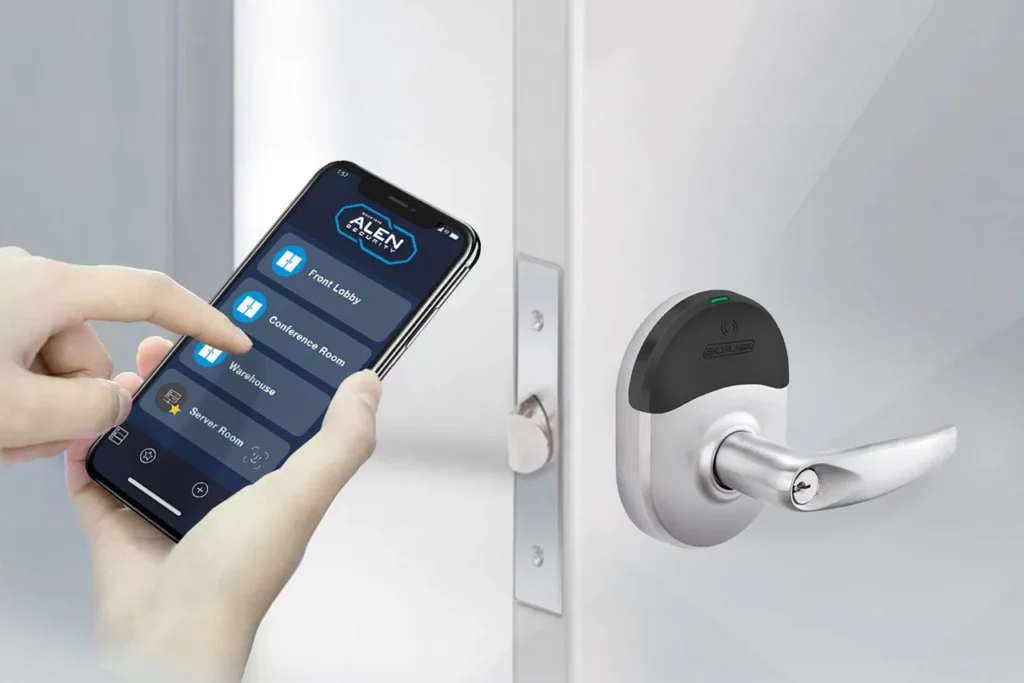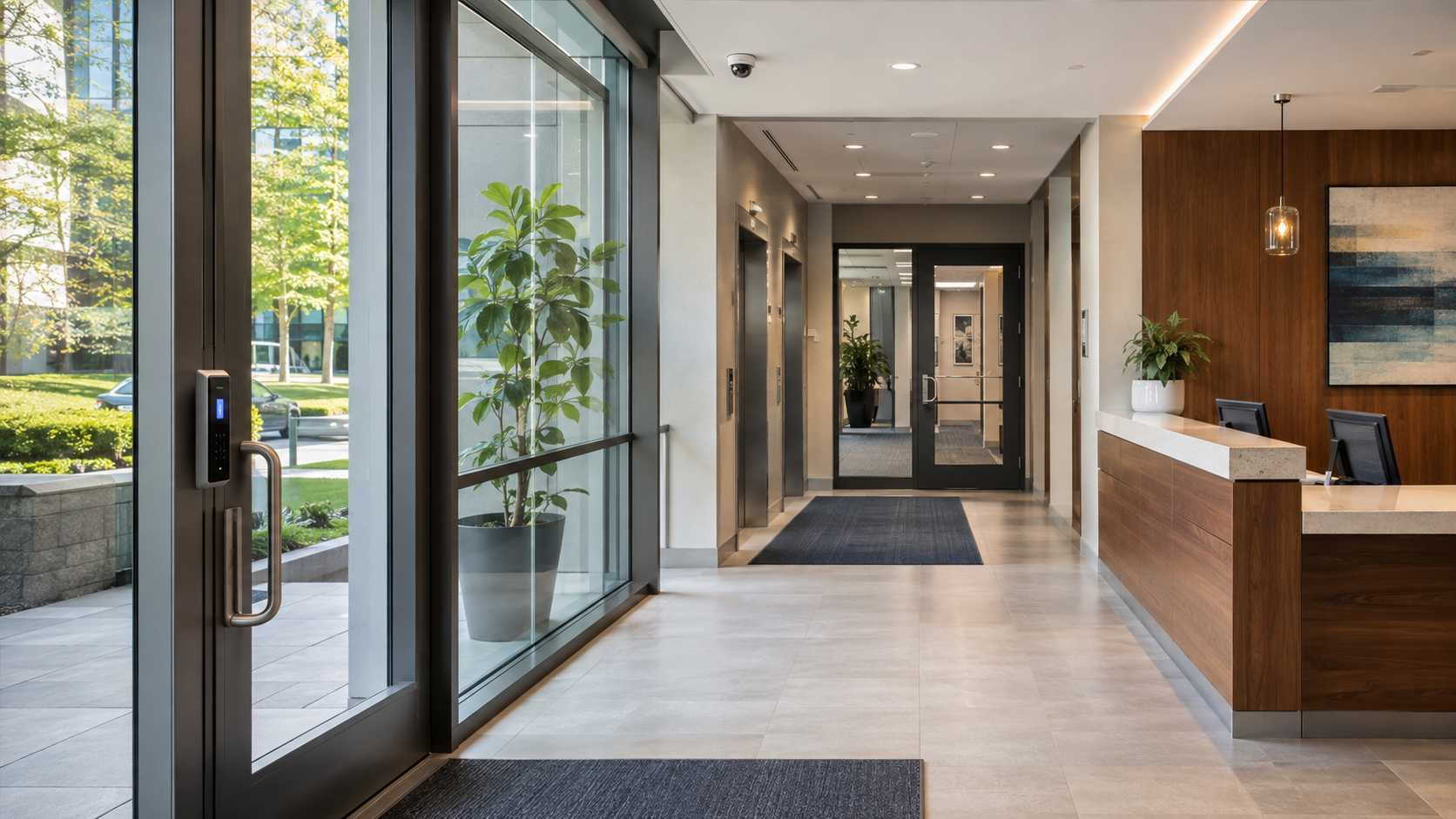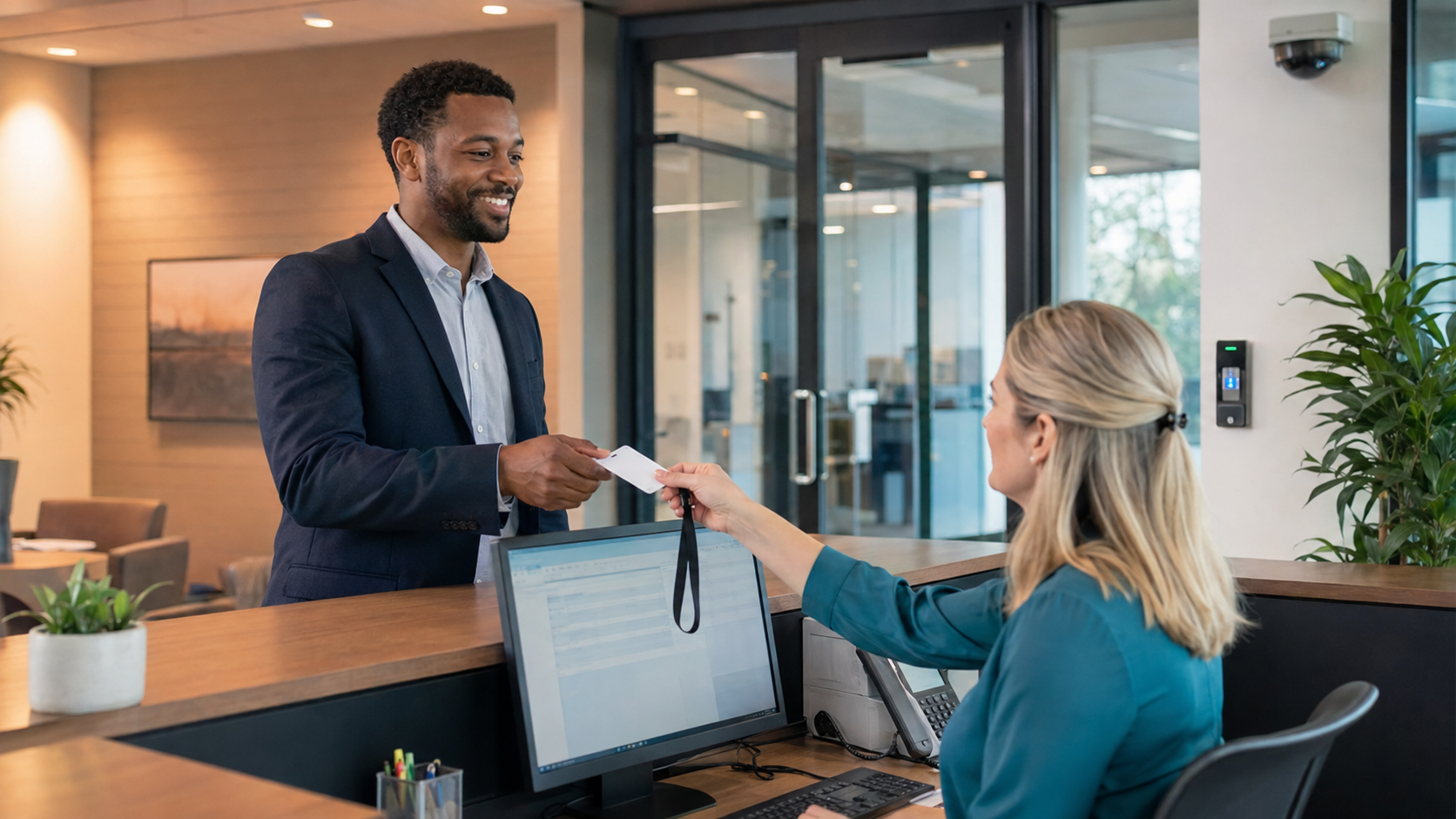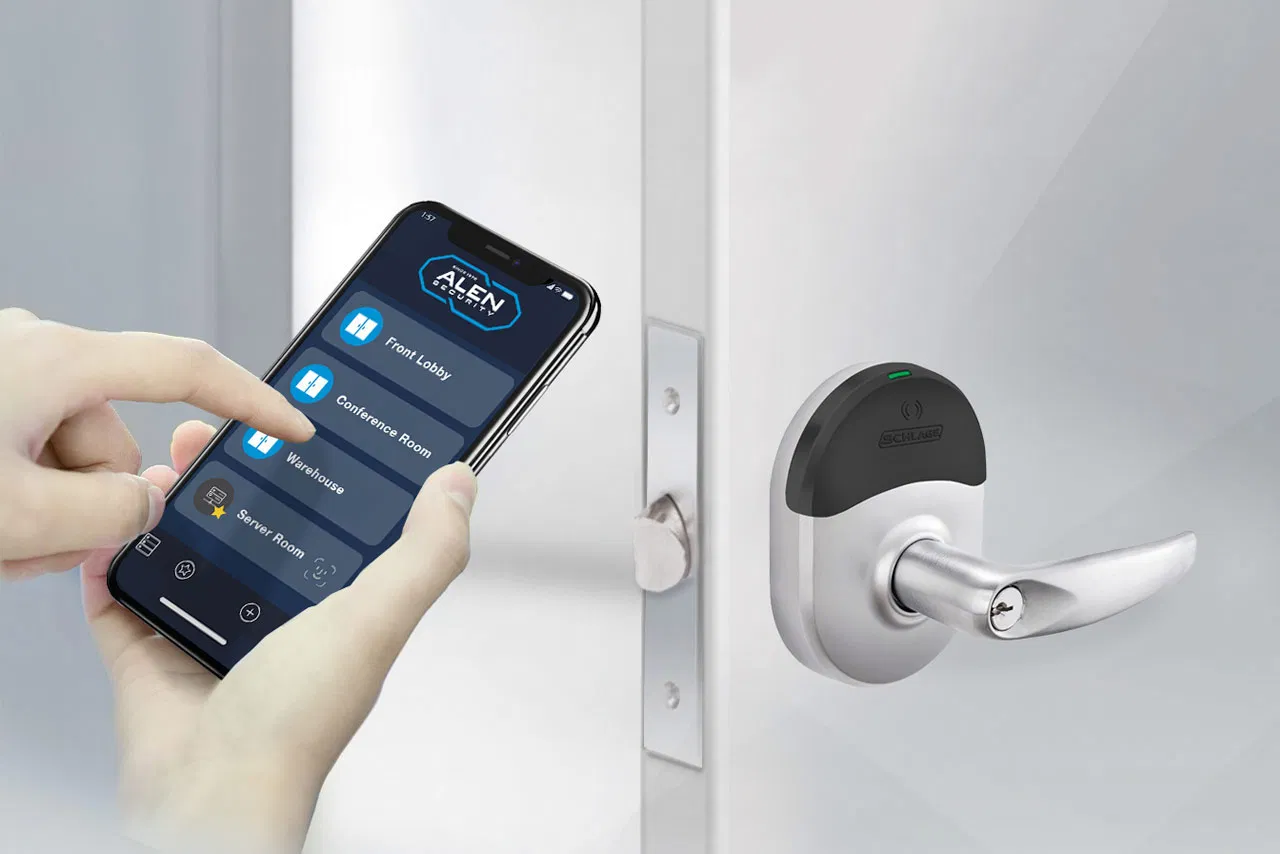
How to Replace Manual Visitor Logs in Commercial Lobbies

A paper visitor log looks harmless until you need it to answer a real question. Who is in the building right now? Did the contractor leave? Which host approved the visit? What door did the guest use? A clipboard can collect a name, but it cannot reliably manage the visit.

The right replacement is a digital visitor management system connected to your commercial Access Control process. It should register the guest, verify the visit, issue time limited access when needed, notify the host, and record when the visit ends. For companies with several buildings, the same system should apply one policy across every location while giving authorized teams one place to review activity.

This change is not about putting a tablet where the clipboard used to sit. It is about creating a visitor process that your reception, facilities, security, and IT teams can trust.

What You Need to Know

Paper logs depend on handwriting, memory, and manual follow up.

A digital system can connect preregistration, check in, badges, host alerts, temporary credentials, and check out.

Visitor records should follow a written policy for collection, access, review, retention, and deletion.

Access control and video can add door activity and visual context to the visitor record.

Multi location organizations should use one standard process that can still account for site needs.

Why Do Manual Visitor Logs Break Down in Commercial Lobbies?

Manual visitor logs break down because they record fragments of a visit instead of controlling the full visit. Entries can be incomplete or hard to read. Guests may forget to add a departure time. Reception staff may need to call or message hosts one by one. A visitor can receive a paper badge that never expires and leave it behind for someone else to find.

The problem gets larger across several locations. One lobby asks for a name and company. Another asks for the person being visited. A third does not record departures at all. When an IT or security director needs a report, each location sends a different spreadsheet, photo, or scanned page.

Paper can also expose information to the next person who signs in. Names, employers, arrival times, and host names may sit in plain view. Moving to a digital system does not remove the need for sound data handling, but it gives the organization better control over who can see records and how long they are kept.

Alen has seen the difference in the field. For a large urban office building, our team installed access card readers, electric locks, an intercom, and visitor management software. The finished system gave the client a central visitor database, preregistration, badging, arrival alerts, photo records, ID scanning, watch lists, and reporting tied to access control. The result was documented visitor tracking within the same building entry process. Read the office building access control case study.

What Information Should a Visitor Management System Record?

A visitor record should identify who arrived, why the person is there, who approved the visit, when the visit began, and when it ended. The exact fields should match the building, risk level, and company policy.

The National Institute of Standards and Technology provides a useful reference point. Its PE 8 visitor access control calls for organizations to maintain visitor records for a defined period and review those records on a defined schedule. NIST describes records that can include the visitor’s name and organization, identification, date, entry and departure times, purpose, and the person visited.

That does not mean every lobby should collect every possible field. Collect what you need for a stated business, safety, or security reason. Then decide who can access it, how often it is reviewed, how long it remains available, and when it is deleted.

A sound visitor record often includes:

  • Visitor name and organization
  • Host name or department
  • Reason for the visit
  • Expected arrival time
  • Actual arrival and departure times
  • Building or site visited
  • Badge or temporary credential issued
  • Required policy acknowledgments
  • Escort requirement, when applicable
  • Notes tied to an access or safety event

The system should also show which employee created, approved, or changed a record. That audit history matters when someone asks what happened after the fact.

How Does Digital Visitor Management Help During an Emergency?

Digital visitor management can provide a current list of guests and contractors who checked in and have not checked out. That gives wardens and safety teams a better starting point during an evacuation than a clipboard that may still be sitting at reception.

The Occupational Safety and Health Administration says visitors should be accounted for after an evacuation and may need help leaving the building. OSHA notes that some employers use visitor and contractor sign in lists to account for people at the assembly area. It also warns that confusion can delay aid or lead to dangerous, unnecessary search efforts.

A digital list still depends on correct use. If visitors bypass reception or nobody closes old records, the list will be wrong. The system works when the building process works. Direct all guests through the approved entrance, require check in, make check out easy, and test the roll call process during drills.

What Should Replace the Paper Sign In Sheet?

Replace the sheet with a visitor management system that connects four parts of the visit: register, verify, grant, and close.

1. Register the visit

The host preregisters the visitor or the guest enters the required information at a lobby kiosk. Preregistration can send directions, arrival instructions, and a QR code before the visit. Walk in guests can follow a consistent on screen process.

2. Verify the person and purpose

Reception or security confirms the visitor, host, destination, and visit type. Depending on policy, the visitor may scan identification, answer screening questions, sign a nondisclosure agreement, or acknowledge building rules.

3. Grant only the access the visit requires

The system prints a badge or issues a temporary PIN or mobile credential. Access should apply only to the approved doors and time period. When visitor management connects with commercial access control, teams do not have to create one record at reception and a second record in another system.

4. Close the visit

The visitor checks out, the temporary credential expires, and the record receives a departure time. If the guest forgets, a defined exception process should alert staff or close the visit after review. The goal is a current occupancy record, not a database filled with guests who appear to have stayed for three weeks.

Brivo Visitor Management, powered by Envoy, follows this type of connected process. Its current product information lists preregistration, kiosk check in, host notifications, badges, temporary credentials, emergency roll call, configurable retention, reporting, and connections with access control and video.

Which Visitor Management Features Matter in a Commercial Lobby?

The right feature list starts with the building process. A corporate office with scheduled client meetings does not work like a distribution center receiving drivers, contractors, and deliveries throughout the day.

For many commercial properties, these capabilities deserve attention:

Preregistration: Hosts can enter expected guests before arrival and send instructions.

Guided kiosk check in: Every guest receives the same questions and policy prompts.

Automatic host alerts: The right employee receives an email, text, or app notice when the guest arrives.

Visible badges: Staff can identify approved visitors and see where they belong.

Time limited credentials: PINs or mobile credentials stop working at the scheduled time.

Central reporting: Authorized teams can search records across one site or the full property group.

Emergency roll call: Safety staff can review visitors who may still be on site.

Access and video context: Teams can compare a check in record with door activity and the related camera view when a review is needed.

Role based permissions: Reception, security, facilities, and IT can receive the access each role needs.

Retention controls: The company can define how long visitor information remains in the system.

For IT teams, system architecture belongs in the selection process too. Ask how the platform connects to the network, how data is encrypted, how administrator access is controlled, how updates are handled, and whether the design requires inbound ports or firewall holes. Alen favors cloud managed designs that avoid unnecessary network exposure and place access, visitor, and video activity in a centrally managed environment.

How Do You Replace Manual Visitor Logs Without Disrupting the Lobby?

The safest change starts with the process, then configures the technology around it. Use these seven steps.

Document the current visitor path. Follow a guest from invitation through departure. Record who approves the visit, what reception collects, how the host learns that the guest arrived, what access is issued, and how it is taken back.

Define visitor types. Separate clients, vendors, contractors, interview candidates, delivery drivers, and walk in guests. Each group may need different questions, access, escort rules, or visit duration.

Write the data policy. Decide what information each visitor type must provide, why it is collected, who can see it, how long it is kept, and who reviews exceptions. Have legal, privacy, HR, or compliance staff review the policy where required.

Select the connected systems. Confirm how visitor management will work with access control, badge printing, intercoms, video, identity services, and emergency procedures. Check the network design with IT before purchase.

Configure one pilot lobby. Build the workflows, test host alerts, print sample badges, issue temporary credentials, and run a mock evacuation. Include reception, security, facilities, IT, and several frequent hosts in the test.

Train the people who handle exceptions. The normal visit should be easy. Training should focus on what happens when a guest has no invitation, an ID does not match, the host cannot be reached, the printer fails, or the internet connection is unavailable.

Standardize the rollout. Use the pilot to create one approved setup for other locations. Keep policy, visitor categories, badge rules, reporting, and security settings consistent. Change site instructions only where the location truly requires it.

This is where a long term integrator relationship matters. Someone has to connect the lobby workflow with doors, credentials, intercoms, cameras, networks, policies, and ongoing service. One partner should own the handoffs so your IT director is not coordinating a kiosk company, a local locksmith, a camera vendor, and separate access control contractors at every site.

Frequently Asked Questions

What is a digital visitor management system?

A digital visitor management system records and manages guest activity through a kiosk, tablet, web form, or mobile process. It can handle preregistration, check in, host alerts, badges, temporary access, policy acknowledgments, check out, reporting, and emergency roll calls from one managed platform.

Can visitor management software work with access control?

Yes. A connected system can issue a visitor a PIN, badge, or mobile credential that works only at approved doors and during an approved time. The visit record and door activity can then appear together, which reduces duplicate entry and makes later review easier.

Is a paper visitor log a security risk?

A paper log can create risk when entries are incomplete, visible to later visitors, hard to search, or missing departure times. The amount of risk depends on the building and process. Digital records offer better permission, retention, search, and reporting controls when configured and managed correctly.

How does visitor management help with emergency evacuation?

A digital system can show which visitors checked in and have not checked out, giving safety teams a current roll call list. The list is useful only when every visitor follows the approved entry and exit process, so organizations should test it during evacuation drills.

How long should a company keep visitor records?

There is no single retention period for every organization. The company should set a period based on its security, safety, legal, contractual, and privacy needs. Keep records only as long as the stated purpose requires, limit access by role, and document the deletion schedule.

Replace the Clipboard With a Visitor Process You Can Trust

Replacing a manual log should give your team a clearer answer to a basic question: who is in the building, and why are they there?

The answer should not depend on whether someone remembered to write legibly or return to the front desk. It should come from a consistent process that registers the guest, verifies the visit, grants the right access, and closes the record when the person leaves.

For an IT director managing several locations, that same processshould work from one centrally managed platform. The security design should avoid unnecessary open ports and firewall holes. The experience should feel simple for visitors, reception, and hosts. When something needs attention, one partner should know the sites, the system, and the people using it.

Schedule a consultation with Alen Security to review your lobby workflow, access control, visitor records, and multi location standards. We will help you identify where the manual process is breaking down and what a practical replacement should include.

A visitor log records a name. A sound visitor process manages the visit.

Loading Dock Security: Closing the Biggest Vulnerability in Distribution Centers

The loading dock is the busiest, most exposed part of a distribution center. People, vehicles, inventory, and vendors move through it constantly, and when controls are inconsistent, that traffic turns into loss, disputes, and compliance headaches.

For IT Directors and Facilities Managers, that’s a real problem. You need visibility, accountability, and uptime you can count on, without adding another person to watch monitors all day. A well-designed dock security program gives you that: less risk, a documented record of activity, and a way to run one site or fifty from the same standard.

At Alen Security, we help you standardize dock security with IP video surveillance, cloud-based access control, and centrally managed systems built to be secure, scalable, and easy to run.

What is loading dock security?

Loading dock security is a layered approach that combines physical barriers, IP video surveillance with analytics, and cloud-based access control. Together, they prevent cargo theft, unauthorized entry, and workflow disruptions at one of the busiest points in your facility.

Why is the loading dock such a common vulnerability?

Because it’s busy by design. Trucks, vendors, employees, and high-value inventory all move through the same area at the same time. That kind of activity hides tailgating, propped doors, blind spots, and unverified access when your systems are outdated or disconnected.

How do video analytics help without adding more manual work?

Video analytics cut down on the need for someone to watch screens all day. The system flags loitering, detects tailgating, and uses License Plate Recognition (LPR) to check vehicles against schedules, so your team only steps in when something actually needs attention.

How do I secure the perimeter around a loading dock?

Perimeter security starts before a truck reaches the bay. The most effective approach combines gates, fencing, lighting, video coverage, and controlled entry, so every vehicle movement is visible and every access event gets documented.

For a lot of facilities, the real gap is inconsistency. A fence and a paper log look like control, but they don’t give you an audit trail, a searchable record of who entered, when, and what happened around it.

We recommend standardizing the perimeter approach across every location. High-resolution IP cameras, gate controls, and scheduled access permissions work together to verify authorized arrivals and flag exceptions: after-hours vehicles, loitering near the fence line, unscheduled deliveries.

Because these systems are centrally managed, your team reviews activity across every site from one place, no separate software, no local workarounds. That cuts vendor sprawl and gives you one operating standard for security, compliance, and investigations.

How does a no-open-ports architecture protect your network?

A no-open-ports approach cuts the unnecessary exposure between your security system and your corporate network. Instead of relying on port forwarding, which can leave avoidable holes in your firewall, secure cloud platforms use encrypted outbound connections. Your systems stay accessible without opening inbound paths into your environment.

For IT teams, that’s the difference between remote visibility and an open door. You get control without loosening your security posture, which is why cloud-based systems can be simple to manage and secure to deploy at the same time.

How do I manage loading dock security across multiple locations?

Multi-site dock security works best when video, access control, alerts, and reporting live on one platform. A centrally managed system gives you one view across locations, one investigation workflow, and one set of standards for your whole team.

That’s what you need when you’re responsible for uptime and accountability but can’t be on site at every facility. Central management lets you respond faster, verify events remotely, and stay consistent as you add locations.

Why does standardization matter in distribution security?

Standardization improves reliability. When the hardware, user permissions, naming conventions, and reporting structure are consistent, your team spends less time figuring out each site and more time solving actual problems.

It also makes regulatory compliance easier. You can document procedures and pull records cleanly during audits, claims, or internal reviews instead of piecing them together after the fact.

Standardization usually includes:

  • Uniform hardware: Cameras, readers, and locking hardware built for industrial environments.
  • Consistent policies: Role-based access tied to how your sites actually operate.
  • Scalable architecture: A platform that adds bays, buildings, or sites without a rebuild.

What are the most common loading dock security vulnerabilities?

Most loading dock losses trace back to a handful of recurring issues. It’s rarely a lack of activity. It’s a lack of visibility, access discipline, and documentation around that activity.

Here are five issues we see repeatedly in distribution environments.

How do I prevent unauthorized tailgating?

Tailgating happens when a second vehicle or person follows an authorized entry without its own verification. Video analytics and controlled gate logic catch that pattern and send an alert so your team can review it fast.

Every entry ties back to a credential, a vehicle record, or a verified schedule, not a guess. That’s what accountability actually looks like.

How do I address propped doors and door-held-open events?

Dock doors get propped open for convenience during busy shifts more often than anyone wants to admit. Door position monitoring flags doors that stay open past an approved threshold and sends an automated notification with the related video.

Supervisors catch it before it turns into a loss or a safety issue, without walking the floor to check every door themselves.

How do I investigate internal shrinkage or collusion?

Some losses come from process failures or collusion, not forced entry. Searchable video tied to shipment timing, pallet activity, or related transactions gives you the context to investigate exceptions properly.

An integrated record makes claims review and internal investigations faster, and easier to defend when someone asks how you know.

How do I manage vendor access at the dock?

Vendor access should be temporary, specific, and documented, full stop. Cloud-based access control lets you issue scheduled credentials that expire automatically, so vendors get into only the areas and times you approve.

No more tracking physical keys. You get a clear record of who was on site and when.

How do I eliminate blind spots and poor image quality?

Loading docks create tough lighting, bright sun outside, dim bays inside. Cameras with Wide Dynamic Range (WDR) handle both extremes in the same scene, so you keep usable detail at doors, bays, and vehicle approaches instead of blown-out highlights and black shadows.

Placement, lighting, and lens selection matter as much as resolution. Good design is what turns footage into evidence you can actually use in a claim or investigation.

How can analytics support operations as well as security?

Analytics support business decisions too, not just security ones. Dwell time reports show carrier delays. Vehicle counts verify throughput. Safety-related events flag patterns around restricted zones or forklift traffic.

That’s real business intelligence without bolting on a separate system, and it puts operations, facilities, and security on the same data instead of three different spreadsheets.

How does loading dock security support compliance and accountability?

A good dock security system builds a reliable record of access events, alarms, and related video. That record backs up compliance, investigations, and internal reporting, because you can show what happened instead of relying on a handwritten log or someone’s memory.

For distribution centers managing standards like C-TPAT or OSHA documentation, that’s not optional. You need records that are consistent, searchable, and retained long enough to support audits, claims, and incident review.

IDENTIFY. DOCUMENT. VERIFY. RETAIN.

Integrated systems keep a digital audit trail, a time-stamped history tied to doors, credentials, alarms, and video. When an auditor, insurer, or operations leader asks for documentation, your team pulls it in minutes, not days.

How does fire and life safety fit into dock security?

Loading docks combine heavy equipment, vehicle traffic, packaging materials, and electrical devices. Fire and life safety needs to be planned alongside security, not bolted on after.

When fire alarm systems and door hardware are coordinated correctly, doors respond the right way during an emergency, and video still gives you situational awareness. That means safer egress and better information for first responders when it counts.

What does a loading dock security partner actually deliver?

You need more than equipment. You need a system that’s designed right, installed cleanly, documented clearly, and supported over time, not just at the ribbon cutting.

That’s where experience shows. With more than 50 years in commercial security, we help you simplify decisions, standardize systems, and hold the line on quality from design through service.

CONSULT. DESIGN. INSTALL. MAINTAIN.

  1. CONSULT: We review your dock layout, workflows, risks, and compliance needs.
  2. DESIGN: We build a practical solution using reliable, open, scalable technology.
  3. INSTALL: Our team deploys the system with an eye on uptime, safety, and consistency.
  4. MAINTAIN: We provide ongoing service so the system stays dependable as your needs change.

Can I improve loading dock security without replacing everything?

Yes. In most cases, you can modernize in phases. If your existing cameras, door hardware, or network infrastructure still perform, we can integrate them into a newer platform instead of ripping everything out at once.

That means fewer disruptions to your operation now, and an easier expansion later, because you’re building toward one clean, scalable standard instead of patching around old ones.

Why do locksmith services still matter at a loading dock?

Physical hardware still matters. A cloud reader or camera can’t make up for a weak strike, a worn closer, or a door that doesn’t latch every time.

Commercial locksmith expertise makes sure doors, cylinders, electrified hardware, and related components are built for industrial use and work with your electronic system, not against it. That’s what separates a solution that’s actually quality driven from one that just looks good on paper.

Why work with Alen Security on loading dock security?

We build long-term relationships by making security easier to manage and easier to trust. That means clear recommendations, standardized systems, secure architectures, and support that doesn’t disappear after installation.

For facilities and IT teams, the benefit is practical. One partner handles consultation, design, installation, service, and accountability going forward. That’s less complexity for you as your organization grows, not more.

Key Takeaways

  • Loading dock security works best layered: video, access control, physical hardware, lighting, and documented workflows working together, not as separate systems.
  • Centralized management means one platform, one investigation workflow, and one standard across every site, so you’re not managing five sets of tools to cover five locations.
  • A no-open-ports architecture keeps your network protected without giving up remote visibility and control.

Frequently Asked Questions

How do I prevent truck drivers from accessing the warehouse interior?

Put in a driver cage or a dedicated vestibule with cloud-based access control. Drivers check in at the dock without ever reaching the main floor, and cameras with two-way audio let your team talk to them without face-to-face contact.

Can I manage security for multiple warehouses from one mobile app?

Yes. Our centrally managed cloud platforms let you view live video, review access logs, and lock or unlock doors across every location, right from your phone.

What is License Plate Recognition, and do I need it?

License Plate Recognition, or LPR, uses specialized cameras to read and log truck plates automatically. On a busy dock, it speeds up check-in and gives you a searchable record of every vehicle that’s been on site.

How does “No Open Ports” technology protect my corporate network?

Older systems often rely on port forwarding, which can leave holes in your firewall. Our cloud-based approach uses secure outbound-only connections, so your security system stays connected without exposing your internal network.

How long should I keep loading dock video footage?

For logistics and distribution sites, 30 to 90 days is a practical baseline. That window usually covers the period when shipment discrepancies, claims, or investigations actually surface.

Can security systems help reduce workers’ compensation claims?

Yes. Video analytics capture near-miss incidents and verify safety protocol compliance, which gives you real documentation for training, investigations, and reducing liability.

Is cloud-based access control more expensive than traditional systems?

Not necessarily. Upfront hardware costs are usually similar, but cloud systems tend to cost less long term since you’re not maintaining local servers, pushing manual updates, or adding extra IT overhead.

What happens if the internet goes down?

Your system keeps working locally. Cameras keep recording, and access control readers still function off the most recently synced permissions. Once connectivity comes back, everything syncs back to the cloud.

Do I need to replace all my current cameras to get AI analytics?

Not always. In a lot of cases, AI-enabled bridges or recorders can add analytics to your existing IP cameras, and even some analog systems.

Why choose a security integrator instead of a guard service?

A guard can only watch one area at a time. An integrated system covers multiple points 24/7, sends automated alerts, and builds a stronger audit trail, usually at a lower long-term cost.

What should you do next if your loading dock security is inconsistent?

If your dock security is fragmented, outdated, or hard to manage, the next step is a straightforward assessment. We’ll help you identify the gaps, standardize your approach, and build a system that supports compliance, uptime, and accountability, without adding complexity you don’t need.

Ready to see where your gaps are? Call 877.215.2536 to schedule a loading dock security assessment.

cloud-video-surveillance-and-access-control-system-outside-server-room

Securing the Network: How to Integrate Physical Security without Compromising Cybersecurity

Modern Server Room Security

How do you secure physical security systems on an IT network?

Keep it simple. Use outbound-only connections so you do not need open inbound ports or firewall holes. Put security devices on a dedicated VLAN, standardize the hardware, and use intelligent analytics so your team is not stuck watching screens all day.


What is the safest way to connect physical security systems to your network?

The safest approach is to use outbound-only, encrypted connections, segment devices on a dedicated VLAN, centralize management, and avoid exposing cameras or controllers through open inbound ports.

Why does physical security often end up on the IT team’s desk?

Physical security now rides on your network, your identity tools, and your uptime standards. That means cameras, door controllers, and related devices quickly become part of the IT conversation, especially when you are responsible for multiple locations or inherited systems.

As an IT Director, you may not have asked to own physical security, but you are often the person accountable when systems are outdated, inconsistent, or difficult to support. You are managing IP video surveillance systems, cloud-based access control, and sometimes intrusion or fire alarm integrations alongside your core responsibilities.

That changes the requirement. You do not need another disconnected vendor or another exception-filled deployment. You need a partner that understands cybersecurity, uptime, regulatory compliance, and scalability and can apply those standards to physical security in a practical way.

At Alen Security, we build systems that are Simple, Scalable, and Trusted. We design around standardization, centralized management, and secure architecture so your physical security environment supports the network instead of creating more work for your team.

Why are legacy physical security systems a cybersecurity concern?

Many legacy systems rely on open inbound ports, inconsistent firmware, and isolated local management. That creates avoidable risk, weakens accountability, and makes it harder for your team to maintain a clean security posture.

For years, remote viewing was often set up by forwarding ports on a firewall so users could reach a DVR or NVR from outside the building. That practice may have been common, but it does not meet the expectations most IT teams have today for secure remote access.

ASSESS. SEGMENT. STANDARDIZE. MANAGE.

Every exception matters. If a vendor is asking for port forwarding or direct inbound access to a recorder, camera, or controller, that should raise immediate questions about architecture, exposure, and supportability.

Our approach starts with Secure design. We use cloud-managed systems that establish outbound-only, encrypted connections. That means no open inbound ports for routine remote management. Your firewall policy stays tighter, your attack surface stays smaller, and your team has clearer control over how physical security interacts with the network.

How can a business manage security across multiple locations without vendor sprawl?

Use a centrally managed, standardized platform that brings video, access control, alerts, and reporting into one dashboard. That gives you a cleaner audit trail, more accountability, and less operational friction.

How do you reduce vendor sprawl across multiple locations?

You reduce vendor sprawl by standardizing hardware, software, permissions, and reporting across sites. A centrally managed platform gives you one place to view video, manage access, review alerts, and maintain an audit trail, which is the recorded history of system activity and user actions.

If you oversee a regional or national footprint, inconsistency is usually the real problem. One site has an older recorder, another has a standalone access system, and another depends on a local vendor with no shared standards. That slows support, complicates training, and weakens accountability.

Centralized Cloud Security Management

Our Centrally Managed approach replaces that patchwork with one cloud-based interface and a documented standard. Whether you are checking a warehouse perimeter in New Jersey or reviewing access events at a retail site in California, you work from one dashboard. That supports Standardization, improves reporting, and gives you confidence that each site is being managed the same way.

Do modern security systems still require someone to watch monitors all day?

No. Modern systems use intelligent analytics, automated alerts, and searchable video events so your team can respond to meaningful activity instead of staring at screens full-time.

How do modern security systems reduce manual monitoring?

Modern systems reduce manual monitoring by using analytics, event filtering, and automated alerts. Your team can focus on verified activity instead of spending time reviewing hours of uneventful footage.

That matters operationally. A camera system should do more than record video. It should help your team find relevant events quickly and respond with context.

ANALYZE. DETECT. ALERT. RESPOND.

Our modern IP video surveillance systems use intelligent analytics to distinguish routine movement from events that deserve attention, such as after-hours loitering near a loading dock or movement in a restricted area. That reduces noise and improves response quality.

You do not need someone watching screens all day. The system does the monitoring, then sends the right clip, alert, or event summary to the people responsible. That is a practical way to improve coverage while reducing manual effort.

What should an IT Director require from a physical security platform?

Look for secure architecture, standardization, centralized management, encryption, bandwidth control, and scalable deployment. If the system creates exceptions everywhere, it is not simplifying your job.

What are the core requirements for secure network integration?

The core requirements are segmentation, bandwidth planning, and standardized infrastructure. These three areas help physical security operate reliably without creating unnecessary risk or performance issues on the rest of your network.

When we work with IT leaders, we use a disciplined process to make sure physical security supports business operations and remains easy to maintain over time.

1. Network segmentation with dedicated VLANs

We do not recommend placing cameras and controllers on the same subnet as core business systems such as accounting, voice, or user workstations. A dedicated VLAN helps contain traffic, simplifies policy management, and reduces the chance of lateral movement if a device is ever compromised.

2. Bandwidth management for video traffic

High-resolution video needs planning. We use H.265 compression, bitrate controls, and cloud-managed on-premise storage where appropriate so footage can be recorded and retrieved efficiently without overwhelming your WAN or interfering with business-critical traffic.

3. PoE standardization for simpler support

SIMPLIFY. UNIFY. POWER. PROTECT.
Standardizing on quality PoE switching reduces hardware inconsistency, simplifies deployment, and supports centralized UPS protection. That gives you a cleaner design and more predictable uptime for cameras, readers, and supporting devices.

Quality IP Camera Hardware

Why does experience matter in commercial security integration?

Experience matters because commercial security affects life safety, operations, compliance, and accountability. The right partner should understand both the physical environment and the network requirements behind modern systems.

Physical security is a long-term operational system. It needs planning, documentation, support, and a partner who can stay with you through upgrades, expansions, and service needs.

CONSULT. DESIGN. INSTALL. MAINTAIN.

We bring over 50 years of experience in commercial security. Our team handles design, installation, and ongoing service with a focus on quality, standardization, and long-term support. You are not left to piece together device settings, credential policies, or remote management workflows on your own.

What should an IT Director look for in a physical security platform?

How do you scale physical security across new locations?

You scale physical security by defining a repeatable standard for hardware, software, network configuration, and user permissions. That makes expansion easier to support and easier to audit.

Scalable Multi-Site Security

When new sites open, documented standards matter. We help you establish a consistent design for cameras, readers, controllers, and management software so each location fits into the same centralized environment. That reduces deployment friction, limits vendor sprawl, and keeps your security posture consistent from site to site.

Key takeaways

  • Use outbound-only, encrypted connections to avoid unnecessary inbound firewall exposure.
  • Place cameras, controllers, and related devices on a dedicated VLAN to improve segmentation and control.
  • Standardize hardware and software to reduce vendor sprawl and improve supportability.
  • Use centrally managed platforms so you can manage sites, users, alerts, and audit trails from one dashboard.
  • Apply video analytics and automated alerts to reduce manual monitoring and speed up incident review.
  • Plan for bandwidth, PoE, local resilience, and remote management before deployment.
  • Choose an experienced partner who can design, install, maintain, and scale the system over time.
  • Build for simplicity, quality, scalability, and security so the system helps your team instead of adding exceptions.

How does the right security design create peace of mind?

A well-designed system gives you confidence that locations are protected, events are documented, and daily management is under control. It also reduces the number of manual tasks and workarounds your team has to carry.

We understand that a failed door, missing footage, or unmanaged alert can become an operational issue quickly. Our goal is to give you a dependable system that supports accountability, regulatory compliance, and business continuity without creating unnecessary complexity on the network.

We deliver systems that help protect people, property, and operations while remaining practical to manage.


Frequently asked questions

1. Does Alen Security require us to open ports on our firewall?
No. Our modern cloud-based systems use outbound-only connections (HTTPS/TLS) to communicate with the management platform. This eliminates the need for risky port forwarding and keeps your internal network hidden from the public internet.

2. How do you prevent cameras from consuming all our network bandwidth?
We utilize “Cloud-Managed On-Premise” storage. High-resolution video is stored locally on a bridge or NVR and only the metadata or requested clips are sent over the WAN. We also use advanced bitrate control and scheduling to ensure security traffic never interferes with your business-critical applications.

3. Can I manage multiple locations from one login?
Yes. Centralized management is one of our core pillars. You can manage access levels, view video analytics, and run audit reports for all your locations globally from a single, secure web dashboard or mobile app.

4. What happens if our internet connection goes down?
Our systems are designed for resilience. Cameras will continue to record to local on-premise storage (the bridge), and access control systems will continue to function based on the last synced permissions. Once the connection is restored, the system automatically synchronizes the data to the cloud.

5. Do you support Two-Factor Authentication (2FA) for system access?
Absolutely. Security for the security system is paramount. We support and recommend 2FA/MFA for all administrative logins to ensure that only authorized personnel can view your feeds or modify access permissions.

6. Can your systems integrate with my existing IT directory (like Active Directory)?
Yes, many of our cloud-based access control and video solutions offer SSO (Single Sign-On) and integration with common identity providers, allowing you to automate user provisioning and de-provisioning.

7. How do you handle firmware updates for the cameras?
We manage firmware updates centrally and automatically. You no longer have to manually log into individual cameras to patch vulnerabilities. We push verified, secure updates from the cloud to ensure your hardware is always protected against the latest threats.

8. Is the video data encrypted?
Yes. All video data is encrypted both at rest (on the local bridge/NVR) and in transit (using high-level TLS encryption) to the cloud storage facilities.

9. Do we have to replace all our existing cameras to use your system?
Not necessarily. Our “Simple” philosophy includes being “open platform.” We can often utilize bridges to bring your existing ONVIF-compliant IP cameras into our modern cloud management platform, allowing you to upgrade your system without a total “rip and replace.”

10. Why should an IT Director choose Alen Security over a standard IT MSP?
While MSPs are great at data, we have 50 years of experience in the physical world. We understand the nuances of locksmithing, fire code compliance, and the physical installation of hardware in complex commercial environments. We bridge the gap between “the wire” and “the door.”


Ready to plan a more secure physical security deployment?

You deserve a partner who understands that Simple management and Secure architecture belong together. Let us help you standardize and support your physical security environment so you can move forward with more confidence and less operational friction.

Looking For Brivo Security? 10 Things Every IT Director Should Know

You have inherited responsibility for physical security. It is another line item on a list that already includes network uptime, cybersecurity, and hardware procurement. Managing a traditional access control system often feels like maintaining a legacy server, it is clunky, requires constant manual updates, and ties you to a single physical location.

Brivo security systems change that dynamic. By moving the heavy lifting of access control to the cloud, Brivo allows you to manage security with the same efficiency you manage your SaaS stack. At Alen Security, we have spent over 50 years helping IT Directors and Facilities Managers simplify their security footprint. We understand that you do not want to be a security expert; you want a system that works so you can focus on your core infrastructure.

ANALYZE. INTEGRATE. SECURE. MONITOR.

Why is cloud-native access control better for IT?

Cloud-native access control removes the need for dedicated on-site servers, reducing your hardware footprint and maintenance burden. You no longer have to worry about patching local security software or managing database backups for your door logs. The system updates automatically, ensuring you always have the latest security features without manual intervention.

For the overworked IT Director, the primary benefit of a cloud-native platform like Brivo is the elimination of “server sprawl.” Traditional systems require a PC or server at every site, each representing a potential point of failure and a hole in your network security. With Brivo, the “brain” of the system resides in a secure, redundant data center. Your local hardware consists only of sleek, low-power controllers and readers.

This architecture supports a Secure/no open ports philosophy. Because the controllers communicate outbound to the Brivo cloud via encrypted HTTPS, you do not need to poke holes in your firewall or set up complex VPNs for remote access. This significantly reduces your attack surface and simplifies your network configuration.

Managing physical security becomes a matter of managing an application, not a server rack. You gain Simple administration through a single browser-based interface. Whether you are at your desk or responding to an incident from home, you have the same level of control and visibility. This reliability provides the peace of mind that comes from knowing your facility is secure without requiring constant babysitting.

How does Brivo simplify multi-site retail security?

Brivo centralizes management for all your retail locations into a single pane of glass, allowing you to add or remove users globally in seconds. You can create standardized access groups for store managers, regional directors, and third-party vendors that apply across your entire footprint. This eliminates the need for site-specific programming and ensures consistent security policies at every store.

In a high-turnover environment like retail, the ability to instantly revoke credentials is a critical safety requirement. When an employee leaves, you don’t have to call a local manager to update a standalone system. You perform the action in the cloud, and it propagates to every store immediately. This ensures accountability and protects your assets without administrative lag.

Scalability is a core pillar of the Alen Security approach. If your retail chain expands from ten locations to one hundred, Brivo scales with you. There is no need to re-architect your security infrastructure or buy larger servers. You simply add a new controller at the new location, connect it to the internet, and it appears in your central dashboard.

Standardization is the secret to managing a large retail footprint without losing your mind. We help you design a standard “store package”, the same readers, the same lock hardware, and the same cloud configuration. This makes maintenance predictable and ensures that a manager who knows how to operate one store can operate them all. It simplifies your vendor sprawl by giving you one trusted partner and one platform for your entire organization.

Can Brivo integrate with my existing IT stack?

Brivo is built with an Open API, allowing it to integrate directly with your Identity and Access Management (IAM) tools like Okta, Azure AD, or Google Workspace. This means physical access can be tied to your digital employee lifecycle; when you disable a user in your directory, their physical office access is automatically revoked. You achieve a “single source of truth” for all employee permissions.

Integrating physical security into your IT stack moves security from a siloed “maintenance” task to an automated workflow. This integration reduces manual data entry and the high risk of human error that leads to security gaps. If your HR system triggers a “termination” event, the Brivo integration ensures that the former employee’s keycard is deactivated before they even leave the building.

Beyond identity management, Brivo integrates seamlessly with video surveillance platforms like Eagle Eye Networks. This allows you to see video clips associated with specific access events, such as a “door forced open” alarm, directly within the access control dashboard. You don’t have to jump between different software programs to investigate an incident.

At Alen Security, we emphasize Quality in these integrations. We don’t just provide the hardware; we ensure the data flows correctly between your systems. This creates a cohesive security ecosystem that provides confidence to your leadership team. You are no longer managing disparate boxes; you are managing a smart, proactive system that delivers business intelligence.

What are the benefits of mobile credentials over physical cards?

Mobile credentials allow your employees to unlock doors using their smartphones, which significantly reduces the costs and security risks associated with lost or stolen physical keycards. Most people are highly protective of their phones and notice immediately if they are missing, whereas a lost keycard might go unreported for days. Mobile credentials also support multi-factor authentication (MFA), adding a layer of digital security to your physical doors.

For an IT Director, the management of physical plastic cards is a time-consuming headache. You have to order them, print them, store them, and manually hand them out. With Brivo’s mobile credentials, you “issue” a key digitally via email. The employee downloads the app, and they are ready to go. This Simple process saves hours of administrative time every week.

Mobile credentials also use advanced encryption protocols that are far more secure than traditional “proximity” cards. Many older cards are easily cloned with cheap devices found online. Brivo mobile credentials utilize Bluetooth and NFC with end-to-end encryption, ensuring that only authorized devices can grant access.

This shift to mobile also caters to the expectations of a modern workforce. Employees prefer the convenience of using their devices, and your facility gains a modern, professional image. From an operational standpoint, you can even implement “touchless” entry, where a user’s phone unlocks the door as they approach, a feature that has become increasingly popular in high-traffic commercial environments.

Modern Brivo access control readers supporting mobile credentials

How does Brivo handle warehouse and distribution center security?

Brivo provides specialized features for industrial environments, including long-range readers for loading docks, gate control for transport yards, and elevator management for multi-level facilities. You can set specific schedules for delivery bays to remain unlocked during business hours and automatically secure them the moment the shift ends. This level of automation reduces the need for manual guard tours and enhances site safety.

In a warehouse setting, security is often synonymous with safety and compliance. You need to ensure that only certified personnel have access to hazardous areas or high-value inventory cages. Brivo allows you to create “zones” within your facility, so a general warehouse worker cannot enter the server room or the chemical storage area without specific authorization.

The system also provides audit trail capabilities that are essential for insurance and liability purposes. If a shipment goes missing or an accident occurs, you can quickly generate a report showing exactly who was in that area at that time. This data-driven approach to security turns your access control system into a tool for operational efficiency.

Alen Security’s Experience in large-scale industrial installations means we understand the environmental challenges of warehouses. We select hardware that can withstand dust, vibration, and temperature fluctuations. We don’t just install a lock; we build a resilient security perimeter that supports your 24/7 operations. Our goal is to provide a system that stays out of your way until you need it.

Does Brivo help with regulatory compliance and audit trails?

Brivo automatically logs every “event”, including successful entries, denied attempts, and hardware malfunctions, storing them in a secure, tamper-proof cloud environment for as long as your compliance requirements dictate. You can generate custom reports for SOC2, HIPAA, or PCI-DSS audits with just a few clicks. This replaces the manual, error-prone process of pulling logs from disparate local machines.

Compliance is often a source of stress for IT Directors. When an auditor asks for an access report from six months ago, you don’t want to be searching through old log files on a dusty server. Brivo’s reporting engine is intuitive and powerful. You can schedule reports to be emailed to you weekly, ensuring you have constant visibility into who is accessing your most sensitive areas, such as server rooms or data closets.

The “Access Intelligence” feature within Brivo goes beyond simple logging. It uses data analytics to identify anomalous behavior. For example, if an employee who typically works 9-to-5 suddenly tries to access the office at 3:00 AM on a Sunday, the system can flag this as an unusual event. This proactive monitoring allows you to address potential security threats before they become actual incidents.

By partnering with Alen Security, you benefit from our Centrally managed approach. We help you set up these compliance reports during the initial design phase. We ensure that your system is not just a gatekeeper, but a robust recording device that protects your organization from liability and regulatory fines. We make compliance Simple and repeatable.

How does Brivo reduce hardware maintenance and server sprawl?

Brivo utilizes a “Plug-and-Play” hardware model where door controllers connect directly to the cloud via your existing network, eliminating the need for local management PCs and specialized security servers. This drastically reduces the number of devices you need to monitor, patch, and replace. By shifting to an Access Control as a Service (ACaaS) model, you move your security costs from unpredictable CapEx to stable, manageable OpEx.

Server sprawl is a hidden cost in many IT departments. Each local security server requires rack space, power, cooling, and, most importantly, your time. When a local server fails, your security system goes blind until you can get a technician on-site or restore a backup. With Brivo, if a controller loses its internet connection, it continues to operate based on its last-cached permissions, and it syncs its logs to the cloud the moment the connection is restored.

This resilience is a key part of the Reliability we offer. You get a system with 99.9% uptime, backed by Brivo’s enterprise-grade data centers. You are no longer the “first responder” for a crashed security PC. Instead, you have a professional cloud provider managing the infrastructure, and Alen Security managing the hardware and configuration.

Furthermore, Brivo’s controllers are designed for longevity. Because the software logic lives in the cloud, the physical hardware doesn’t become “obsolete” every time a new feature is released. Firmware updates are pushed remotely by our team or Brivo directly, ensuring your system stays current with the latest security protocols and encryption standards. This keeps your system Scalable and future-proof.

Can I manage video and access control in one interface?

Brivo integrates natively with cloud video surveillance platforms, allowing you to view live streams and recorded footage directly within the Brivo Access dashboard. When an access event occurs, such as someone swiping a card at the front door, you can click on the event to see the corresponding video clip instantly. This unified interface eliminates the need to manage two separate systems and speeds up incident response times.

For an IT Director, “unified management” means fewer tabs open and fewer passwords to remember. You get a holistic view of your facility’s security status. If a “door held open” alarm triggers, you can immediately see if it’s a delivery driver propping the door or a security breach. This contextual information is vital for making quick, informed decisions.

The integration also supports Business Intelligence. You can use video analytics to count people entering the building and compare that data against your access control logs. This can help you understand space utilization in your offices or warehouses. Are certain entrances being underutilized? Is your lobby overcrowded at peak times? Brivo gives you the data to answer these questions.

At Alen Security, we specialize in these end-to-end solutions. We don’t just sell you a camera and a card reader; we design an integrated system that works together to provide a complete security picture. This integration is where the real value lies, transforming raw data into actionable insights that protect your people and your assets.

Cloud-based security dashboard showing integrated video and access control

What is the impact of an “Open API” on security management?

An Open API allows your security system to “talk” to other software, enabling automation like automatically unlocking doors during a fire alarm or syncing your visitor management system with your access logs. This flexibility means your security system can evolve along with your business needs, rather than being a static piece of hardware. It allows you to build custom workflows that save time and reduce manual labor.

For example, you can integrate Brivo with your building management system (BMS). When the first employee swipes their card in the morning, the system can signal the HVAC and lighting to turn on for that floor. This not only improves security but also drives energy efficiency and cost savings. Your security system becomes a functional part of your smart building strategy.

The API also allows for better Relationships between departments. IT can provide HR or Operations with the specific data they need without giving them full administrative access to the security system. You can build a custom dashboard for the facilities team that shows them only the information relevant to their job, keeping your core security settings protected.

Alen Security’s technical team understands how to leverage these APIs to solve complex business problems. Whether you need a custom integration with a proprietary database or a simple connection to a third-party app, we have the Experience to make it happen. We turn “what if” into “here is how,” ensuring your security investment delivers maximum value.

Why choose Alen Security for your Brivo implementation?

We have been in the commercial security business for over 50 years, providing a level of stability and expertise that “start-up” security companies cannot match. We don’t just ship boxes; we provide a true end-to-end service that includes consultation, custom design, professional installation, and ongoing maintenance. We take the burden of security off your shoulders, so you can focus on your core IT responsibilities.

Choosing a security partner is about more than just finding the lowest price. It’s about finding a team that will be there at 2:00 AM when a controller goes offline or when you need to urgently scale your system to ten new locations. Our long-term Relationships with our clients are built on trust and a commitment to Quality.

We understand the specific pain points of the IT Director because we speak your language. We know about network protocols, bandwidth limitations, and cybersecurity concerns. We ensure that your Brivo system is configured for maximum security, including the use of OSDP (Open Supervised Device Protocol) for encrypted communication between readers and controllers.

Our mission is to make security Simple. Scalable. Trusted… Everywhere. We simplify your vendor sprawl by being your single point of contact for access control, video surveillance, fire alarms, and locksmith services. We deliver systems that “just work,” providing you with the peace of mind you need to excel in your role.

CONSULT. DESIGN. INSTALL. MAINTAIN.

Frequently Asked Questions (FAQ)

1. Is Brivo’s cloud-based system secure against cyber attacks?
Yes, Brivo uses enterprise-grade encryption for all data in transit and at rest. Because the system utilizes an outbound-only communication model, you do not need to open any inbound ports on your firewall, which significantly reduces the risk of network intrusion. Brivo also undergoes regular third-party security audits to ensure compliance with the highest industry standards.

2. What happens to my doors if the internet goes down?
Brivo controllers are designed with “local intelligence.” This means they cache your user permissions locally. If the internet connection is lost, the doors will continue to function normally for all authorized users. Once the connection is restored, the controller automatically uploads all event logs to the cloud.

3. Can I use my existing keycards with a new Brivo system?
In many cases, yes. Brivo supports a wide range of reader technologies. If your existing cards are a standard format (like 26-bit Wiegand), we can often utilize your current credentials, saving you the cost and hassle of re-issuing cards to every employee. However, we often recommend upgrading to more secure, encrypted credentials during the transition.

4. How long does it take to install Brivo?
Installation time varies based on the number of doors and the complexity of your site. However, because Brivo is cloud-based, the software configuration is extremely fast. Once the hardware is wired and connected to your network, we can have your system live and fully operational in a fraction of the time required for traditional on-premise systems.

5. Does Brivo work for multi-tenant office buildings?
Absolutely. Brivo is an ideal solution for multi-tenant environments. It allows property managers to manage common areas while giving individual tenants control over their own office suites. Each tenant can have their own administrative login, ensuring privacy and security within a shared facility.

6. Can I manage Brivo from my smartphone?
Yes, the Brivo Access mobile app allows administrators to manage their entire security system from anywhere. You can unlock doors, revoke users, view live video feeds, and receive real-time alerts directly on your phone. This is a game-changer for IT Directors who are often on the move or managing multiple sites.

7. Is there a monthly subscription fee for Brivo?
Yes, Brivo operates on an Access Control as a Service (ACaaS) model. This monthly fee covers the cloud hosting, automatic software updates, and ongoing technical support. This shift from CapEx to OpEx makes budgeting more predictable and ensures your system never becomes obsolete.

8. Can Brivo handle elevator control?
Yes, Brivo offers specialized elevator controllers that allow you to restrict access to specific floors based on user credentials and time schedules. This is a critical feature for high-rise commercial buildings and multi-level corporate offices.

9. How does Alen Security support me after the installation is complete?
We offer comprehensive maintenance and support plans to ensure your system continues to run at peak performance. Our team is available for remote troubleshooting, on-site repairs, and regular system health checks. We view ourselves as an extension of your IT team.

10. Can I integrate Brivo with my fire alarm system?
Yes, it is a standard safety requirement and a core part of our design process. We integrate the Brivo system with your fire alarm so that in the event of an emergency, all designated doors automatically unlock to allow for safe egress.

EXPERIENCE THE ALEN ADVANTAGE – CALL TODAY!

antimicrobial-door-handle-vs-traditional-door-handle

Bacteria Doesn’t Stand a Chance Against Antimicrobial Door Hardware

The Challenge:  More than ever before employers, employees and customers are thinking about their health and wellbeing in the workplace and will expect the highest standards of health and cleanliness in their business environments.


The Solution:  Use the best innovative technologies, such as our antimicrobial door and security hardware that fights bacteria 24/7 to make your work environment safe and secure.
You already know Alen for security and fire alarm solutions, among other core services, but did you know we also have expertise in Health-Based Safety and Security solutions? We are committed to helping companies feel safe and healthy, especially now with everyone being more health conscious, and more focused on cleaner offices.

Antimicrobial Door and Security Hardware has a unique Ionic Silver (AG+) coating with a formulation that inhibits bacteria and mold on doorknobs and other high-touch surfaces. This hardware solution is well-equipped for a wide variety of industries such as healthcare, government, retail, education, corporate and foodservice. Our antimicrobial hardware is available in many different styles, functions and finishes to suit any workplace environment.


The Result:  An environment that feels safe, healthy and adaptable to the ever-changing world so your employees and businesses can continue to thrive.

Frequently Asked Questions

What is antimicrobial door hardware?

Antimicrobial door hardware features a specialized coating designed to inhibit bacteria and mold on frequently touched surfaces such as doorknobs and door handles.

How does antimicrobial door hardware work?

The hardware uses an Ionic Silver (AG+) coating formulated to provide continuous protection against bacteria and mold on the treated surface.

Why is antimicrobial hardware useful in the workplace?

Door handles and other security hardware are touched frequently throughout the day. Antimicrobial hardware adds another layer of health-focused protection to help businesses maintain cleaner workplace environments.

What industries can use antimicrobial door hardware?

This hardware is suitable for many environments, including healthcare facilities, government buildings, retailers, schools, corporate offices, and food-service businesses.

Is antimicrobial door hardware available in different designs?

Yes. Antimicrobial hardware is available in different styles, functions, and finishes, allowing businesses to choose options that fit their security needs and workplace appearance.

avigilon-security-camera-in-corner-of-room

IP Video Surveillance System Helps Secure a Local NJ Food Bank

The Challenge:  Local Food Bank Offices and Warehouse Robbed Twice


The Solution: IP Video Surveillance System to protect both inside and out
Believe it or not, an important community benefactor, which has been helping its New Jersey community and surrounding areas for over 30 years with emergency food assistance, had been robbed several times. Each time the culprits gained entrance in different ways. Once it was through a bathroom wall, another time was through the basement, knowing there was no video surveillance system. While there, these thugs helped themselves to the contents of the safe and even food supplies for those in need. That’s when the the organization called on Alen Security. They tasked us with a way to catch these criminals in the act or deter them in the first place.

After a careful review of their facility and consultation and tour with their Managing Director, we devised a Security plan to secure their new facility. It was decided that they would maintain their current Security Alarm System and add an IP Video Surveillance System to complement that alarm system.

The IP Video Surveillance System included two 5MP Bullet cameras with IR to view the Front Entrances and Street. We also deployed 3MP Bullet cameras to patrol the Driveway, Side Warehouse Door, Rear Parking Lots and Loading Dock. Meanwhile, Alen Security installed 2MP Dome Cameras inside to protect the General Offices, Warehouse, Storage, Thrift Store, Food Distribution and Basement. The cameras would run to a 24 port; 9TB Video Appliance to record all of the activity. The new IP Video Surveillance System offers live viewing and playback with a feature-rich; user-friendly video management software application. Alen Security also installed a fiber network to keep the video off of their local network.

Remote access was also provided for viewing of the new cameras on their phones and tablets away from the office.


The Result: A happy customer with a way to deter any new break-ins and identify anyone foolish enough to attempt another robbery. 

Frequently Asked Questions

Why did the food bank need an IP video surveillance system?

The food bank’s offices and warehouse had been robbed multiple times through different entry points. A surveillance system was needed to deter future break-ins and help identify anyone attempting another robbery.

Did the food bank replace its existing security alarm?

No. The organization kept its existing security alarm system and added IP video surveillance to provide visual monitoring and recorded evidence alongside the alarm protection.

What areas of the food bank were covered by cameras?

Exterior cameras monitored the entrances, street, driveway, warehouse door, parking areas, and loading dock. Interior cameras covered the offices, warehouse, storage areas, thrift store, food-distribution area, and basement.

Could the food bank view its cameras remotely?

Yes. Authorized users could remotely view the cameras from their phones and tablets while away from the facility.

How was the surveillance footage recorded and managed?

The cameras connected to a 24-port, 9TB video appliance that recorded activity and supported live viewing and playback through video-management software. A separate fiber network kept the video traffic off the food bank’s local network.

thermal-camera-systems

Thermal Camera Systems

The Challenge:  People are concerned about inadvertently contracting COVID-19 as we all head back to work.

Here are a few important facts we know about the virus:

  • Elevated body temperature is an indicator of this and other illnesses
  • COVID-19 does have a lifespan on a variety of different surfaces
  • Hand and surface contact can be a means of transmission from person to person

As we all plan to return to work, we are helping many employers prepare their office environments to ensure their employees will feel safe and protected from inadvertently contracting coronavirus. Like the Food Distribution Company in Hamilton who wanted to put a process in place to perform a temperature check on incoming drivers. We recommended, and they installed, one of our Thermal Camera Systems to their continued satisfaction.

Using Thermal Camera Systems is just one component of our comprehensive approach to keeping your employees safe. Thermal Camera Systems give you instant confirmation if an employee or visitor has an elevated temperature before they enter the workplace. Our “contactless” thermal cameras process a body temperature scan for pass/fail with audible alert sounds in less than 3 seconds, and within an accuracy of +/- .9 degrees Fahrenheit.

The system also offers subscription-based remote management software to allow for email and text alerts. The technology is configurable to deny entry to any employee with an elevated temperature status, and can also be configured to allow/deny entry. Since this procedure of temperature checks will be new to most companies, HR professionals will need to put certain guidelines and policies in place. To assist them with the process, we have an HR Consultant available for guidance on policy and implementation procedures.

Features of our Thermal Camera Systems:

  • Tablet style display
  • Reads and displays temperature instantly with confirmation of pass/fail
  • Configurable temperature thresholds
  • Accurate within +/- .9 degrees
  • Optional face mask check
  • Commercial grade hardware
  • Ability to integrate with controlled access

The Result: Our Thermal Camera Systems are just one of the innovative health-based safety systems that help to comfort your employees and keep illness out of the office.

Frequently Asked Questions

What does a thermal camera system check?

The system performs a contactless body-temperature scan and provides a pass-or-fail result, helping employers identify employees or visitors with an elevated temperature before they enter the workplace.

How quickly does the thermal camera provide a result?

The thermal camera completes its scan in less than three seconds and can provide an audible alert when it detects an elevated temperature.

How accurate is the thermal camera system?

According to the article, the system measures body temperature within plus or minus 0.9 degrees Fahrenheit.

Can a thermal camera integrate with an access control system?

Yes. The technology can be configured to allow or deny entry based on the temperature result and can integrate with controlled-access systems.

Can employers receive remote alerts from the system?

Yes. Subscription-based remote-management software can send email and text alerts. The system also offers configurable temperature thresholds and an optional face-mask check.


contactless-access-control-from-phone

Wave Hello to “Contactless” Door Technology

The Challenge:  As companies transition back to the in-office environment, employees and customers should feel safe, healthy, and protected.


The Solution:  Alen Security’s Health-Based Safety & Security solutions offer best-in-class innovative technologies for the new, “clean” office, including “contactless” automatic door openers that can be activated with just a wave of the hand or arm.

When employees do return to work, their first stop will be the front door to the office. A new contactless door system will help to reassure them that they are about to enter a clean, safe and secure environment. The technology also works well for restrooms and certain doors that must be kept closed for compliance with the fire code.

Alen Security’s contactless doors are very easy to use with motion-activated microwave sensors that use the wave of a hand, phone-based Bluetooth technology® or with the option of integrating into a card access system. There is no need to ever touch a doorknob or keypad again.

Our electromechanical automatic door openers are relatively quick to install, so we can get you up and running within a short timeframe. We will then follow up with annual visits for recommended calibration and maintenance.

An investment in health-based safety and security is truly an investment in your employees, your customers and the peace of mind it provides. We can work together to ensure they feel confident entering the businesses they love without having to worry.


The Result:  An environment that feels safe, healthy and adaptable to the ever-changing world so your employees and business can continue to thrive.

Frequently Asked Questions

How does a contactless automatic door opener work?

The door opener can use a motion-activated microwave sensor that responds to the wave of a hand or arm, allowing someone to open the door without touching a handle or keypad.

What other methods can activate a contactless door?

In addition to wave sensors, the system can use phone-based Bluetooth technology or integrate with an existing card access system.

Where can contactless door technology be installed?

Contactless systems can be used at office entrances, restrooms, and certain doors that must remain closed to comply with fire-code requirements.

How long does it take to install an automatic door opener?

The article explains that electromechanical automatic door openers are relatively quick to install, allowing businesses to begin using them within a short timeframe.

Do contactless door openers require maintenance?

Yes. Annual visits are recommended to calibrate the equipment and perform maintenance so the automatic door system continues operating properly.

long-haul-trucks-parked

Security Case Study: Access Control for Vehicle Dealership with Corporate, Sales, Service and Retail Departments

The Challenge: A local vehicle dealership and supply company needed access control to secure their brand-new multi-department facility.


The Solution: Access Card Readers with Multi-Level Access Control protocols and a Video Intercom System.

A large vehicle dealership and supply company wanted to secure their multi-department facility. The need was to restrict the flow of traffic throughout their building.

Their building housed their corporate offices as well as sales, service and some retail space.  With all of this traffic and activity they needed to control “who went where”. This was a key to restricting the flow of traffic throughout their facility. Our solution was a Physical Access Control System.

We used a multi-pronged Access Control approach including access card readers, keypads, electric locks and a video intercom system. First, they needed to solve for the fact that they receive parts deliveries in the middle of the night. This necessitated a system to avoid having to staff 24/7.  To accomplish this, we installed access card readers with keypads and issued them codes. We further integrated their Access Control System with their security system to allow for after-hours deliveries.

Thirdly, we secured their inventory of trucks with electric gates and a video intercom, access cards and a keypad.

Finally, they did not want their retail clients walking into their corporate offices upstairs. So, we installed access card readers to prevent walk-in customers from gaining access to their corporate offices.


The Result: Consequently, they have a more secure facility with access to specific areas restricted to authorized personnel.

Frequently Asked Questions

Why did the vehicle dealership need an access control system?

The dealership’s new facility contained corporate offices, sales, service, and retail departments. Access control was needed to manage traffic and prevent people from entering areas where they were not authorized.

What access control equipment was installed?

The facility received a combination of access card readers, keypads, electric locks, electric gates, and a video intercom system.

How could the dealership accept deliveries after business hours?

Delivery personnel received access credentials and keypad codes. Integrating the access control and security systems allowed approved overnight deliveries without requiring the dealership to remain staffed around the clock.

How was the dealership’s truck inventory protected?

Electric gates, access cards, a keypad, and a video intercom were used to restrict access to the area containing the truck inventory.

How were customers prevented from entering the corporate offices?

Access card readers were installed between the public retail space and the upstairs corporate offices. Only authorized personnel could enter the restricted office area.