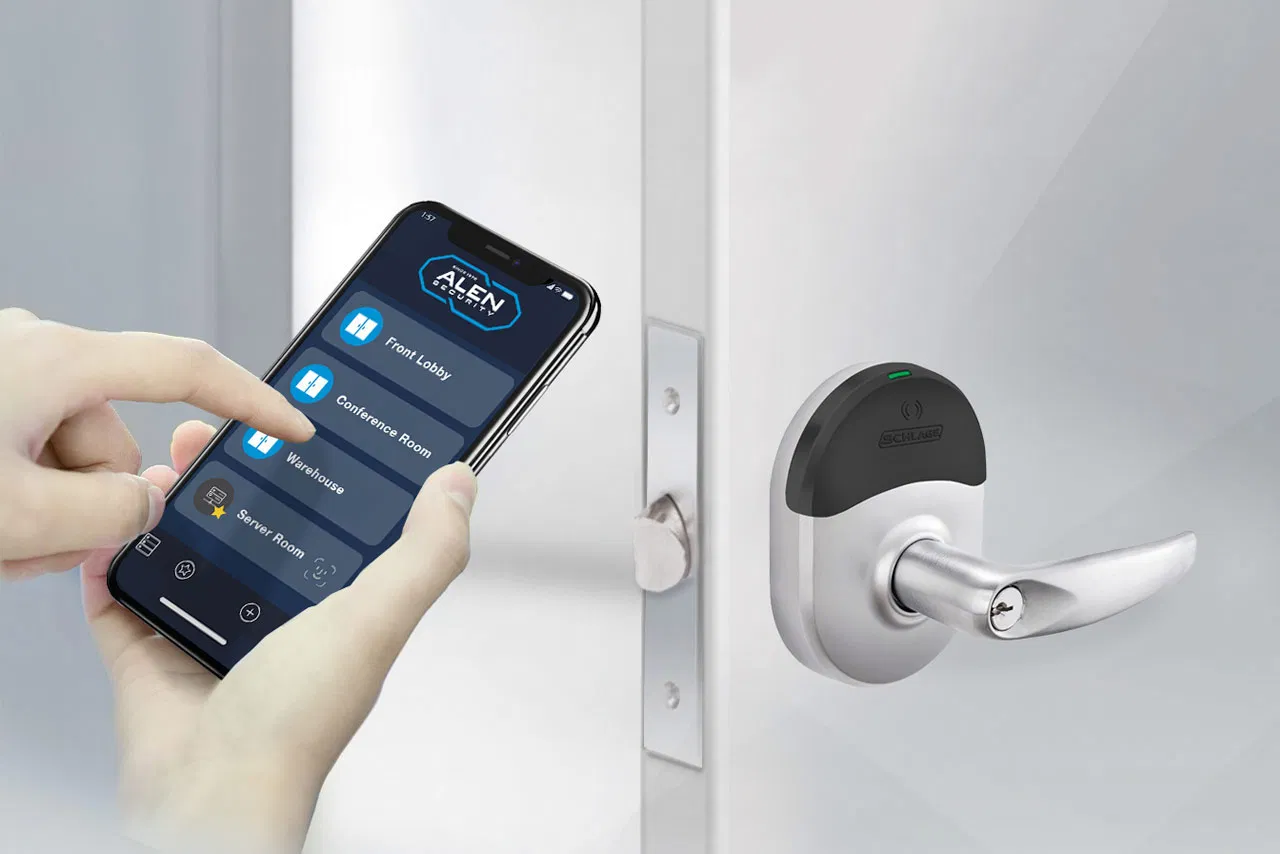
Is Brivo Access Control Right for Your Multi-Site Business?
By Alen Security
Your team may already have Brivo access control on the shortlist. Perhaps a regional manager wants to stop calling each store to revoke a badge. Perhaps a local server is aging out, or a new location needs access control without another machine in the rack. The product demo looks simple. Your job is to find out whether the complete system will stay simple after it reaches twenty sites, three shifts, and a Friday night network outage.
Brivo is a cloud-managed access control platform that can centralize doors, users, schedules, and events across locations. That can remove local management servers and make administration easier. It does not remove the physical door, controller, reader, power, network, identity, and service decisions. A sound Brivo evaluation tests those parts together, with the people who will own them after installation.
This guide is for an IT director evaluating Brivo for commercial buildings or a distributed business. It covers the questions that belong in the design meeting, the evidence to request in a proposal, and the tests to run at a pilot site. Features and editions change, and a capability in a product brochure is not necessarily included in your proposed license or compatible with your existing hardware. Have the integrator show the configuration that applies to your buildings.

What should an IT director actually evaluate in Brivo?
Start with the operating model, not a feature count. Can your team issue and remove access from one place? Do site managers see only their own locations? Does an identity change reach the right doors, and can you prove when it did? Can a controller make the expected decision when the internet is unavailable? When a reader fails, does the right person know who owns the repair?
Brivo’s current product material describes centralized administration, local controller intelligence, mobile and physical credentials, integrations, and a range of security suite editions. Those are useful capabilities to investigate. The purchasing decision still depends on the exact panel, reader, credential, subscription, integration, and installation design quoted for your sites. Ask for a demonstration against your workflow rather than a generic tour of the interface.
We would make a short list of outcomes before asking for a bill of materials. Pick a new hire, a transferred employee, a departing contractor, a lost credential, an offline site, and a forced door. Follow each event from request to final report. The gaps become visible quickly. A polished dashboard cannot make up for a vague approval rule or an unsupported lock at a remote entrance.
Where does the cloud end and the building begin?
Cloud-managed access control moves central administration and some software responsibilities away from a server your team maintains. It does not mean every door decision waits on a round trip to the cloud. Brivo describes panels with local intelligence that store credentials and rules on site. The exact behavior depends on the panel, configuration, connected hardware, and the state of local power and network links.
Draw the system in plain language. The reader sees a credential. The controller evaluates it and drives an output. Door position and request-to-exit devices report status. The controller exchanges information with the cloud service over the approved network path. An administrator uses the cloud application to change permissions and review events. If video is connected, another system supplies the relevant footage. Each boundary has its own failure mode.
That diagram stops a common misunderstanding. Removing a local server does not remove controllers, power supplies, cabling, batteries, locks, switches, or service visits. It changes which component hosts management and where your team applies updates. In a proposal, separate the responsibilities of Brivo, the integrator, IT, security, and facilities. If nobody owns a failed controller’s network connection, the fact that the cloud is healthy will not open that door.
Will Brivo fit the doors you already have?
Do a door-by-door survey before treating existing hardware as a credit against the project. Record the lock type, reader, controller, door position switch, request-to-exit device, power supply, battery, cable path, fire alarm interface, and any elevator or gate connection. A door can look ordinary from the corridor and still need a different installation approach because of its hardware, frame, wiring, or required behavior during an alarm.
Reader compatibility and credential security are separate questions. An older reader may be supported through a migration path, while the card technology it reads may not meet your desired standard. Brivo describes support for multiple reader and credential types, including mobile options and paths from legacy Wiegand toward OSDP on supported equipment. That does not make every inherited card or reader suitable for continued use. Test representative hardware and ask what security compromises come with retaining it.
For a multi-site organization, the survey should show exceptions rather than hide them. One store may have a modern electrified lock and accessible cabling. Another may have a gate operator, a shared building entrance, and a landlord-controlled fire interface. A standard can still govern permissions, naming, testing, and support while the physical solution varies by site. Our access control site survey guide covers the details worth collecting before scope is set.
What network and cybersecurity review does Brivo need?
Bring IT into the design before a technician arrives with a controller and asks for a network jack. Inventory the panels, readers that use IP, gateways, management workstations, video components, and any integration service. Request the vendor’s current network requirements for the specific hardware and functions in the proposal. Document destinations, protocols, ports, DNS, time service, proxy requirements, and the process for changes.
A cloud-managed design can use outbound connections for routine management without exposing a controller or recorder directly to the public internet. That is a good starting principle, but do not accept “no firewall holes” as a substitute for a traffic diagram. Confirm the actual paths, including remote support, video, APIs, and any third-party integration. Place devices in a defined network zone and use firewall rules or access-control lists to limit movement. A VLAN alone is an organizational tool, not a complete boundary.
Then review the human access path. Require individual administrator accounts, roles matched to actual jobs, multifactor authentication where supported, a process for vendor access, and a way to remove privileges when an employee or contractor leaves. Brivo’s security material describes SSO, roles, logging, and independent assurance such as SOC 2 Type II and ISO/IEC 27001:2022. Those vendor controls support your review; they do not replace your own account governance, network policy, or incident process.
Ask who can change a door schedule, issue a mobile pass, export an access log, unlock remotely, and alter an integration. Test those roles. A regional manager may need to handle one district without seeing the whole company. An installer may need time-limited administrative rights. A finance reviewer may need reports without the ability to open a door. This is the point where a simple interface becomes a secure operating model.
How should multi-site roles and permissions work?
The first site is easy to make tidy. The twentieth exposes whether the permission model was designed or improvised. Before importing users, decide how you name sites, buildings, doors, access groups, schedules, holidays, and administrator roles. Define which rules are company-wide and which can be changed locally. A shared standard makes reporting and support easier because a “receiving door” means the same thing at every location.
Imagine a retailer with twelve stores and one distribution center. A store associate should reach the assigned store during a scheduled shift. A regional manager might need several stores. A maintenance contractor may need a back-of-house door for two days, after approval from a named sponsor. The distribution center may use different shifts and higher-consequence zones. Central administration should express those differences without giving everyone broad access everywhere.
Set a clear owner for access requests. HR can confirm employment, a manager can approve the job need, security can define the door policy, and IT can support the identity connection. Those are different decisions. If your organization already has an employee lifecycle process, connect the physical access workflow to it carefully. Our article on automating employee access goes deeper on approvals, exceptions, and failed updates.
Before go-live, review an access matrix with actual names or test personas. Transfer the store associate to another location. Give the contractor a temporary permission. Remove the regional manager’s old district. Ask a site manager what they can see and change. If the test produces a sprawling group called “All Doors,” fix the model before rolling it out.
Can identity and HR systems really automate door access?
Brivo describes identity connectors and APIs for linking access control to directory and workforce systems. That can reduce duplicate entry, but the existence of an integration does not establish your exact workflow. Determine which system creates the person, what event triggers a change, which attributes map to a site or role, and who resolves an error. Ask whether the proposed connector and features are included in the quoted edition and whether any separate service or license is needed.
Work through three cases. A new employee joins on Monday but needs building access before an account is fully active. An employee transfers to another site while retaining a temporary assignment at the old one. A terminated employee has an identity record disabled while a controller at one site is offline. These cases expose timing and exception rules that a perfect-path demo misses. The cloud may show a requested revocation while a disconnected controller has not received the change. Your procedure needs to account for that interval.
Keep a visible queue for failed provisioning and deprovisioning events. Decide how often it is reviewed, who can correct a mapping, and how the correction is recorded. Do not assume that an HR change should automatically grant every door implied by a job title. A person can have a valid corporate identity and still need separate approval for a lab, high-value cage, server room, or tenant suite.
A useful acceptance test is a complete trace: HR change, identity update, connector event, Brivo user and group change, controller receipt, door test, and audit record. Time each step under normal conditions and during a network failure. That gives the security and IT teams a defensible answer to “How quickly was access removed?” rather than a promise that everything happens instantly.
Should you use cards, mobile credentials, or both?
Brivo offers several credential approaches, including cards, mobile credentials, and digital wallet options on supported configurations. The right mix depends on your workforce and doors. A phone-based credential can reduce the work of printing and distributing cards, especially across many sites. A physical credential may still be useful for a shared device policy, a worker without a suitable phone, a visitor, or an environment where phones are restricted.
Do not equate “mobile” with a universal security upgrade. Consider reader compatibility, enrollment, device replacement, lost phones, employee privacy expectations, accessibility, battery state, and what happens when a person changes jobs. Test the actual reader and credential combination at the door, including a busy entrance where people arrive in a group. Ask whether the chosen mobile option uses an app, Bluetooth, NFC, or a wallet, and what is included in the contract.
Legacy cards deserve their own decision. A compatible card may preserve continuity during a phased cutover, but compatibility does not make an old credential resistant to cloning or suitable for sensitive areas. You can keep some doors running while migrating credentials in stages. Write down which people and doors move first, how long old cards remain valid, and how you identify a card that was never surrendered. Our legacy access control guide explains how to prioritize inherited equipment across locations.
Make the daily experience part of the pilot. A credential that works beautifully in a sales demonstration but creates a line at the employee entrance is a problem. So is a replacement process that leaves someone waiting outside for half a shift. The best credential policy is secure enough for the site and straightforward enough that people follow it.

What happens when the internet, network, or power fails?
Separate these failures. A WAN outage can leave the local controller powered and connected to its readers. A switch failure can isolate a panel even while the internet is healthy elsewhere. A power outage can affect the controller, lock, reader, and network equipment in different ways. A cloud service interruption has another effect. A single claim that a system “works offline” does not answer all four cases.
Brivo says its panels can store credentials and rules locally so doors can keep making decisions during an internet outage. Verify that behavior on the quoted panel and your configured doors. Test an existing employee credential and a credential issued just before the interruption. Then test a person whose access was removed while the site was disconnected. Document which changes wait for reconnection, how events are stored, and how you confirm synchronization afterward.
Power is a separate design task. Record the expected UPS run time for controllers and network equipment, the battery capacity of power supplies, and the behavior of every lock when power is lost. Coordinate egress and fire alarm interfaces with the building’s responsible professionals and authority. Do not promise that all doors automatically unlock on an alarm. The correct arrangement depends on the opening, hardware, applicable code, and approved design.
Run a planned failure test at a representative site before expansion. Start with a normal event log, disconnect the WAN, use several credentials, create a change in the cloud, restore service, and compare the controller and cloud records. Repeat with the relevant power and switch scenarios under a controlled test plan. Our cloud access control outage guide covers the questions to ask at each step.
How should video work with Brivo access events?
Linked video can make an access event easier to investigate. A denied entry at a side door, a door held open, or a credential used after hours becomes more useful when the reviewer can see what happened around the event. Brivo’s platform describes integrated video capabilities, but the exact cameras, recorder, storage, retention, licensing, and event mapping in your proposal need verification.
Ask the integrator to show an event at an actual pilot door. Does the clip start early enough to show the person approaching? Is the camera aimed at the right side of the opening? Are timestamps aligned? Who may see the video, and who can export it? If the network or recorder is unavailable, does the access event remain visible even when the footage does not? Those details determine whether “one dashboard” saves time in a real investigation.
Video has its own network and storage requirements. A live stream viewed remotely, an incident export, and continuous recording can place different demands on the WAN and local infrastructure. Decide where footage lives and how long it remains available. Avoid assuming that every cloud-managed camera stores locally or that only metadata crosses the network. Our guide to connecting access control and video examines where the integration earns its cost.

What reporting and compliance claims should you verify?
Access logs can support an investigation and an audit, but a log is not the same thing as compliance. Brivo’s own security certifications concern the vendor’s controls and assessed scope. Your organization’s obligations may require particular retention, review, access approvals, evidence preservation, and documented corrective action. Do not assume a subscription automatically produces a report sufficient for every SOC 2, HIPAA, or PCI DSS inquiry.
Start with the questions you may need to answer. Who had access to the server room on a particular date? Who approved that access? When was a former employee’s credential removed, and when did each relevant controller receive the change? Who altered a door schedule? Can you retrieve the event without granting an auditor full administrative rights? Test a sample request with your security and compliance teams.
Then set retention and export rules. Confirm what data is captured, how long your edition retains it, how exports are protected, and what happens when a site is disconnected. Align timestamps and site naming. Decide who reviews exception reports and what action follows a denied entry or held-open door. A dashboard can surface data, but a named owner must decide what to do with it.
Ask for a demonstration of a report from two sites with different local managers. If the same event has different names, time zones, or approval records, standardize those fields. Reporting gets harder as locations are added unless the design begins with a common language.
How do you compare the full cost of a Brivo deployment?
A cloud subscription can make some expenses more predictable, but it does not turn every cost into a monthly fee. Put the capital and recurring items in one view over the same planning period. Include controllers, readers, lock hardware, power supplies, cabling, network changes, installation labor, permits where required, credential issuance, subscriptions, video, integrations, training, and support. Add the cost of surveying and replacing doors that fail the pilot’s standard.
Ask for the proposed Brivo edition and license basis in writing. Which features are included? What changes when you add a door, site, user, mobile credential, video channel, administrator, API integration, or advanced report? Do different locations need different editions? Brivo publishes edition descriptions, but the proposal and contract determine the actual package and commercial terms you will receive.
Compare the current system fairly. Your existing server has costs: support time, backups, operating system updates, hardware replacement, remote access, and time spent asking a local manager to make a change. Some of those may shrink. Others move to controller maintenance, network support, subscription management, and integration monitoring. A credible business case shows what work disappears, what remains, and who will do it.
One practical method is to price a representative site first, then a standard site, then the known exceptions. Avoid multiplying the easiest store by fifty. Include the remote warehouse with a gate, the office with an elevator, and the landlord-controlled lobby. These are the places where a neat per-door estimate can fail.
Who owns Brivo after the installation?
The handoff should be a document and a working meeting, not an email that says the project is complete. IT needs the network diagram, device inventory, permitted traffic, integration credentials and ownership, monitoring method, and update process. Security needs access groups, approval rules, administrator roles, reports, and incident procedures. Facilities needs door hardware details, service contacts, spare parts, and what to do when a door fails. The integrator needs a clear service boundary.
Agree on the alert path before go-live. A controller offline at midnight is different from a reader with intermittent failures, a held-open door during business hours, or a failed identity sync. Who receives each alert? Who can diagnose it remotely? When is an on-site visit required? What happens if the issue crosses the line between IT, physical security, and building maintenance?
At Alen Security, the aim is a repeatable design and a service relationship that survives staff changes and site growth. We can survey the doors, design the access and video environment, install it, and support it. Your team should still receive enough documentation to understand what was built. A dependable partner makes the system easier to own, not mysterious.
There is a real Alen example of this operating model. In our national architecture, engineering, and construction firm case study, we document a phased Brivo program for a portfolio of about 140 offices, with 50 locations deployed at the time of publication. Installations were coordinated with construction and renovation schedules, and the relationship includes preventive maintenance and quarterly planning. The lesson is the repeatable rollout and continuing ownership, not a promise that every site can use identical hardware or move on the same timetable.
What should a Brivo pilot prove before a larger rollout?
Choose a pilot that represents your ordinary complications. It should include a high-traffic entrance, a restricted interior door, a manager who administers the site, a remote user, and at least one inherited hardware constraint. If video or identity integration is part of the purchase, include it in the pilot. A showroom installation with one clean door proves very little about the rollout you will actually fund.
Write acceptance criteria before installation. They should cover a new user, role change, termination, temporary visitor or contractor, lost credential, denied entry, held-open door, offline controller, network recovery, administrator privilege, event search, and service escalation. Have IT, security, and facilities observe the relevant tests. Record the result, exception, owner, and correction date.
Four questions should have an answer before you approve expansion:
- Can the people responsible for daily access changes complete them without broad administrator rights?
- Can IT verify and support every required connection without an unexplained inbound exposure?
- Do the doors and records behave as documented during a controlled failure and recovery?
- Can Alen and the customer’s teams identify, diagnose, and repair a failed component through an agreed service path?
After the pilot, update the standard. The first site will teach you about naming, hardware, shifts, exceptions, and training. Carry those lessons into the next location rather than copying the initial configuration blindly. A staged rollout lets the organization improve the model before small errors multiply across the estate.
How do you avoid repeating the same problems at every site?
Make a site package with room for real differences. It should define the approved controller and reader families, credential policy, network zone, naming pattern, administrator roles, access-group templates, event settings, outage test, installation documentation, and support handoff. Then create an exception record for every deviation. The standard is a way to make differences visible and manageable, not a claim that every building has identical doors.
Use the first few installations to refine the package. If a reader struggles in a metal-framed loading area, fix the specification. If a regional manager cannot find the right site in a long list, fix the naming. If a contractor’s access lasts longer than the job, fix the approval and expiration workflow. These are design lessons, not reasons to give every facility its own independent rules.
Our article on standardizing multi-site access control addresses the broader management model. This Brivo evaluation has a narrower job: prove that the proposed platform, edition, hardware, integrations, and service agreement can deliver that model in your buildings.
Frequently asked questions
Does Brivo need a server at each location?
A cloud-managed Brivo design can remove the local management server used by some older systems. Each site still needs the appropriate controllers, readers, door hardware, power, and network connection. Confirm the quoted panel architecture and any local integration or video equipment. Ask the integrator to show which devices your IT and facilities teams will support on site.
Will existing badges and readers work with Brivo?
Some may, but compatibility depends on the reader, card technology, controller, wiring, and selected configuration. Reusing a legacy credential can ease a phased migration while preserving an avoidable security weakness. Survey representative doors, test the actual credentials, and decide which hardware stays temporarily, which is upgraded, and when old credentials are retired.
What happens to Brivo doors during an internet outage?
Brivo describes local controller intelligence that can use stored credentials and rules while a site is disconnected. New permissions and revocations may not reach an offline controller until connectivity returns. Power loss and fire alarm behavior are separate design questions. Test the quoted hardware, existing and changed credentials, event storage, and recovery at a pilot site.
Can Brivo connect to our identity provider and video system?
Brivo offers identity and video integrations, but the exact connector, edition, third-party product, licensing, and workflow determine what is possible for your organization. Ask for a live demonstration using a representative hire, transfer, termination, and access event. Document what happens when the connection fails, who sees the error, and who fixes it.
How should we evaluate a Brivo proposal for multiple sites?
Compare the full system and service model, not a price per door alone. Review a representative site survey, the network and controller design, credential plan, permissions, outage behavior, integration scope, subscriptions, installation exceptions, training, and support ownership. Pilot a difficult site and require written acceptance results before using it as the template for a larger rollout.
Make the decision at a real door
A cloud platform can give an IT director a cleaner way to manage access across locations. The value is real when the day-to-day work improves: a manager can request the right access, a departing employee loses it through a traceable process, an investigator can find the relevant event, and a disconnected site behaves as expected. Those results come from a tested design and clear ownership.
If Brivo is on your shortlist, bring one complicated location to the table. Show us the doors, the inherited hardware, the network rules, the user lifecycle, and the service frustrations. Alen Security can help turn that into a scoped survey and pilot, then a standard your other locations can follow. Schedule a Brivo access control assessment and we will map what the first site needs to prove before you commit to the rest.