
Access control and video surveillance answer different parts of the same incident. A badge is used at 7:42 p.m. The access system says the door opened. If that happened after hours at a site you manage from another state, what do you check next? Video can show who approached, whether someone followed them in, and whether the door closed behind them.
So, should access control and video surveillance work together? Yes, when the connection helps your team answer a real question or respond to an event. You do not need to combine every camera and every door. Start with the openings and incidents where matching an access event to the right video would save time or change your response.
For an IT Director supporting several locations, the result should be simple: an authorized person can find the door event, open the relevant camera view, and understand what happened without calling three people or guessing which camera is “CAM-47.” Here is how to decide where that workflow is worth building.
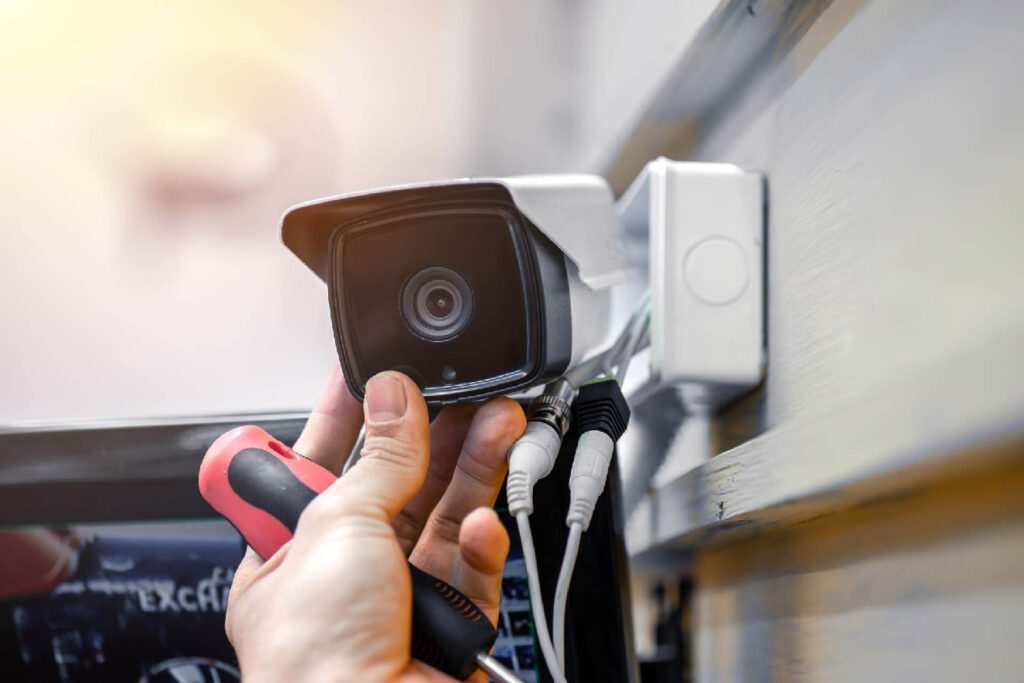
What does access control and video surveillance integration actually do?
At its simplest, the integration associates a door event with the camera that covers that opening. A user can move from a granted badge, denied credential, forced door, or held-open alarm to video from the same place and time. Depending on the platforms, the video may appear in one interface or open through a supported link to another system.
The integration may also help an authorized operator view an entrance before releasing a door remotely. That is a different workflow with a different permission requirement. Ask for a demonstration using your actual door names and camera views. A screenshot of a generic dashboard will not tell you how quickly your team can investigate Site 27.
Some products combine access and video in a common platform. Others connect separate platforms through a supported integration. Either approach can work. The test is whether the person handling an incident can get from the alert to useful evidence, and whether someone can support that connection after a software update.
Why does access control and video surveillance work better together?
An access event is a record of what the system detected. It can tell you a credential was accepted, a door stayed open, or a contact reported an unexpected opening. It usually cannot tell you on its own whether the cardholder brought in a coworker, a delivery kept the door open, or a closer failed to latch.
Video provides context around the event. If the clip opens at the right door and time, your team can decide whether to escalate, dispatch service, or close a harmless incident. That matters even more when a central security team supports many sites and cannot walk down the hall to look.
Access control and video surveillance together can make your response more consistent. One regional manager should not be hunting through cameras while another has an event-linked view. When door names, camera associations, and permissions follow a shared standard, the next location is easier to support.
Which incidents benefit most from access and video together?
A denied credential after hours
A denial could be a person at the wrong door, an expired badge, a contractor outside approved hours, or a former employee attempting entry. The event tells you what the controller decided. The video shows what was happening at the opening. You still check the credential record and access policy, but you can start with a clearer picture.
Imagine a warehouse manager calls because a vendor says their badge failed. The central operator opens the associated camera view and sees the vendor at the employee entrance instead of the contractor entrance. That is a different response from a denied credential presented repeatedly at a restricted room after closing.
A forced or held-open door
A forced-door alert means the door opened without the expected authorized sequence. A held-open alert means it remained open past the configured threshold. Neither alert tells you why. Video may show a delivery, equipment traffic, maintenance work, a propped door, or an actual unauthorized entry.
It may also show a mechanical problem. If the same door fails to latch every afternoon, the fix could be door hardware or a closer adjustment. An integration cannot repair the opening, but it can help your service team stop treating each alarm as an isolated mystery.
Alen’s 2026 domestic food manufacturer case study describes doors and overhead bays left open across two facilities. The upgraded environment combined access control, video, burglar alarm, and door-prop alerts. The practical point is the response: the team needs enough context to tell an operational habit from a security event.
Remote entry at a lightly staffed site
A remote office may not have a receptionist at every entrance. An authorized operator might use an intercom or door station and a camera view to check a visitor before releasing the door. That workflow needs the right live view, a reliable communication path, and a clear rule about who may unlock it.
Remote release is an administrative function. It does not replace required egress, emergency release, or fire-alarm behavior. The door hardware and local requirements still determine the safe design. The video view helps the operator make a decision; it cannot make a noncompliant opening safe.
Do access control and video need the same manufacturer?
No. Separate systems can often be connected when the vendors support the relevant APIs, drivers, versions, and licenses. A common platform may offer a smoother operator experience. A mixed environment may let you keep working cameras or choose equipment that fits a particular site.
Ask what the operator can actually do in each option. Can they open recorded footage from the access event? Is the camera view live, recorded, or both? Can they search by door and event type? What happens when a camera is replaced? Who fixes the connection if an upgrade breaks it? Those answers are more useful than a “unified” label.
A phased approach may be sensible for a company with existing equipment across many buildings. Connect priority doors first, document the mappings, and expand as sites are renovated. The central team can still use one investigation process even when hardware varies by location.
Where should you start the design?
Start with a real incident, not a product diagram. Pick a door your team struggles to investigate today. Ask what the operator needs to know in the first minute and what action they should be allowed to take. That defines the camera view, event association, permissions, and retention you actually need.
For a denied badge, perhaps the operator needs a 30-second clip before and after the event. For a loading dock left open, a broader view and a longer window may matter. For remote release, live video and two-way communication could be essential. The workflow dictates the configuration.
Then name each door and camera consistently. “Rear Employee Entry” in the access system should map to a camera name a human can recognize. Keep the camera’s field of view in the site record. A technically connected camera that points past the opening will not help an investigation.
What makes access control and video surveillance dependable across sites?
Time, mapping, and retention
The event and video need to agree on time. Check the time source, time zone, and daylight-saving behavior for controllers, cameras, servers, and cloud services. A clock mismatch can send an investigator to the wrong clip even when the integration appears healthy.
Record the door, reader, camera, view, site, and integration status together. Decide who updates that record when someone moves a camera or renames a door. Set video retention for the investigation period the organization actually needs, with access to exports limited to the right roles.
Permissions and network security
The person who issues badges does not automatically need recorded video from every site. A video investigator does not automatically need remote unlock rights. Set roles around jobs: viewing live video, searching recordings, exporting evidence, managing credentials, changing schedules, and releasing doors.
The connector itself needs scrutiny. IT should review service accounts, API tokens, encryption, logging, updates, and vendor support access. Give it only the permissions it needs. Alen’s approach to network-connected security systems is to avoid unnecessary open ports and firewall holes; the integration should have a documented, secure path rather than an exception nobody owns.
Licensing and support
A promised workflow may require separate access, video, integration, camera, or API licenses. Ask for the complete subscription and support scope before approving the design. If two vendors are involved, decide who takes the first call when an event no longer opens video.
That ownership matters after installation. A client should have one clear path to service, with a partner who can diagnose the door, camera, network, and connector together. Otherwise the integration becomes another place for tickets to bounce between teams.
What happens when one system is offline?
A video outage should not silently change the access-controlled door’s required local behavior. The door should keep operating according to its own design, while the team knows that video evidence is unavailable. The opposite can happen too: cameras may record while access events stop reaching the shared view.
Test the loss of a camera, the integration service, and connectivity at one site. Does the operator see a clear failure alert? Do event links recover after the connection returns? Are recordings still available in the video system? A broken association that no one notices is worse than a visible outage with a known response.
For a deeper look at controller behavior during a WAN outage, see our cloud access control offline guide. This article’s narrower question is whether the link between a door event and its video survives or clearly reports a failure.
How do you test the workflow before rollout?
Commissioning should prove what an operator can do, not merely show that two systems exchanged a message. Use representative doors from different site types and have the person who will handle incidents run the test.
- Present a valid and a denied test credential, then open the matching video and confirm the correct door and time.
- Trigger a controlled forced-door and held-open condition, and check the alert, camera mapping, and recorded clip.
- Use a limited operator account to confirm viewing, export, and remote-release permissions match the role.
- Disconnect a camera or integration service, verify the failure is visible, then restore it and test recovery.
Write down the result, platform versions, licensing, camera view, timestamp difference, and the person responsible for any fix. A single passing demonstration does not prove that every site has the right mapping. Make the test repeatable so a new location can be accepted against the same standard.
Our multi-site access control guide covers the broader rules for naming, site records, permissions, and support. This integration should fit that operating model rather than becoming a separate project at each building.
Frequently asked questions
Can a door alarm automatically open a camera view?
Many supported integrations can associate an alarm with a mapped camera, but the exact display depends on the platforms, versions, licenses, and configuration. Test the forced-door and held-open events you care about with the operator account that will use the feature.
Can video prove who used a badge?
It can show visual context around the event. It does not automatically prove identity. Camera angle, lighting, timestamp accuracy, and the possibility that someone followed the cardholder all matter. Treat the clip as evidence to review alongside the access record, not as a substitute for investigation.
Can an operator unlock a door from the video system?
Some platforms support remote release through a configured integration. Limit that action to authorized roles, verify the communication path, and document the operating procedure. The door’s required egress and emergency behavior must be designed independently of a remote command.
Is integration useful at a small location?
It can be, especially if a central team investigates incidents for that location. The value depends on how often events occur and whether the linked view reduces work. Start with a high-value door and test the workflow before connecting every opening.
What if we already have different camera systems across sites?
Inventory the platforms, versions, and supported connectors. You may be able to integrate some sites now and migrate others during planned upgrades. Keep door and camera naming, incident steps, permissions, and documentation consistent so the central team has a predictable process.
Make the next investigation easier
The best reason to connect access control and video surveillance is a real incident your team can resolve faster. Pick the door, the event, and the operator. If the operator can get to the right video and take the right action without hunting, the integration is doing its job.
Alen Security can review your existing access control and video systems, map the door-to-camera workflows that matter, and build a phased plan for your locations. Schedule a conversation with Alen to see which doors should be connected first.