
You are likely reading this because you are an IT Director or a Facilities Manager who is tired. Tired of the late-night calls. Tired of the “server is down” alerts. Tired of being the only person who knows how to reboot a system that should have been retired a decade ago.
You manage warehouses, retail chains, or multi-site offices. You are accountable for uptime, compliance, and asset protection. Yet, you find yourself tethered to a physical server room, babysitting hardware that acts more like a hostage-taker than a tool.
Lower Total Cost of Ownership
At Alen Security, we understand that your value to your company goes far beyond keeping a video recorder running. Your job is to drive innovation and ensure the safety of your people and property. When your security infrastructure is built on outdated, on-premise hardware, it doesn’t just take up rack space: it takes up your time, your budget, and your peace of mind.
It is time to talk about the transition to cloud-first systems. It is time to simplify. It is time to scale. It is time to trust your security to a partner with over 50 years of experience.
AGING HARDWARE? SCALE WITHOUT LIMITS.
How do cloud-first security systems scale without adding more server room complexity?
Cloud-first systems scale by shifting management and core services away from local servers, so adding sites, cameras, and doors does not require piling more hardware into your server room. You gain a standardized platform that grows with your business instead of creating more maintenance overhead.
The traditional model of physical security relies on the NVR (Network Video Recorder) and the local access control server. These boxes sit in your server room, humming away, consuming power, and generating heat.
But what happens when you add a new warehouse? What happens when you open five more retail locations across the region?
In the old world, you buy five more NVRs. You configure five more servers. You set up five more VPNs. You create a “vendor sprawl” nightmare that makes standardization impossible.
Cloud-first systems change the math. When you move to a cloud VMS (Video Management System) or cloud-based access control, the hardware at the “edge”: your cameras and door controllers: talks directly to the cloud. There is no central server to fail. There is no hardware to outgrow.
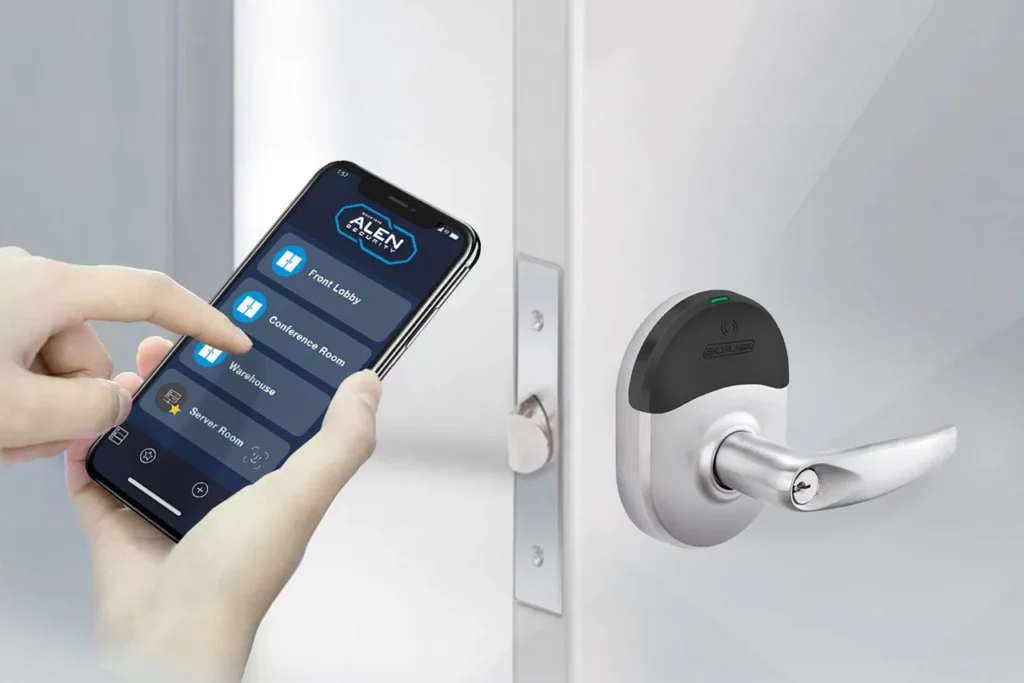
We call this SCALABLE security. Whether you have one door or one thousand, the management interface remains the same. You add a site, and it appears on your dashboard. No new server racks required.
CYBERSECURITY CONCERNS? CLOSE THE DOOR ON OPEN PORTS.
Why is a no-open-ports architecture more secure?
A no-open-ports architecture is more secure because it avoids exposing inbound pathways into your network for remote security access. That reduces attack surface and gives your IT team more confidence that the security system is not creating unnecessary cyber risk.
For any IT professional, the term “port forwarding” is enough to cause a headache. In the legacy world, if you wanted to view your security cameras from home, you had to open a port in your firewall. You had to tell the world, “Here is a direct path into my internal network.”
This is a massive cybersecurity blind spot. Every open port is an invitation to bad actors. It is a vulnerability that requires constant monitoring, patching, and hardening.
Our cloud-first approach ensures a SECURE network with NO OPEN PORTS.
Modern cloud systems, like the solutions we provide through partners like Eagle Eye Networks, utilize outbound-only connections. Your cameras and controllers “check in” with the cloud using encrypted, standard HTTPS ports (typically 443). Because the connection is initiated from the inside out, you don’t have to poke holes in your firewall.
This provides accountability and confidence. You can sleep knowing that your physical security system isn’t the back door for a ransomware attack.
When the time comes where you are ready to take the next step, you can look to us at Alen Security. On top of conducting an audit and installing the system, we are here for on-going training and any necessary maintenance that your system requires.
FAQ: Cloud-First Security for Multi-Site Businesses
How do cloud-first security systems scale without adding more server room complexity? Cloud-first systems move video and access control management off local servers, so you add cameras and doors at new sites without adding boxes to your server room. Buy five NVRs for five new warehouses under the old model, and you also buy five servers and configure five VPNs along with them. Under a cloud model, a new site checks into the same platform and shows up on your dashboard the day you plug it in.
Why is a no-open-ports architecture more secure? A no-open-ports architecture blocks the inbound path attackers use to reach your network, because your cameras and controllers connect out to the cloud instead of waiting for a connection in. You never open a firewall port to view footage from home. Your devices check in over standard HTTPS, the same protocol your bank uses, so your team stops maintaining a hole in the perimeter to watch a parking lot camera.
What is the difference between a traditional NVR and a cloud VMS? A traditional NVR stores footage on a physical box in your server room, and your team maintains and replaces that box over its lifespan. A cloud VMS, like the Eagle Eye Networks platform, stores and manages footage in the cloud, so the hardware at each site is a camera checking in, not a recorder someone has to babysit. One login covers every site instead of one server per site.
How does moving to cloud-based security reduce IT workload across multiple sites? Cloud-based security shrinks the maintenance list at each site down to cameras and door controllers, since no local server needs patching, backup, or replacement. An IT Director running ten retail locations logs into one dashboard instead of ten separate systems, each with its own firmware version and its own late-night alert. A new location joins the same platform on day one, so onboarding takes hours instead of a hardware order and an installation project.
Does cloud-based video surveillance keep working if the internet goes down? Cloud cameras from providers like Eagle Eye Networks store footage locally on the camera during an outage, then sync to the cloud once the connection returns, so you don’t lose recordings. Live view goes offline until the connection comes back, the same way an on-premise NVR goes offline if its own network drops. You wait on an internet connection to restore itself instead of troubleshooting a server that failed.
What should IT Directors look for when choosing a cloud security provider? Ask whether the provider uses outbound-only connections, so you never open inbound ports on your firewall. Ask how the platform handles multi-site management, since a system built for one location often breaks once you add a fifth site or a fiftieth. Ask how long the provider has protected physical buildings, because a company with decades of experience treats compliance and uptime differently than a software company entering security this year.
Does switching to cloud-first security cost less than running on-premise hardware? Cloud-first security cuts the cost of buying and replacing NVRs and servers at every site, since the provider maintains that infrastructure instead of you. You stop paying for rack space and power for boxes that exist only to record video. You pay a predictable subscription instead of refreshing hardware every five to seven years, avoiding a surprise capital expense when a server fails.